.svg)




Express Tutorial: Mastering Opera GX, the Ultimate Browser for Gamers
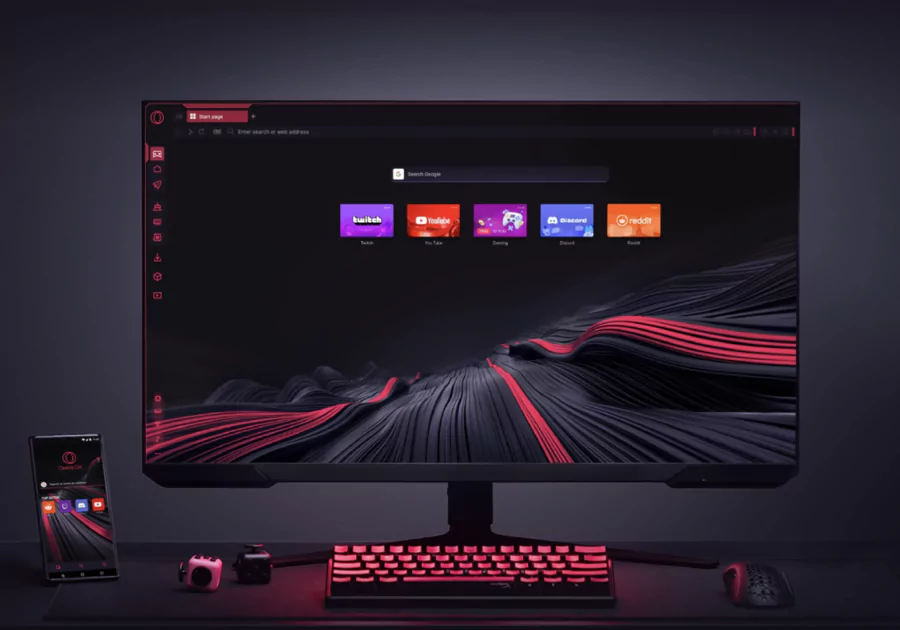
Opera GX is changing the game for web browsing if you're a gamer, and I'll show you exactly how to get the most out of its performance and customization tools. Here's everything you need to know to harness its full power without messing with your FPS.

🚀 Installation and First Setup
Fast download and installation
| 🧭 Étape | 📋 Description | ⏱️ Temps estimé |
|---|---|---|
| 1. Accès au site | Rendez-vous sur opera.com/gx pour télécharger la dernière version | 30 secondes |
| 2. Lancement de l’installeur | Ouvrez le fichier téléchargé, puis cliquez sur "Accepter et installer" | 1 minute |
| 3. Assistant d’installation | Laissez-vous guider par l’assistant jusqu’à la fin de l’installation | Moins de 2 minutes |
First Custom Launch
When you fire it up for the first time, Opera GX lets you jump right into personalizing your experience:
- Theme choice : You can go with light, dark, neon gaming or even create your own custom look
- Sound effects : Turn on the immersive audio environment that makes browsing feel like gaming
- Initial setup : Get your gaming preferences dialed in from the start
🎨 Advanced Gaming Customization (GX Mods)
Themes and Visual Atmosphere
| 🎛️ Élément | 🧩 Options Disponibles | 🧭 Accès Rapide |
|---|---|---|
| Thèmes | Styles néon, cyberpunk, RGB, thèmes personnalisés | Easy Setup → Thèmes |
| Wallpapers | Fonds animés, images statiques, uploads personnalisés | Easy Setup → Fonds d'écran |
| Couleurs | Palette RGB complète, réglages fins | Personnalisation → Couleurs |
| Effets | Animations visuelles, transitions dynamiques | Paramètres → Apparence |
GX Mods: Total Transformation
Here's what it is : These are mod packs that completely transform how your browser looks and sounds
Here's how you do it:
- Just click on the GX Mods icon in your sidebar
- Browse through all the available packs (gaming themes, game worlds, and more)
- Install and activate the ones you like best
- Customize the sounds for every action you take (clicking, closing tabs, you name it)
Smart Gaming Sidebar
Turn your sidebar into your personal gaming command center:
- Discord : Get integrated voice chat right there
- Twitch : Keep tabs on your favorite streamers
- Whatsapp/Telegram : Message without the annoying alt-tab dance
- Spotify/Apple Music : Control your music directly without switching windows
⚡ GX Control: Gaming Performance Optimization
Smart Resource Limiter
Here's where to find it : Side panel → GX Control
| 🧩 Ressource | 🔧 Fonction | 🎮 Bénéfice pour le Gaming |
|---|---|---|
| 💾 RAM Limiter | Fixe le pourcentage maximum de mémoire utilisé par le navigateur | Préserve la RAM pour les jeux exigeants, évite les ralentissements |
| 🖥️ CPU Limiter | Définit la limite d’utilisation du processeur par Opera GX | Maintient des FPS stables même avec Opera ouvert en fond |
| 🌐 Network Limiter | Réduit l’utilisation de la bande passante du navigateur | Évite le lag en ligne pendant les parties ou les streams |
Recommended Optimal Setup
If you're doing intensive gaming:
- RAM: Keep it at 4GB max or 50% of what you've got
- CPU: Cap it at 25% maximum
- Network: Use 80% of your total speed
For multitasking while gaming:
- RAM: Go with 6-8GB depending on what you're working with
- CPU: 40% max should do it
- Network: No limit (just adjust this as you need to)
🎯 GX Corner: Hub Gaming Central

Personalized Gaming Content
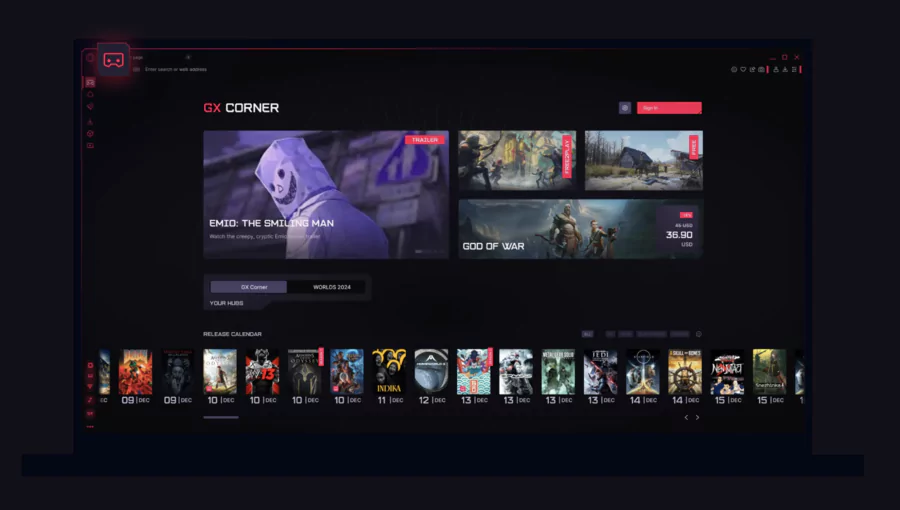
You'll find it here : GX Corner icon in your sidebar
Here's what you get:
- Gaming news : Real-time updates on everything happening in gaming
- Game releases : A calendar showing you what's dropping when
- promotions : Deals from Steam, Epic Games, and other platforms
- Free games : Alerts when games go free temporarily
- Reviews Express : Quick reviews of the latest releases
This section updates automatically based on what games you're into.
🛠️ Essential Integrated Gaming Tools
Protection and Performance Suite
| 🧰 Outil | ⚙️ Activation | 🎮 Avantage pour le Gaming |
|---|---|---|
| 🚫 Ad Blocker | Paramètres → Confidentialité | Chargement plus rapide des pages, moins de distractions |
| 🛡️ VPN Intégré | Barre latérale → Activer VPN | Contourne les restrictions régionales et protège ton IP |
| 🕵️ Tracker Blocker | Activé par défaut | Navigation plus rapide, anonymat renforcé |
| ❌ Pop-up Blocker | Paramètres → Sites | Jeux sans interruptions par fenêtres indésirables |
Streaming and Music Integrations
Getting Twitch set up:
- Add Twitch to your sidebar
- Connect your account
- Get instant notifications when people go live
- Use integrated chat without leaving your game
Universal Musical Player : This works with Spotify, Apple Music, YouTube Music, and Deezer. Control your playlist right from the sidebar without any alt-tabbing.
🔧 Extensions and Compatibility
Compatible Chrome Ecosystem
Here's how to access it : Menu → Extensions →"Get more extensions"
Extensions that gamers should definitely get:
- Steam Database : Get detailed info about Steam games
- Enhanced Steam : Check historical prices and reviews
- Honey : Automatically applies promo codes
- uBlock Origin : Advanced ad blocking that actually works
- Dark Reader : Universal dark mode for everything
Installation is simple : Opera GX works with 99% of Chrome extensions through the Chrome Web Store.
💪 Advanced Power User Features
Workspaces: Ninja Organization
The concept is simple : Split your activities into separate spaces
| 📁 Workspace | 🧩 Usage Principal | 🖥️ Exemples d’Onglets |
|---|---|---|
| 🎮 Gaming | Accès rapide aux jeux, actualités et communautés | Steam, Reddit r/gaming, tutoriels YouTube |
| 📺 Streaming | Consommation de contenu vidéo ou en live | Twitch, Netflix, YouTube |
| 💬 Social | Communication et interactions sociales | Discord Web, Twitter, forums spécialisés |
| 💼 Travail | Outils de productivité et gestion de projets | Gmail, Google Drive, Notion, Trello |
Quick shortcut : Ctrl+Shift+N to create a new workspace
Video Gaming Features
Pop-up video feature:
- Detach any video you want
- Keep it on top while you game
- Resize and move it wherever you want
- Perfect for following guides or walkthroughs
Automatic Picture-in-Picture : Keeps your streams and tutorials visible while you're gaming
GX Cleaner: Maintenance Express
Find it here : Settings → Advanced → GX Cleaner
One-click cleaning gets rid of:
- Browser cache
- Old cookies you don't need
- Browsing history
- Temporary files
- Unused site data
My recommendation : Clean this up weekly for the best performance.
🤖 Aria: AI Gaming Assistant
Built-in AI features
Access it here : Aria icon in the sidebar or just hit Ctrl+/
Gaming-specific things it can do:
- Find guides : "How do I beat Boss X in [game]"
- Instant translation : For games in foreign languages
- Review summaries : Get the gist of Steam/Metacritic reviews
- PC optimization : Config advice based on your specs
- Gaming news : Personalized news summaries just for you
Easy commands you can use:
- "Aria, find me the best configs for Cyberpunk 2077"
- "Summarize the reviews of this game"
- "Translate this page to Japanese"
🔄 Setup and Synchronization
Importing Data From Other Browsers
Here's the process : Settings → Import bookmarks and settings
| 🌐 Navigateur Source | 📂 Données Importables | ⏱️ Temps Estimé |
|---|---|---|
| Google Chrome | Favoris, mots de passe, historique de navigation | ~30 secondes |
| Microsoft Edge | Favoris, mots de passe, extensions installées | ~45 secondes |
| Mozilla Firefox | Favoris, historique de navigation | ~60 secondes |
| Safari | Favoris uniquement | ~30 secondes |
Gaming Privacy Settings
Safety recommendations that actually matter:
- Cookies : Block third party cookies
- Location : Turn this off for sensitive games
- Microphone/Camera : Only give permissions to sites you trust
- Downloads : Keep the automatic malware scanner on
- Passwords : Use the built-in generator
🎮 Ready, Set, Game!
Optimal Setup Checklist
✅ Performance stuff:
- GX Control set up for your system
- Ad Blocker turned on
- Gaming extensions installed
- Workspaces organized how you like them
✅ Customization:
- Gaming theme picked out
- GX Mods installed
- Sidebar configured
- Custom sounds activated
✅ Integrations:
- Gaming accounts connected (Steam, Twitch, etc.)
- Music service integrated (Spotify/Apple Music)
- VPN set up if you need it
- Aria tested and ready to go
Final tips
Essential Gaming Shortcuts:
Ctrl+Shift+Del: Fast cleaningCtrl+Shift+O: Bookmark managerAlt+P: Picture-in-Picture modeCtrl+/: Aria AIF12: Developer tools (advanced tweaks)
Performance Monitoring : Keep an eye on memory usage through GX Control in real time. If your FPS starts dropping, just lower the limits temporarily.
🔥 There you have it - you're now equipped to dominate web gaming!
Go ahead and explore everything, customize it to your heart's content, and discover all the hidden tools that'll make a real difference in your gaming sessions.
Conclusion
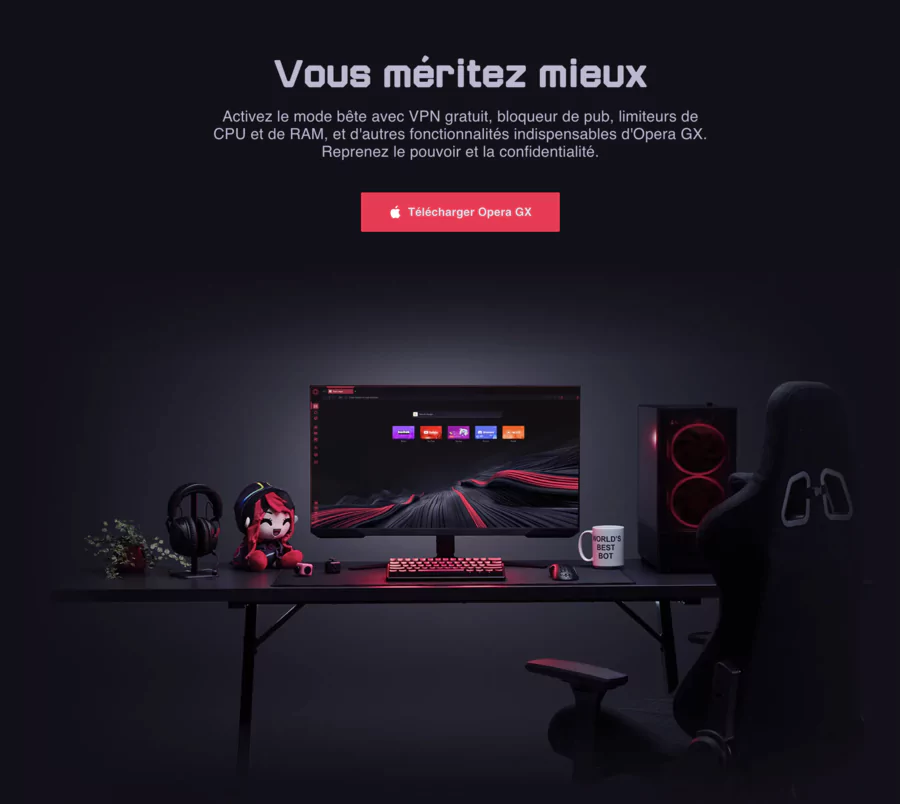
Opera GX is a must-have for gamers: GX Control keeps your sessions smooth, Twitch/Discord integrations make streaming simple, and the RGB interface gives you that unmistakable gaming style. The new 2026 features, like Tab Islands, boost your productivity, and the free VPN is a nice bonus for security.
But here's what you should know: the VPN can slow things down sometimes, and since it's based on Chromium, you might run into similar vulnerabilities as Chrome.
On mobile, the gaming features aren't as advanced. If you want a browser that's built for gaming and streaming, GX is fantastic, but if maximum privacy is your thing, Brave or Tor might be better options.
FAQ
What is Opera GX?
It's a free browser based on Chromium that's specifically designed for gamers, with resource optimization and gaming integrations built right in.
Who is Opera GX made for?
Gamers, streamers, and anyone who loves customization and wants to browse without slowing down their games.
What devices can I install it on?
Windows 10+, MacOS 11+, Android 9+, iOS 14+. There's no native Linux version though.
What are the unique features?
GX Control (lets you limit RAM/CPU), GX Corner (gaming news), Twitch/Discord integrations, and RGB themes.
How do I download Opera GX?
Just visit opera.com/gx, pick your operating system, and install it in a few clicks.
Is it secure?
Yes, it comes with a no-log VPN, tracker blocker, and anti-cryptojacking protection, though it's not quite as strict on privacy as Brave.
Is Opera GX free?
100% free to use, with an optional paid VPN Pro (around $5-8/month) if you want advanced protection.