jsFiddle is an online HTML editor. It supports HTML, CSS, and JavaScript. Code snippets in JS Fiddle are called fiddles.
Features
It allows you to select different versions or types of language. For example, in the HTML panel, you can select the document type from several options such as HTML 5, XHTML 1.0 Strict, and HTML 4.01 Transitional, and so on.
JS Bin is an online HTML code editor. It supports HTML, CSS, and JavaScript. It works fast and offers lots of features like automatic ending of brackets, highlighting brackets, etc.
Features
You can export your HTML code to a text file.
It will show you the real-time output of your code.
It supports mobile testing.
It provides two other features like the casting code and the custom start code.
All of the above features are for the free version. For the pro version, it provides more additional features like Dropbox Sync, Private bins, Vanity URLs, and Email support, etc.
Pricing
A free version is available. And the pro version starts at $130 per year or $17 per month.
Adobe Dreamweaver is a website development tool. In its most recent versions, it supports CSS, JavaScript, and some server-side programming languages. It can be used on Windows and Mac OS.
Features
Syntax highlighting (version 5 and higher).
Code tips.
Coloring the code helps to update the code.
You can develop a website that adapts to any screen size.
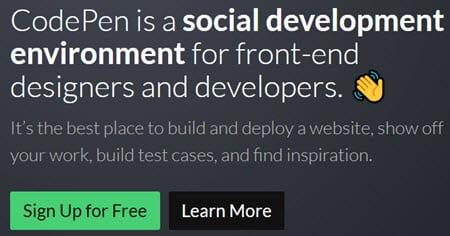
Codepen is an online HTML code editor. It can be used for HTML, CSS, and Java scripting. You can use Codepen with teams, for education, and for writing.
Features
Codepen allows you to maintain confidentiality.
It allows you to download any file such as an image, a pdf, a JavaScript, a CSS or even a short video file.
It provides project functionality, which is like an IDE. It has automatic preprocessing, file uploading, website deployment, and many other features.
You can see the result of your code on multiple devices and computers.
With the help of Embed Builder, you can create themes.
Teacher mode offers numerous features, such as sharing code and results in real time with students and group chat. Students can save this work for a copy.
It is an HTML editor for the Windows operating system. It takes care of the creation of new HTML and CSS files. You can also work on any existing website.
Features
It can do WYSIWYG editing.
It has a few existing themes and ready-to-use layouts.
It ensures compatibility between browsers.
It allows you to reference the tags and to complete the code.
The split screen preview feature allows you to see the result of your code below.
KompoZer is a WYSIWYG editor for HTML. KompoZer is like the new version of Nvu. It fixed numerous bugs and added new features to Nvu. Since it is based on Nvu, it uses the Mozilla Composer code base. It is an open-source tool.
Features
It has an integrated FTP.
It has table management, form management, and support for several websites.
The table management function allows you to create a table. You can resize the table and add rows to it.
It is an online HTML code editor. It supports HTML, CSS, and JavaScript. You can download the code as a file.
Features
It allows you to code in real time with many people.
Supports creation, observation, and Codecast. Codecast is a record of the code typed into the editor. This may be the recording of the code typed in by others.
You can view our creation on the CSS desktop gallery.
Pricing
Registration is free but for more advanced features you may need to contact them.
Conclusion
jsFiddle is a cloud-based tool that is available for free. Codepen is a commercial tool but offers good features for the price.
Codepen and jsFiddle are both popular among developers.
CoffeeCup is the HTML editor for Windows OS. If you don't want to go with an online or cloud-based HTML editor, CoffeeCup is the best option. BlueGriffon offers good features with the paid option. All of the other HTML editors mentioned in this tutorial are at the top.
You can choose one of these tools based on your needs and the capabilities of the HTML editor.
🎁 TRY AI REVOLUTION FOR FREE
Notion AI: read less and decide faster
Ask one question across your pages, meeting notes, and databases. Notion AI surfaces the decisions, blockers, and next steps worth your attention.
Everyone gets complimentary AI responses. Upgrade to Business only after you use them up.
Open the meeting notes you have been avoiding and ask Notion AI for a one-minute decision brief.
.svg)




%2525252520(1).jpeg)