Review of Zight – Are you looking for real user feedback before investing in this screen recording tool? Formerly known as CloudApp, Zight has repositioned itself as a visual communication platform enhanced by artificial intelligence. With over 5 million users worldwide, including teams from Fortune 500 companies, this solution is worth exploring. Zight places a strong emphasis on visual communication to reduce misunderstandings in messages.
Zight places a strong emphasis on visual communication to reduce misunderstandings in messages.
In this comprehensive guide, I break down the features of Zight, analyze genuine user feedback, and help you determine if this solution fits your needs – whether you're in a startup, freelancing, or part of a large organization. Zight also stands out for its group collaboration uses, facilitating information sharing and effective communication within teams.
What is Zight?
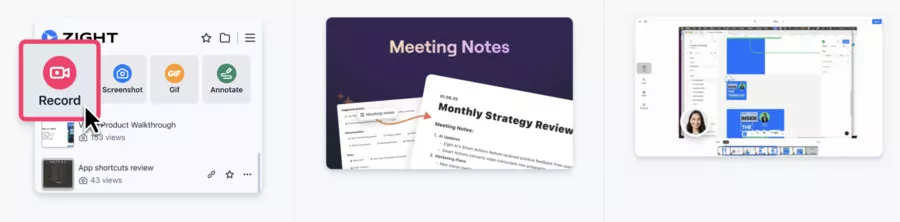
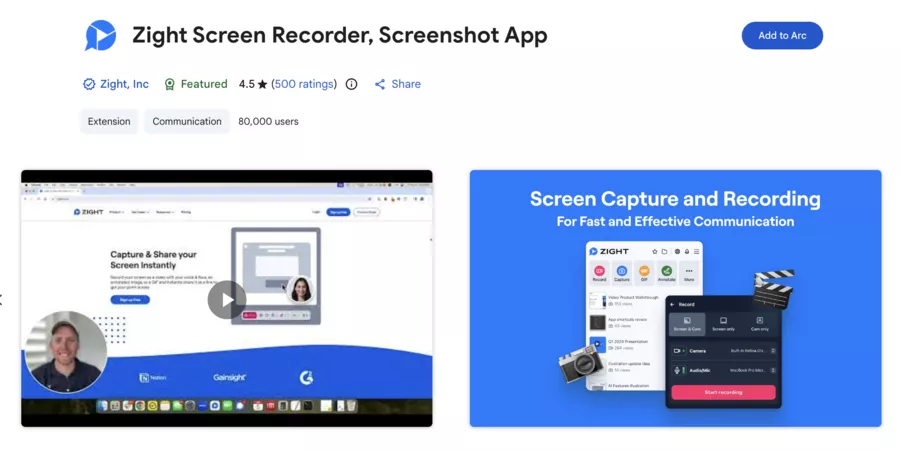
Zight is an all-in-one screen capture & screen recording app designed to speed up team communication. The app offers a user-friendly interface that allows you to create, annotate, and instantly share screenshots, videos, animated GIFs, and files. It simplifies the management, organization, and secure sharing of these files through automatically generated links.
Moreover, Zight allows you to transform recordings into structured content, like step-by-step guides or meeting notes, to enhance productivity and collaboration.
The name change from CloudApp to Zight is more than just a cosmetic rebranding. The team used this transition to fix several historical bugs and introduce innovative AI features like Smart Actions.
Main Features of Zight
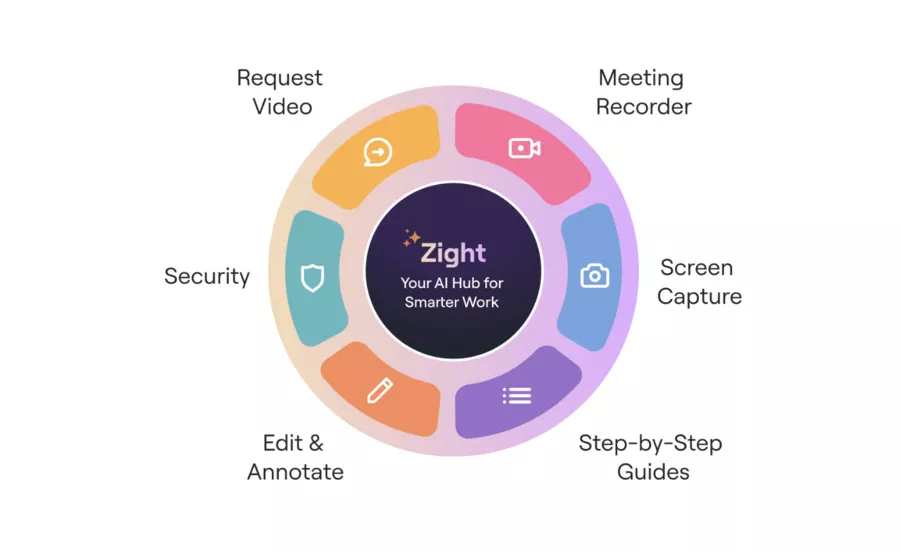
Zight's arsenal goes far beyond a simple screen recorder. The platform stands out for its diverse features, offering a complete range of functionalities for capturing, editing, sharing, and managing visual content, thus facilitating team communication and collaboration.
Zight is very easy to use and helps improve communication and productivity within teams or with clients thanks to its intuitive and efficient tools.
Zight allows you to capture images and screenshots, annotate, edit, and share them instantly. Image management and annotation are optimized for professional use, making it easier to convey precise visual information.
Video Recording
The tool offers HD screen recording, with the option to add audio commentary. Recordings can be easily edited with trimming, cropping, and filter application options, allowing you to enhance and personalize videos before sharing.
GIF Maker
Zight includes a gif maker that allows you to quickly create custom GIFs to illustrate concepts, instructions, or enhance visual communication. Creating, customizing, and sharing GIFs is done in just a few clicks.
Request Video
You can request video from clients or colleagues, who can then record and send videos via a link without prior installation, simplifying feedback collection or remote problem-solving.
Sharing & Link
Every captured or recorded content automatically generates a link (URL) ready to be shared on any communication platform. Instant sharing allows recipients to view or comment on files without creating an account.
All files (captures, videos, GIFs, images) are stored in the cloud, facilitating collaboration, access, and content management for the entire team.
With its powerful visual tools, Zight allows you to convey a clear message, avoid misunderstandings, and optimize communication, whether for training, customer support, or remote collaboration.
Screen Capture and Annotation
Screen capture and annotation is at the heart of Zight. You can capture a specific area, a full window, or the entire screen. The editing tools allow you to add arrows, shapes, text, and even blur sensitive information. Zight makes it easy to manage images, annotate them, and share them quickly, making it an effective tool for handling and storing images or screenshots.
Note: Some users express the desire for more advanced image annotation features.
The Zight recording quality reaches 4K for paid plans, ensuring clear captures even on high-resolution screens.
Video and Webcam Recording
Video recording captures your screen and webcam simultaneously in picture-in-picture mode. Zight allows for video recording in HD, including audio and webcam, for optimal visual communication. You can edit your recordings directly in the app with trimming, cropping, and filter application functions to enhance your videos. It is also possible to create GIFs and HD screen recordings with audio commentary. Ideal for product demonstrations or training tools where human contact matters.
GIF Creator
Animated GIFs allow you to illustrate a process in a loop without the weight of a video. Perfect for technical documentation or quick responses in Slack.
Zight offers an integrated gif maker, which allows you to easily create custom GIFs to illustrate concepts or instructions, then share them instantly to improve the clarity of your communications.
Zight AI: Artificial Intelligence for Productivity
This is where Zight truly stands out from the competition. The AI features include:
📝 Automatic transcription with subtitles in over 50 languages
🎯 Automatically generated titles and summaries for each video
📑 Smart Chapters that segment your videos into navigable sections
⚡ Smart Actions that turn your videos into guides, SOPs, FAQs, or bug reports
Zight's AI automatically converts your video recordings into structured content, like meeting notes, step-by-step guides, or FAQs, to facilitate communication and collaboration. Each generated content can be instantly shared via an automatic link: Zight creates a unique URL for each file, ready to be pasted into your emails, Slack, or any other tool, without the recipient needing to create an account.
According to Zight, Smart Actions users have reduced their documentation time by 50%. A support team can thus transform a simple screen recording into a knowledge base article with one click.
Zight AI: Artificial Intelligence for Productivity
This is where Zight truly stands out from the competition. The AI features include:
📝 Automatic transcription with subtitles in over 50 languages
🎯 Automatically generated titles and summaries for each video
📑 Smart Chapters that segment your videos into navigable sections
⚡ Smart Actions that turn your videos into guides, SOPs, FAQs, or bug reports
According to Zight, Smart Actions users have reduced their documentation time by 50%. A support team can thus transform a simple screen recording into a knowledge base article with one click.
Comparison Table: Key Features of Zight
🧩 Comparison Table: Key Features of Zight
🔧 Feature
📋 Description
✅ Availability
📸 Screen Capture
Area, window, or full screen with annotation
All plans
🎥 Video Recording
Screen + webcam + system audio
All plans
🎬 Animated GIFs
Looping GIF creation
All plans
🤖 AI Transcription
Automatic subtitles in 50+ languages
AI Add-on ($5/month)
⚡ Smart Actions
Generation of SOPs, FAQs, guides
AI Add-on ($5/month)
📊 Analytics
View and engagement statistics
Pro and above
🔒 Secure Sharing
Password and expiration date
Pro and above
🏢 Custom Branding
Custom logo and domain
Team and Enterprise
Zight Integrations: A Connected Ecosystem
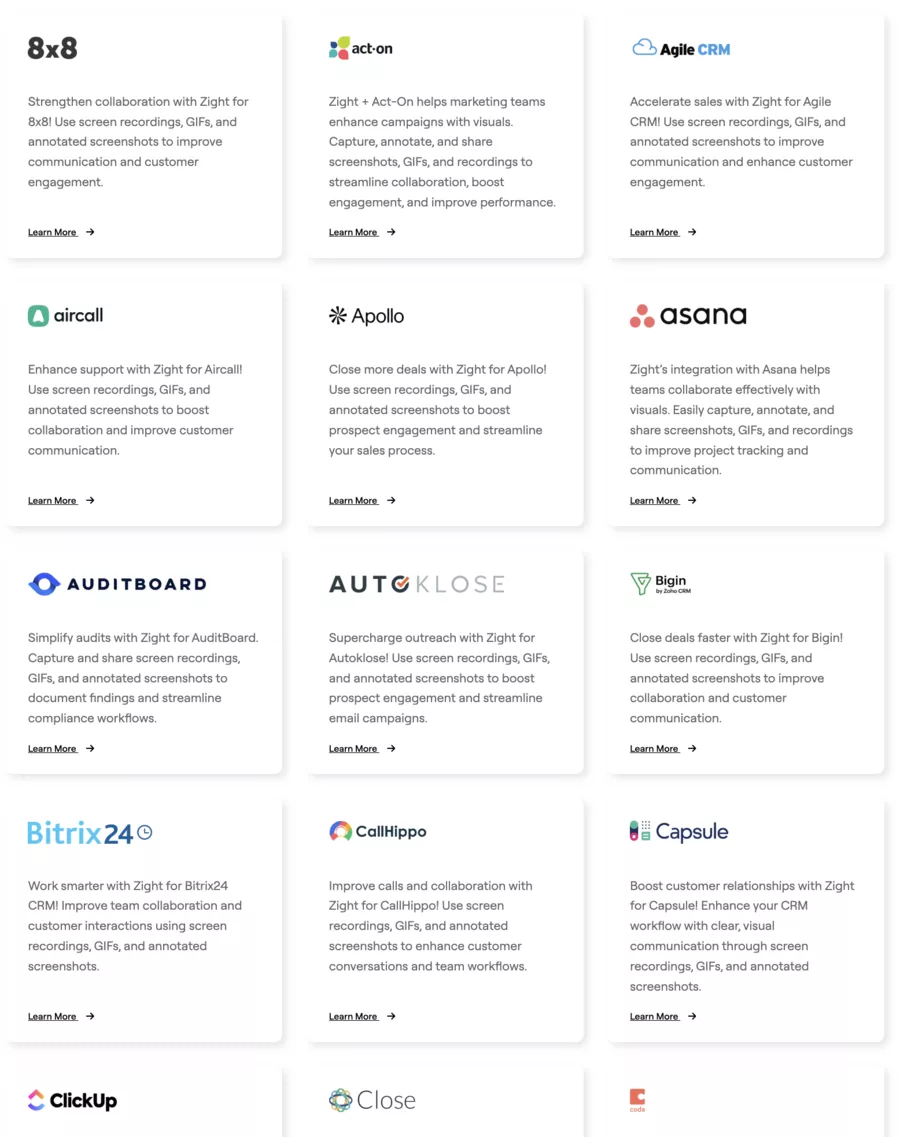
The Zight integrations cover essential tools for modern collaborative work. The tool connects natively with:
💬 Slack – Share your captures directly in channels
📋 Jira – Native integration for documenting bugs with visual context
📧 Gmail & Outlook – Insert sharing links in your emails
📚 Notion, Confluence, Zendesk – Export Smart Actions with one click
The Jira integration deserves special mention. You can record directly from a Jira ticket, and the video automatically attaches to the issue. No more back-and-forth to explain a bug – show it with this application.
User Reviews on Zight: What Users Are Saying
I've sifted through user feedback on Capterra, G2, Software Advice, and GetApp to give you an objective view. Here's the summary.
On the positive side, users particularly appreciate the simplicity of sharing digital content and file management, especially for easily storing, organizing, and sharing screenshots, videos, or other documents via automatically generated links.
However, some users have reported bugs and issues, particularly with the Windows app.
What Users Love ❤️
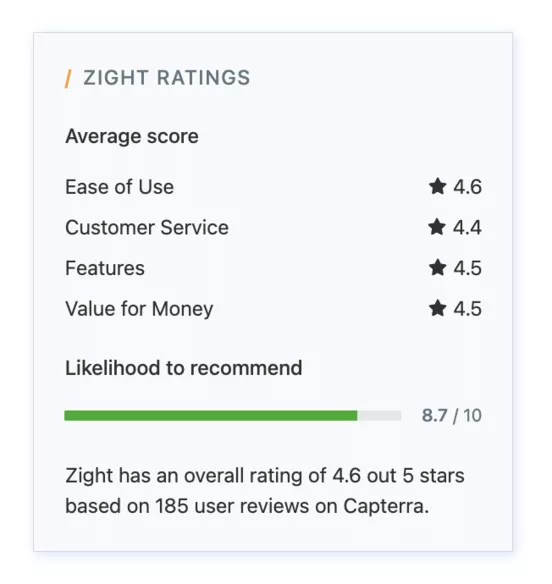
The ease of use is a constant theme in user comments. With an average rating of 4.6/5 on Capterra, Zight is described as an easy-to-use software with an intuitive interface. Keyboard shortcuts allow for capturing in seconds. The app offers a smooth experience, whether for capturing, recording, or sharing visual content, and it is available on multiple platforms.
The Zight file sharing also impresses. Each capture or file shared in the app automatically generates a unique link, instantly copied to the clipboard, ready to be pasted into any communication platform. This efficient file management allows for easy storage, organization, and sharing of screenshots, videos, or other content, without having to navigate through folders or manually upload.
A support manager testifies: "Zight allowed me to create short tutorials and share them with my clients in one click. They watch the video multiple times without having to download anything."
Reported Friction Points 🙅🏼♂️
The negative feedback focuses on a few recurring points. Some users report occasional crashes, especially during recordings longer than 10 minutes. Upload issues have also been reported.
A user on Capterra shares their frustration: "I lost training videos due to upload failures. This happened to me 3 times in one day."
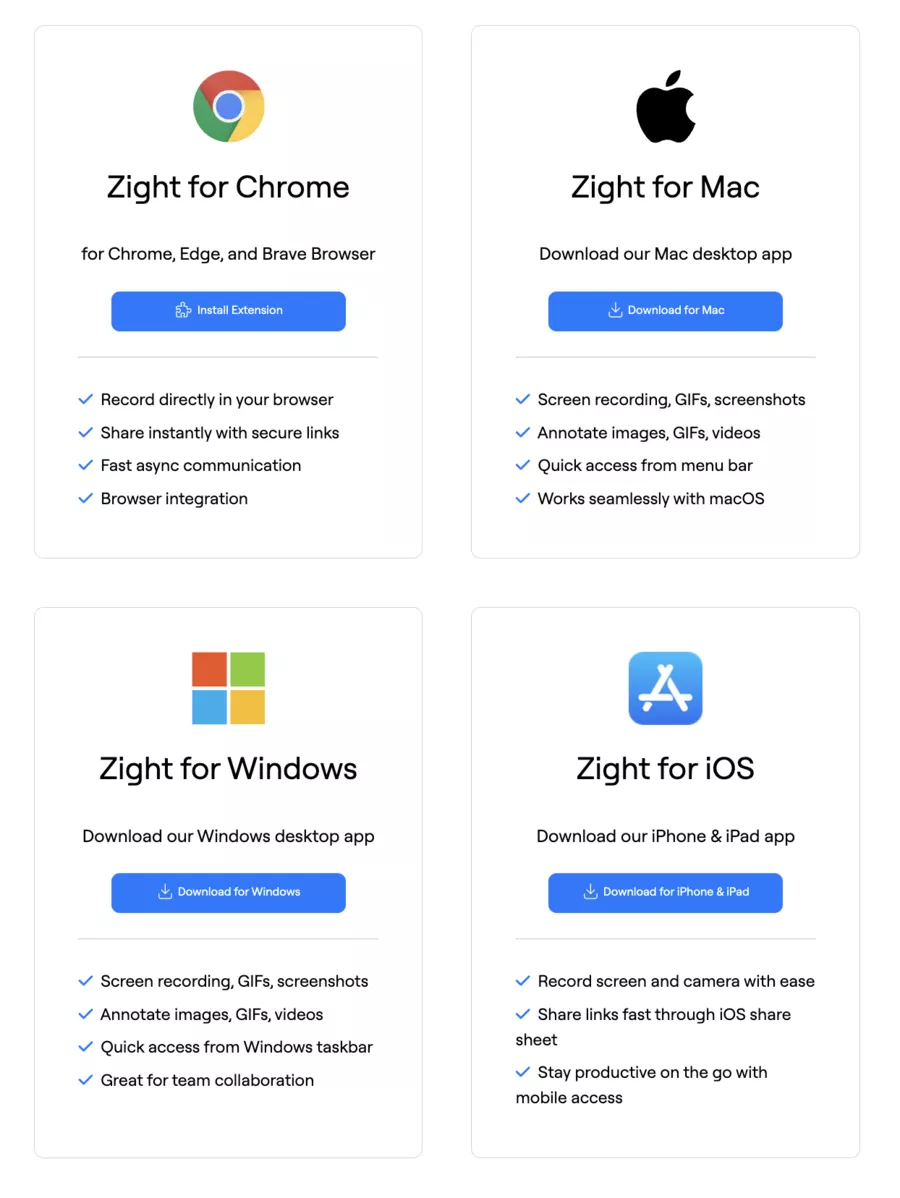
The absence of a native Android app remains a downside for those working on the go. Zight is available on Mac, Windows, iOS, and Chrome, but not on Android.
Pros and Cons of Zight
⚖️ Table: Pros and Cons of Zight
✅ Pros
❌ Cons
🚀 Simple and intuitive interface
⚠️ Possible crashes on long recordings
⚡ Instant sharing with automatic link
📱 No native Android app
🤖 Innovative AI features (Smart Actions)
💰 AI add-on extra ($5/month)
🔗 Native integrations (Slack, Jira, Zendesk)
🔧 Basic video editing compared to Camtasia
📊 Viewing analytics included
🌐 Interface only in English
🎓 Free plan for teachers and students
☁️ Storage limited to 50 items on the free plan
Zight Pricing: What Does It Really Cost?
Zight pricing comes in several plans tailored to different uses.
Free Plan
The free version of Zight lets you test the tool with some limitations. You have access to the last 50 created items – older ones become inaccessible once this quota is exceeded. The free trial of Pro features lasts 7 days.
Pro Plan
At $9.95/month (or $7.95/month billed annually), the Pro plan unlocks unlimited captures, 4K resolution, and secure sharing options. It's the preferred choice for freelancers and solo professionals.
Team Plan
Billed at $9/user/month ($8/month annually), this plan adds administrative controls, custom branding, and centralized team management. Ideal for group collaboration, it allows group members to share, organize, and manage their content efficiently within a common space.
Enterprise Plan
Pricing on request for large organizations with specific data security needs, SSO, and dedicated storage.
Zight AI Add-on
AI features (transcription, Smart Actions, Smart Chapters) are priced at $5/user/month extra. A worthwhile investment if you regularly produce documentation.
Pricing Comparison Table
💳 Pricing Comparison Table
📦 Plan
💵 Monthly Price
💰 Annual Price
🎯 Ideal For
🆓 Free
$0
$0
Discovery and occasional use
⭐ Pro
$9.95/user
$7.95/user
Freelancers and solo professionals
👥 Team
$9/user
$8/user
Teams and SMEs
🏢 Enterprise
On request
On request
Large companies
🤖 AI Add-on
+$5/user
+$4/user
Automated documentation
Recent Developments and Improvements in Zight
The constant improvements in Zight show an active product team. Recent additions include:
🔊 System Audio (January 2025): captures system audio in addition to the microphone
📄 Export to Zendesk, Notion, Confluence with one click
📸 Scrolling screenshot on Mac (Windows planned)
🔍 Keyword search in AI transcriptions
The transition from CloudApp to Zight also allowed for the correction of many stability bugs reported by long-time users.
Zight vs. the Competition: How Does It Stand?
How does Zight compare to alternatives like Loom, Snagit, or Droplr? Here's my analysis.
🏁 Zight vs Loom, Snagit, and Droplr — PRO Comparison (2026)
Tool 🧰
Best For 🎯
Strengths ✅
Cautions ⚠️
Indicative Price 💰
"Pro Fit" Rating ⭐
Zight
Digital teams: support, marketing, training (all-in-one)
Versatile: capture + video + GIF + annotations
Fast cloud sharing + integrations (prod stack)
Useful AI option to turn a video into a doc (SOP/FAQ)
Less "studio" video editing than dedicated tools
AI features often optional → watch out for total cost
Free / Pro ~$9.95 / Team ~$8 (per user/month)
4.6/5 — the most balanced for a "multi-use" team
Loom
Async communication + "explained" videos (sales, product, onboarding)
Ultra-simple video production and sharing (quick adoption)
Great for reducing meetings + back-and-forths
Good ecosystem for working "remote"
Less focused on advanced screen capture (vs Snagit/Zight)
If your need = "pixel perfect" visual doc, it might frustrate
Free / Business ~$15 / Enterprise (on request)
4.5/5 — huge ROI if "video first"
Snagit (TechSmith)
Docs, tutorials, support: PRO capture + editing
Reference for capture (editing, precision, doc workflow)
Perfect for guides, procedures, "clean" tickets
Excellent if you produce a lot of visuals
Less "cloud-first": sharing/collab = less fluid than Loom/Zight
More oriented towards workstation than "team workspace"
Starting at ~$39/year (individual license)
4.4/5 — unbeatable if capture/editing is the core of the job
Droplr
Instant team sharing (links, captures, fast flow)
Great for "capture → share → move on"
Cloud approach + control (links, access, organization)
Handy for support/ops who need to respond quickly
Less "deep" on advanced editing (vs Snagit)
Less "all-in-one" than Zight for some uses
Pro ~$10/user/month (annual) • Teams ~$7/user/month (annual)
4.2/5 — excellent "quick link tool" for teams
Quick Verdict 🧠
If you want a versatile tool (capture + video + GIF + doc): Zight.
If you want the simplest video to adopt: Loom.
If you want the most pro capture/editing: Snagit.
If you want quick team sharing (links & flow): Droplr.
Zight Customer Support: Responsiveness and Quality
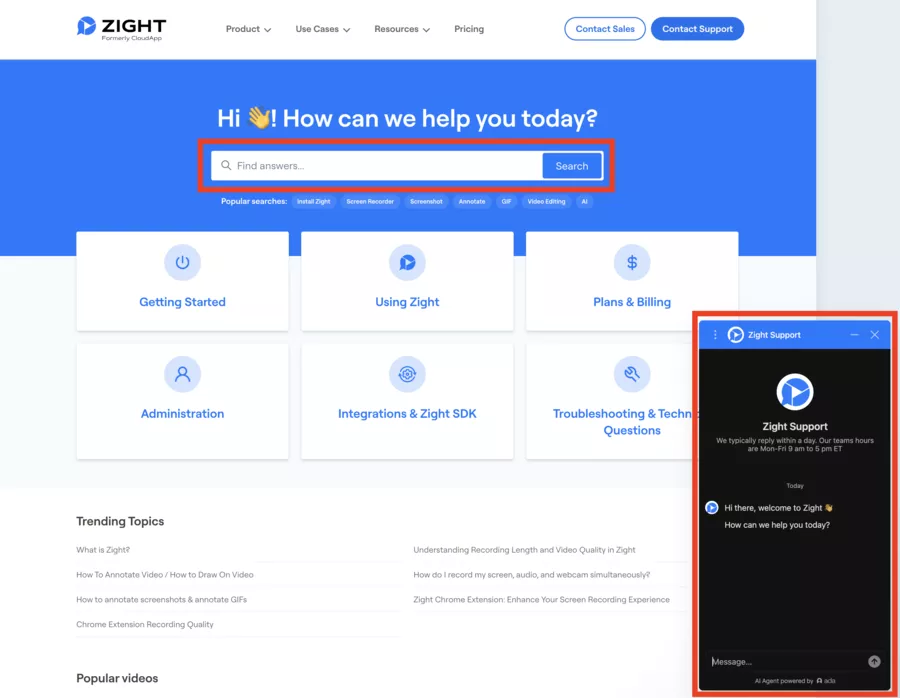
Zight customer support is accessible via email and chat. The customer assistance typically responds within 24 hours according to user feedback.
A user notes: "Zight was professional. Support could be faster, but the product is exceptional."
The online help center offers detailed guides, FAQs, and video tutorials. For Enterprise accounts, a dedicated account manager is assigned.
Who Is Zight For? Profiles and Use Cases
Zight primarily targets professionals who need to communicate visually on a daily basis. It is particularly suited for group collaboration, especially for teams using cloud solutions like Microsoft Teams or Slack, thus facilitating communication and information sharing within collaborative workspaces.
Moreover, Zight allows for the automatic transformation of video recordings into structured content, such as meeting notes or step-by-step guides, to optimize productivity and facilitate the dissemination of actionable information.
Support and Customer Success Teams
Responding to tickets with an explanatory video reduces back-and-forths and improves customer satisfaction. Smart Actions allow these videos to be turned into FAQ articles. Thanks to Zight's AI, video recordings can also be converted into structured content, like step-by-step guides or FAQ articles, thus facilitating communication and collaboration within teams.
Product and Development Teams
Documenting a bug with an annotated video drastically speeds up resolution. The Jira integration is particularly valuable here.
Marketing and Communication
Creating mini-tutorials, product demonstrations, or content for social media becomes faster. Zight facilitates the creation and sharing of video content for social media and marketing communication, allowing you to easily produce and distribute professional videos tailored to your needs.
Training and HR
Training tools allow onboarding new employees with procedural videos. Smart Actions automatically generate accompanying guides. Additionally, Zight allows for the automatic transformation of training videos into structured content, like accompanying guides or SOPs, thus facilitating communication and collaboration.
Freelancers and Consultants
Explaining a mockup, report, or deliverable remotely without organizing a meeting: a considerable time saver.
Data Security: What Zight Guarantees
Data security is a major concern, especially for companies handling sensitive information.
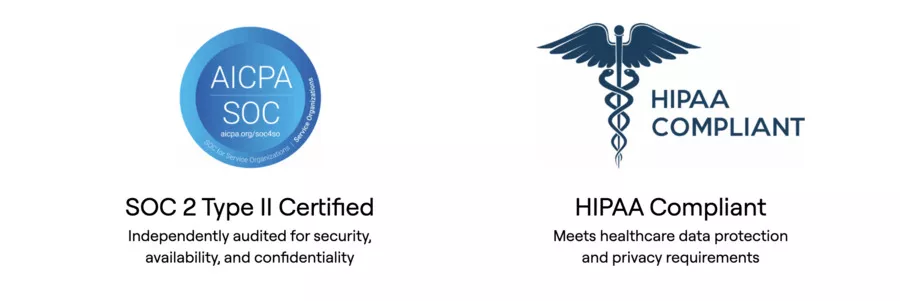
Zight is SOC 2 Type 2 certified, ensuring strict controls over security, availability, and confidentiality. User data is not used to train AI models.
Secure sharing features (password, expiration, domain restriction) add an extra layer of control.
My Verdict: Should You Adopt Zight?
After analyzing reviews on Zight, its features, and pricing position, here's my assessment.
Zight stands out for its rich features, including screen capture, editing, sharing, security, AI, and customization, making it a comprehensive tool for visual communication and collaboration.
The efficient file management and instant sharing allow for easy storage, organization, and sharing of screenshots, videos, or other digital content via secure links. Additionally, Zight facilitates group collaboration through integrations with cloud solutions like Slack or Microsoft Teams, thus optimizing teamwork.
Zight is an excellent choice if:
✅ You need a versatile tool (capture, video, GIF, annotation)
✅ You're interested in automating documentation (Smart Actions)
✅ You work with tools like Slack, Jira, or Zendesk
✅ You value simplicity and speed of sharing
Zight is not ideal if:
❌ You need advanced video editing (prefer Camtasia)
❌ You primarily work on Android
❌ You're looking for a 100% free tool without limitations
The value for money remains competitive, especially compared to Loom. The AI features justify the extra cost for those who regularly produce documentary content.
Conclusion: Take Action
Zight (formerly CloudApp) has evolved to become an essential communication app in the arsenal of digital professionals.
The Zight app allows you to easily transform recordings into structured content, like guides or actionable notes. Combining traditional screen capture with modern AI capabilities makes it a relevant solution for gaining team efficiency and individual productivity. Additionally, the app facilitates group collaboration through its sharing and integration features with tools like Slack or Microsoft Teams.
If you're still unsure, take advantage of the 7-day free trial to test the Pro features. You'll quickly see if the tool fits your workflow.
👉 Try Zight for free and discover how to transform your visual communications.
One of Zight's greatest strengths lies in its user experience, designed for simplicity and efficiency. From the very first use, the platform impresses with a sleek and modern interface (UI), where every feature is accessible with just a few clicks, directly from the menu bar. Whether you're new to screen recording tools or a seasoned user, getting started is immediate: everything is designed so that capturing a screen, recording a video, or creating a GIF is seamless.
With Zight, it's easy to capture a screen, record a presentation, or demonstrate a product process, then instantly share the result with your team or clients. The capture and annotation features are particularly intuitive: add arrows, text, or shapes in seconds to clarify your messages and avoid misunderstandings. This visual approach to communication saves valuable time, especially in project management or customer support.
The platform encourages collaboration: every capture or video can be shared via a simple link, and users can leave comments or annotations directly on the screenshots or recordings. This integrated feedback system streamlines communication and allows for continuous improvement of shared content, whether it's presentations, tutorials, or product feedback.
Thus, Zight stands out as an easy-to-use solution designed to boost team productivity. Screen recording and file sharing become everyday actions, without time loss or technical complexity. Whether it's to explain a specific point during a meeting, document a bug, or train a remote colleague, Zight offers a smooth and pleasant user experience, focused on clarity and speed.
In summary, Zight transforms visual communication in businesses through a simple interface, powerful features, and instant sharing. For any team looking to improve productivity and reduce misunderstandings, it's a modern and accessible solution that fits perfectly into the daily workflow.
FAQ
What Exactly is Zight (and Why "formerly CloudApp")?
Zight is a screen recording app (video, webcam, capture, animated GIFs) designed for visual communication and quick sharing via link. The app's interface is user-friendly, allowing you to capture, record, and share visual content easily. Note: Zight is primarily available on Mac, which limits its accessibility for Windows users. It was previously called CloudApp, so if you see both names in reviews, it's the same product.
What are the Most Common Reviews on Zight (Positive and Negative)?
Reviews on Zight often highlight its simplicity, time-saving features, and quick team sharing. Users particularly appreciate the efficient management of files, whether it's screenshots, videos, or other digital content, with easy access, automatic link sharing, and secure organization.
On the downside, some mention limitations in the free version of Zight, occasional issues depending on the browser/device, and sometimes frustrations with account/billing management (depending on the case). Additionally, some users have reported bugs and issues on the Windows application.
Does Zight Allow Video Annotations?
Yes: Zight video annotations and image annotations help clarify (arrows, highlighting, text). This is a significant benefit if you're doing product demos, support, or training.
Is the Quality of Zight's Screen Recording Good and Easy to Use?
Zight's recording quality is generally sufficient for tutorials and support. Zight supports HD video recording, including screen recording in GIF or video with audio commentary, which facilitates visual communication and workflow demonstration. The key points to check are resolution, maximum duration, and available settings according to your plan and platform (desktop, extension, etc.).
How Does Zight File Sharing Work?
Zight file sharing is mostly done via an automatically generated link, which you can paste into Slack, email, tickets, Notion, etc. Zight instantly generates a URL for each shared file, allowing recipients to view or comment without creating an account. File management is also made easier with centralized and secure organization, enabling you to easily find, organize, and control access to all your content. For business use, consider setting permissions (public/private links, authorized domain, internal policy).
Is Zight Multi-Platform Compatible?
In practice, Zight aims for multi-platform compatibility (professional use on different environments). However, like any capture tool, the experience may vary depending on OS, browser, and company security constraints.
Is Zight's Customer Support Satisfactory?
Zight's customer support is often rated as fair to good in feedback, especially for professional use. As always, perceived quality depends on the plan, volume, and complexity (SSO, permissions, deployment).
Is Zight "Enterprise-Only"?
No, you can use it for personal/professional purposes. However, it becomes very "enterprise-oriented" as soon as you have security needs, SSO, sharing rules, and process standardization.
What Alternatives to Compare with Zight?
For video messaging: Loom. For "advanced" capture/annotation (often more focused on visual production): Snagit or CleanShot X (if you're on Mac). However, Zight stands out with its rich features, offering not only screen capture, editing, and sharing but also advanced options like security, AI, and user experience customization, which facilitates visual communication and team collaboration. Additionally, Zight's efficient file management allows you to store, organize, and share all types of files (captures, videos, etc.) easily via secure and instantly accessible links. The right choice depends on your need: communication vs. editing vs. team deployment.
TRANSPARENCY ON PARTNERSHIPS We carefully choose the software, platforms, and services we recommend based on their quality and reliability. Our team tests and approves them, regardless of any business agreements.If you make a purchase or sign up through our partner links, we may earn a commission. This doesn’t cost you extra and helps keep our content free.
PhantomBuster: launch your first LinkedIn campaign without the busywork
Build a targeted prospect list, enrich profiles, and organize follow-ups in one workflow. Spend less time moving data and more time personalizing your message.
14 days free. No credit card or automatic charge. Includes 2 execution hours and 5 automation slots.
Set your targeting and daily limits, run one Phantom, and export a prospect list ready to work.
.svg)
.avif)