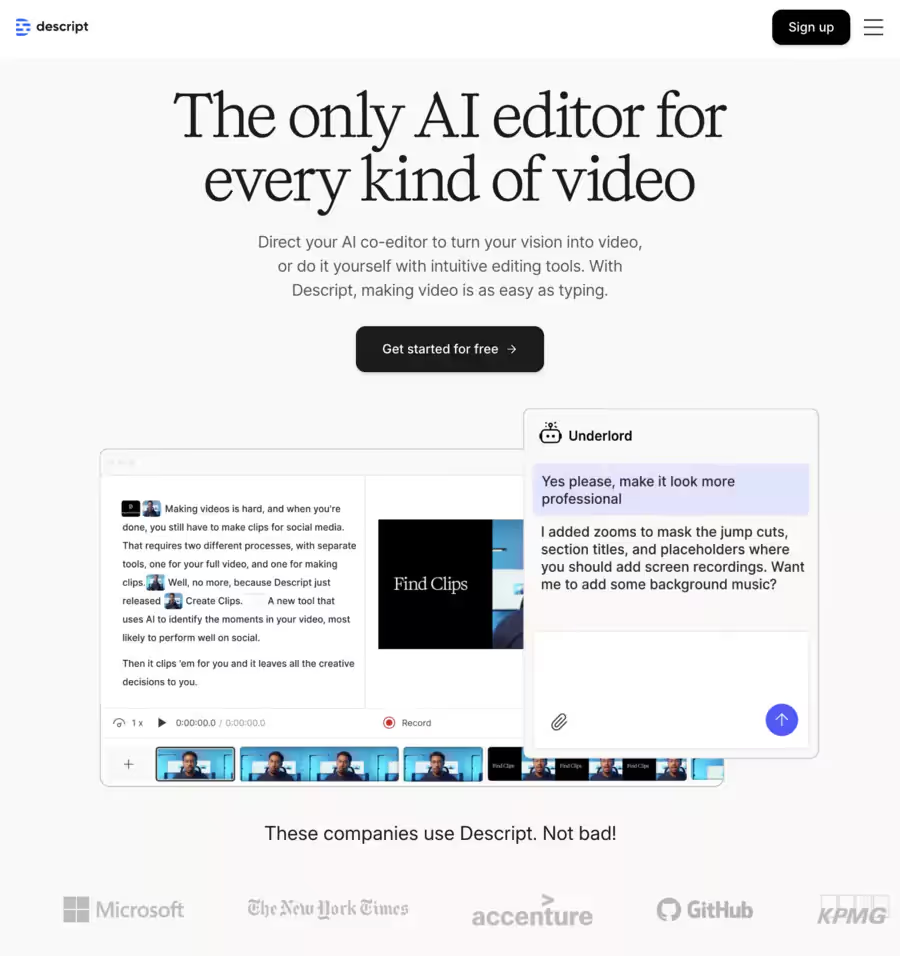
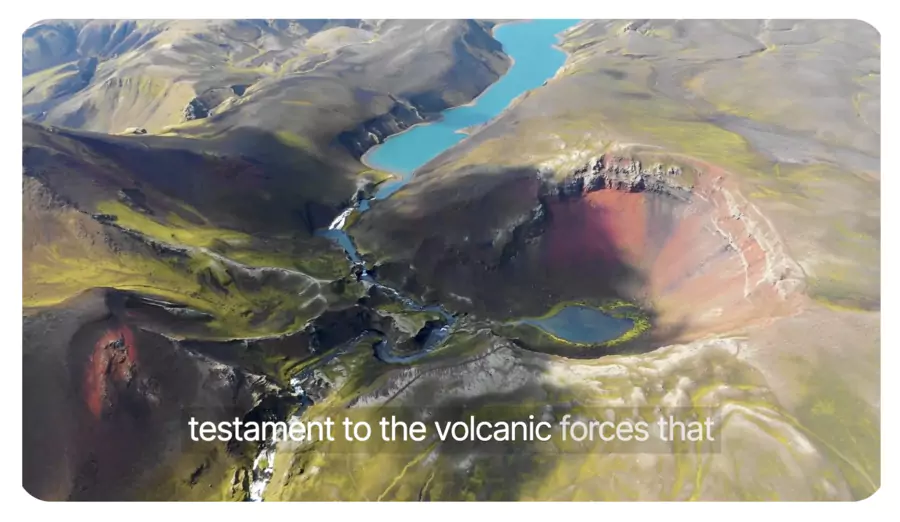
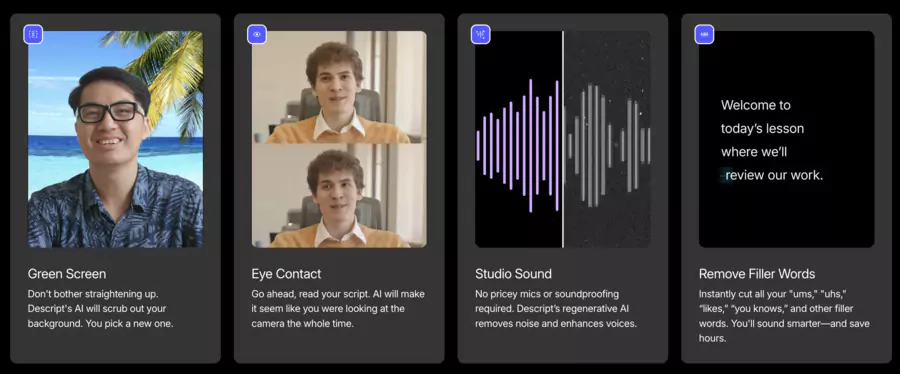
In the audio/video editing landscape, Descript stands out as an all-in-one solution in 2026, combining automatic transcription, visual text-based editing, AI voice cloning, audio correction, and team collaboration.
What is Descript?
Descript is a multimedia editing software tool (audio + video) powered by artificial intelligence, which notably allows you to:
automatically transcribe an audio or video file,
edit content by directly modifying the transcribed text,
clone a voice (Overdub), remove filler words, apply audio effects, etc.
collaborate in real-time with a team, integrate media, export to various formats.
Main uses: audio editing, video editing, transcription
Descript isn't just a simple editing software: it combines transcription, audio editing and video editing in a unified approach. This versatility makes it an interesting tool for creators who want to limit the number of software they use daily.
🎯 Descript in 2026 – Uses, key features and concrete examples
🎯 Use
📝 What Descript does
💡 Concrete example
🗣️ Transcription
– Automatic and accurate speech-to-text conversion via AI
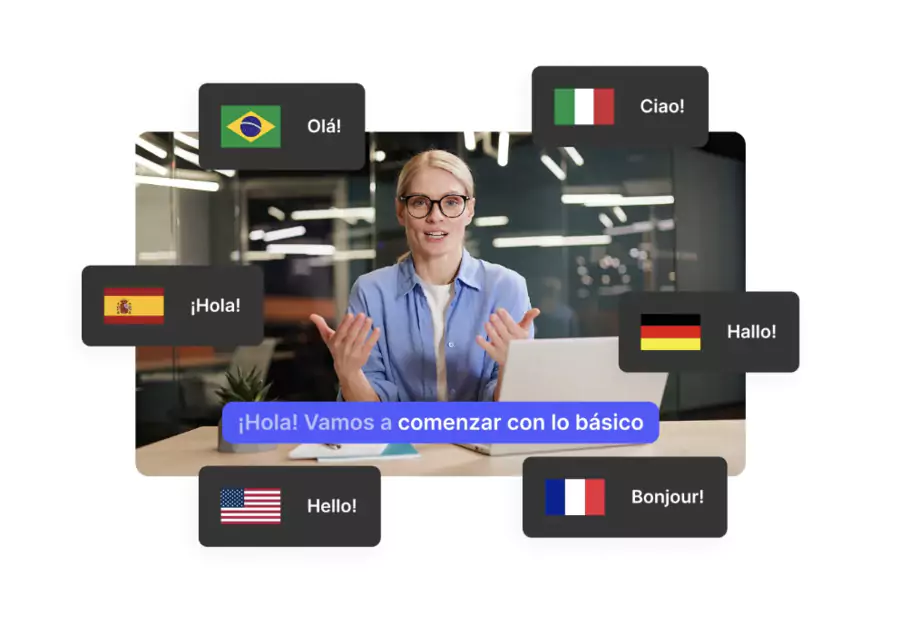
– Multilingual support (20+ languages with dubbing)
– Direct text editing to correct errors
– Export to SRT, Word or editable script
– Monthly limits by plan (1h free → 30h Creator)
Transcribe a podcast interview into editable text,
generate multilingual subtitles for YouTube,
create a detailed script for a webinar
🎧 Audio editing
– Removal of filler words ("uh", "um")
– Studio Sound: noise reduction & balanced audio
– Overdub: voice cloning for corrections
– Timing & silence adjustment, cross-talk management
Clean up a podcast episode,
add corrected narration without re-recording,
improve remote recording to pro quality
🎥 Video editing
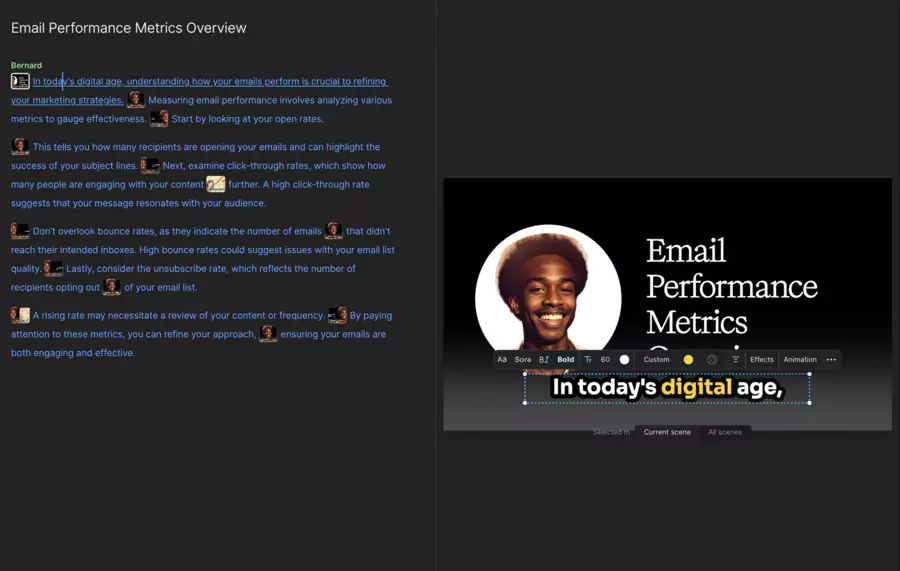
– Text transcript-based editing
– AI effects, transitions and layouts
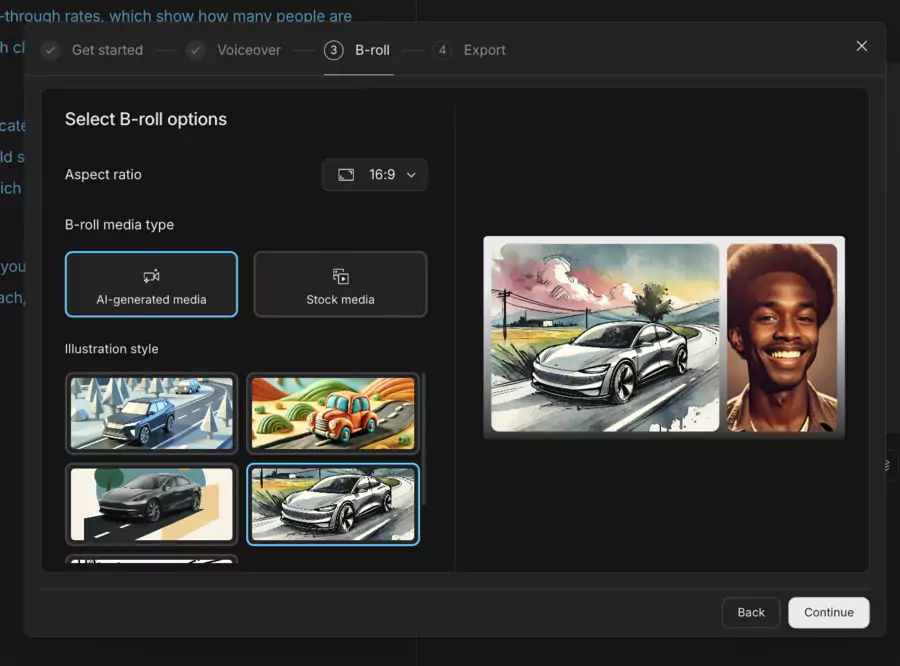
– Adding B-roll, GIFs, music & AI images
– Precise audio/video timeline editing
– HD/4K export without watermark (depending on plan)
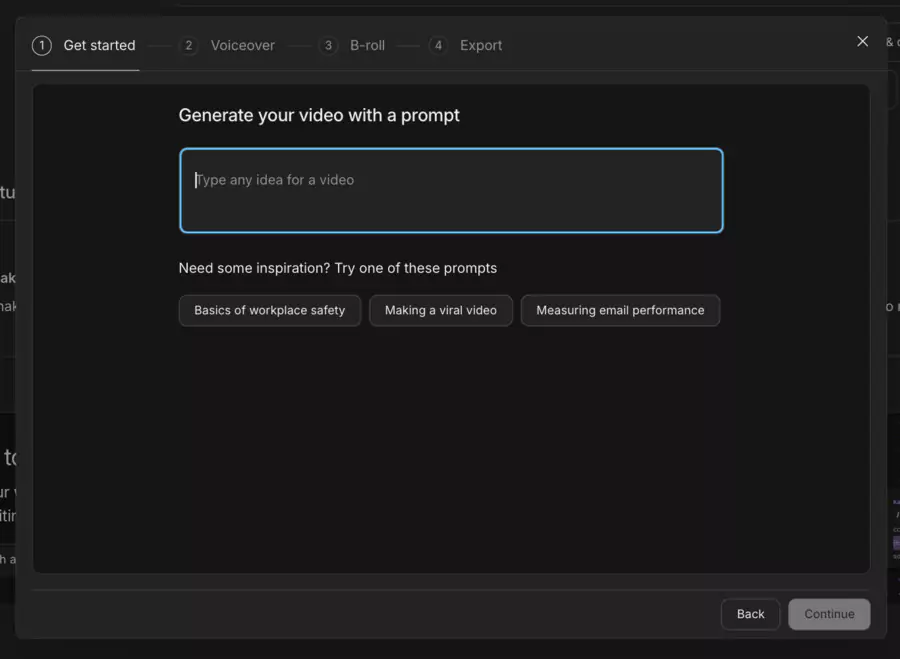
– Underlord AI: script generation and feedback
Create an e-learning tutorial by editing text,
produce TikTok/Instagram clips with effects,
edit a sales video with dynamic subtitles
👉 In summary, Descript transforms a long and technical task into a simple and intuitive process, whether you're a podcaster, trainer or social content creator.
Innovative features of Descript
Like any SaaS tool, Descript has strengths that appeal to most users, but also limitations to keep in mind before adopting it.
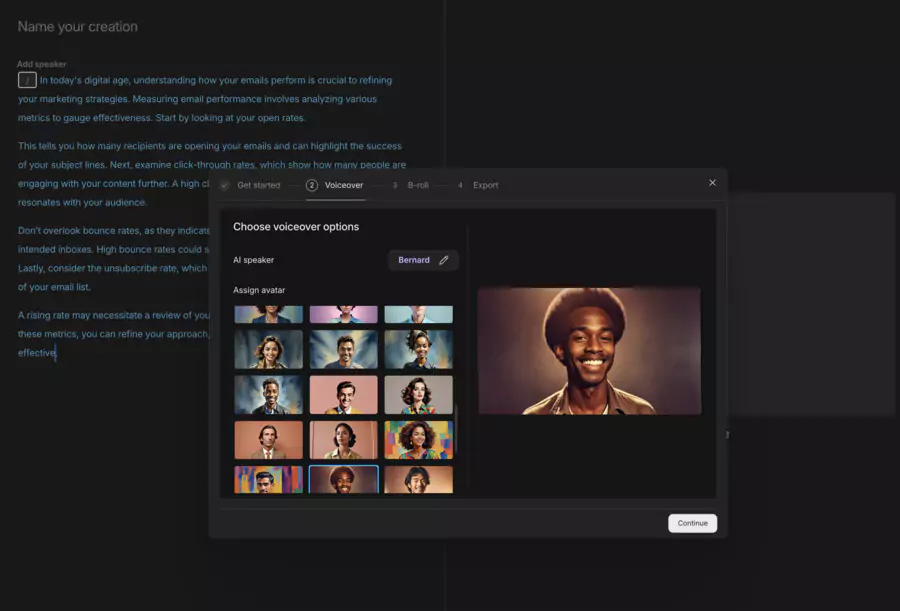
Overdub: create an AI vocal clone of your voice to correct or add text without re-recording entirely.
Studio Sound: automatic sound cleaning (noise, echo) for professional rendering.
Text-document mode: edit media via text, more intuitive than a classic timeline interface.
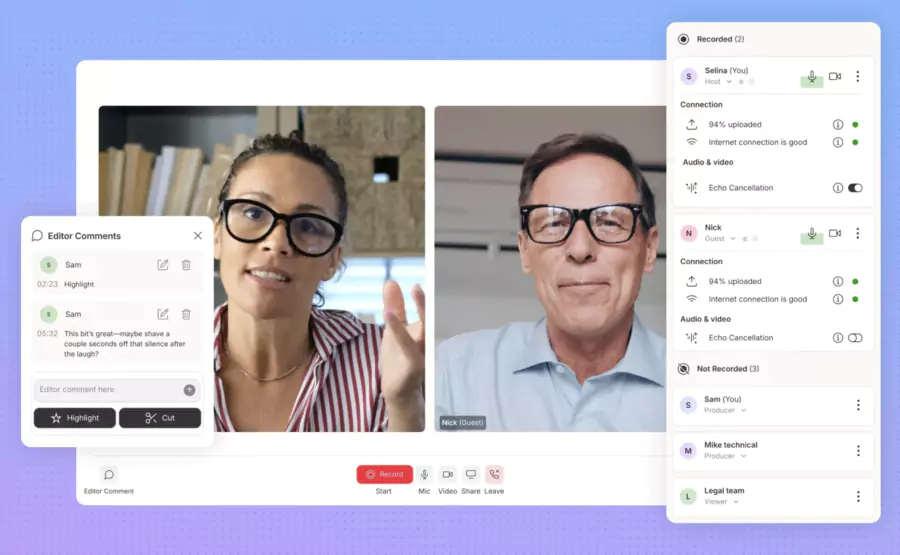
Team collaboration: multiple users on a project, comments, sharing, cloud synchronization.
Multilingual support: transcription in many languages (including French) to adapt to a global audience.
💡 For a creator in startup phase, these constraints remain minor compared to the time savings offered. However, an advanced production agency may need to combine Descript with professional software (Premiere Pro, Logic Pro).
How it works (interface, workflow)
The intuitive interface is designed for all profiles. You simply import an audio or video file, the software transcribes it, and you edit the text like a Word document. Delete a sentence and it also disappears from the audio/video track.
The workflow is smooth:
Import a file or record directly in Descript.
Automatic transcription using AI.
Editing by text or visual timeline.
Adding visual elements (subtitles, images, titles).
Export in the desired format (MP4, WAV, etc.).
This logic considerably lowers the learning curve, making the tool usable for both freelancers and corporate teams.
Pricing, subscriptions and business models
Descript operates on a freemium model with several tiers:
💰 Descript – Pricing, subscriptions and business models (2026)
📦 Plan
📝 What it includes
💵 Approximate price / Features
🆓 Free
– 1 person included
– Text-based editing + AI trial
– Limits: 1h transcription/month, export with watermark
$0/month
Ideal for getting started and testing basic functions
🎨 Hobbyist
– 1 person included
– 10h transcription/month
– 1080p export without watermark
– 20 uses/month of basic AI actions
– 30 min/month of AI speech (stock or cloned voice)
– 5 min/month of avatars
$16/month (annual) or $24/month
For occasional creators; up to 35% savings on annual
🎥 Creator
– Up to 3 people (billed separately)
– 30h transcription/month
– 4K export without watermark
– Unlimited access to AI suites (20+ functions, e.g. eye contact)
– 2h/month of AI speech
– 30 min/month of multilingual dubbing (20+ languages)
– 10 min/month of avatars
– Unlimited access to stock library
$24/month (annual) or $35/month
Most popular plan for pros; savings up to 35% on annual
🏢 Business
– Larger teams
– 40h transcription/month
– Brand Studio for team branding
– Complete AI suite (pro + translation)
– 5h/month of AI speech
– 2h/month of multilingual dubbing
– 30 min/month of avatars
– Priority support with SLA
$50/month (annual) or $65/month
Customizable by team size; up to 35% savings
🌐 Enterprise
– Custom solutions (SSO, SCIM)
– Custom billing
– Security review & SLA
– Dedicated representative
– Onboarding + live training
– Premium support
Upon request
For large companies with advanced needs
👉 For an individual, the Creator plan is largely sufficient. But for an agency or a marketing team, the Pro plan quickly becomes essential.
Advantages and disadvantages according to users
Like any tool, Descript has its strengths but also some limitations worth knowing:
✅ Advantages
Enormous time savings with text-based editing.
Access to advanced AI features like Overdub, filler word elimination.
Ideal for collaborative workflows, with sharing, revisions.
Fairly intuitive interface even for non-specialists.
⚠️ Limitations
Limited free plan: few hours, basic features only.
Variable transcription accuracy depending on accents, audio quality.
Lack of complete mobile app: optimal use on computer.
Some professional video or audio functions (color grading, complex audio mixing) less advanced than in specialized tools.
👉 Clearly: Descript excels in speed and simplicity, but remains a productivity tool rather than advanced post-production software.
❌ Caution: Its AI model remains well below par compared to alternatives like Kling for example
Who is Descript for? (profiles, typical uses)
Descript targets a varied audience, but always centered on content creation:
Content creators: podcasters, YouTube videographers, video trainers.
Marketing teams that produce lots of audio/video content.
Freelancers who want a multifunctional tool without multiplying software.
Educational institutions or trainers doing courses, tutorials, presentations.
👉 Whether it's an isolated freelancer or a creative team, Descript offers a turnkey solution to accelerate production flows.
How to install or get started with Descript? (mini tutorial)
To get started, simply create an account on the official website, download the application (Windows or Mac) and import a first file. Within minutes, the transcription appears and you can edit your first content.
Go to Descript's official website, create an account.
Choose a plan (start free if needed).
Install or use the app on computer (Windows or Mac).
Import an audio or video file or start a screen recording.
Let the tool transcribe automatically.
Edit via text: cut, rearrange, remove filler words.
Apply effects (sound cleaning, dubbing, noise cleaning) and export in desired format.
💡 Tip: start with a simple file (a short recording or video clip). This allows you to test all features before opting for a paid subscription.
Comparison with other similar solutions
Even though Descript is very comprehensive, other solutions can be considered depending on your needs:
⚙️ 2026 Comparison – Strengths and specialties of Descript vs popular alternatives
📦 Alternative tool
✅ What the tool does better
🎯 What Descript masters better
🎙 Riverside
• Local recordings up to 4K + separate tracks → better raw quality
• Mobile app + live-streaming and easy guest joining via browser link
• Simpler interface for beginners on basic tasks
• Transcription-based editing (text → audio/video) very fluid
• Advanced AI tools (filler word removal, Studio Sound, cloned voices, etc.)
• Rich real-time + multi-user collaboration
📋 MeetGeek
• Specialized for meeting transcriptions, automatic action items, team summaries
• Minimalist interface well suited to professional meetings
• Mastery of creative audio/video editing with effects, dubbing, video-text synchronization
• More AI functions for podcasts & videos (studio sound, overdub, etc.)
🎬 Adobe Premiere Pro (and Final Cut Pro included)
• Advanced visual controls/effects: color grading, masks, motion graphics
• Manual customization, precise timeline, advanced video rendering (multi-cam, compositing)
• Speed on simple content and dialogues thanks to text-based workflows
• Lower learning curve for novices, perfect for small audio/video editing
👉 Descript's real strength is its all-in-one aspect. But for very specialized projects, combining two tools sometimes remains necessary.
Conclusion
Descript presents itself in 2026 as an excellent tool to drastically simplify audio/video editing and transcription thanks to artificial intelligence.
This application is an ideal choice for those who want to combine efficiency, speed and quality without multiplying software. If you want to save time while maintaining professional production, Descript deserves to be tried in its free version, then possibly upgrade to a paid plan according to your needs.
👉 Your turn: test Descript with a concrete project (podcast, tutorial, social video), compare it to alternatives according to your budget, and choose the tool that best fits your workflow.
Creating videos and podcasts with artificial intelligence
The Descript application facilitates the creation of videos, podcasts and clips thanks to its text-based editing system. Each sentence or word in a recording is recognized via voice recognition, allowing the editor to cut, move or correct content in a fluid manner.
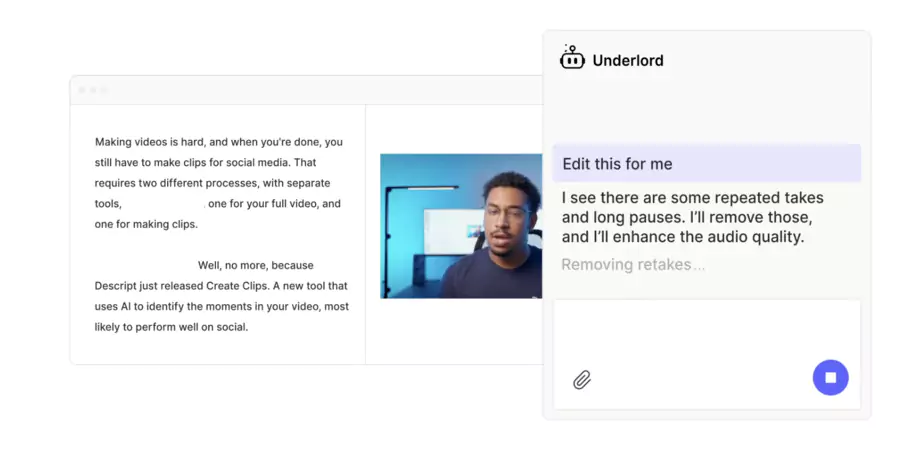
The tool also integrates Underlord, a virtual assistant powered by artificial intelligence. This assistant can generate summaries, suggest publication recommendations, and even correct the timing of a transcription to limit errors. This makes the process much simpler, especially for those who have the desire to produce quickly without sacrificing quality.
User experience: between transcription and advanced export in action
With 95% minimum efficiency in audio-to-text transcription, Descript minimizes manual corrections. Conversations, whether interviews or meetings recorded on Slack, are transformed into usable documents in seconds.
But the tool doesn't stop there: it offers the possibility to export projects to professional software like Premiere Pro or Final Cut Pro. This allows everyone to add images, animations or rework the graphic background of a video, keeping the audience's attention. The learning is progressive: the more you use the technology, the more you master its options.
Conclusion and objective opinion on Descript
Descript is a multimedia editor that changed the way creators work in 2026. Thanks to artificial intelligence, it offers fast and accurate transcription, while simplifying video editing and audio. Its advantages are obvious: time savings, intuitive interface, innovative features like Underlord and Overdub.
However, despite its advances, it has limitations. The free plan is restricted, some errors remain in transcription for particular accents, and demanding professionals will often have to complete their workflow with more robust software.
👉 My opinion: Descript is an effective answer for creators, individuals and companies alike, who want to improve their productivity without complicating their tool stack. Those seeking total control over video (effects, advanced color grading) will however need to consider hybrid use with other software.
FAQ
Does Descript work in French?
Yes, French transcription is supported among several languages. ([search0])
Can I clone my voice with Descript?
Yes, via the Overdub function, but this generally requires training the model with your own voice recordings.
Is the interface suitable for beginners?
Yes, many users emphasize that it's intuitive, especially the text editing part.
Are there team subscription models?
Yes, Business and Enterprise plans offer collaborative features, branding, additional storage.
FAQ
TRANSPARENCY ON PARTNERSHIPS We carefully choose the software, platforms, and services we recommend based on their quality and reliability. Our team tests and approves them, regardless of any business agreements.If you make a purchase or sign up through our partner links, we may earn a commission. This doesn’t cost you extra and helps keep our content free.
PhantomBuster: launch your first LinkedIn campaign without the busywork
Build a targeted prospect list, enrich profiles, and organize follow-ups in one workflow. Spend less time moving data and more time personalizing your message.
14 days free. No credit card or automatic charge. Includes 2 execution hours and 5 automation slots.
Set your targeting and daily limits, run one Phantom, and export a prospect list ready to work.
.svg)