

Linkedin Automation Software

Dux-Soup: LinkedIn Automation for Prospecting and Networking

Dux-Soup Review 2025: speed, security, pricing, features, and anti-ban verification. Discover if the tool is truly worth it for your LinkedIn campaigns before committing.

Try Dux Soup for Free
Free LinkedIn automation — Don't miss out on this opportunity.
4.4

/5 | 145 reviews ⭐️

hero img blog

🟢 Free Version

🟢 Free Trial

❌ Free Version

💵 Start from  

11.25

💲

/mo

🗺 HQ :Netherlands

📆 Last Update :

11/2025

📊 Key Takeaways

Dux-Soup LinkedIn automation is the go-to tool for boosting your LinkedIn prospecting and accelerating lead generation. In a world where LinkedIn generates 277% more B2B leads than other social networks according to HubSpot, this automation tool promises to optimize your automated prospecting campaigns effortlessly.

Dux-Soup LinkedIn automation interface

Imagine saving 75% of time on repetitive tasks while multiplying your qualified connections. This comprehensive guide explores its features, Dux-Soup CRM integration, and much more to help you decide if it's the ideal solution for your LinkedIn sales efficiency.

  • Dux-Soup excels in automation for intelligent LinkedIn prospecting.
  • ⚡ Generate up to 1,000 prospects per month with automated invitations and personalized LinkedIn messaging.
  • 💡 Ideal for marketing professionals, growth hackers, and sales teams seeking seamless LinkedIn integration.
  • 📊 Track Dux-Soup campaign statistics via Dux-Dash to optimize your performance.
  • 🔍 Offers a free trial, but stay vigilant about LinkedIn account security.
  • 🛠️ Alternatives like Dripify, Leadfuze, or Phantombuster offer more intuitive UI for scalable campaigns.

What is Dux-Soup?

Dux-Soup is a Dux-Soup automation tool specifically designed for LinkedIn. It acts as a virtual LinkedIn assistant that automates prospecting, from audience targeting to sending InMails.

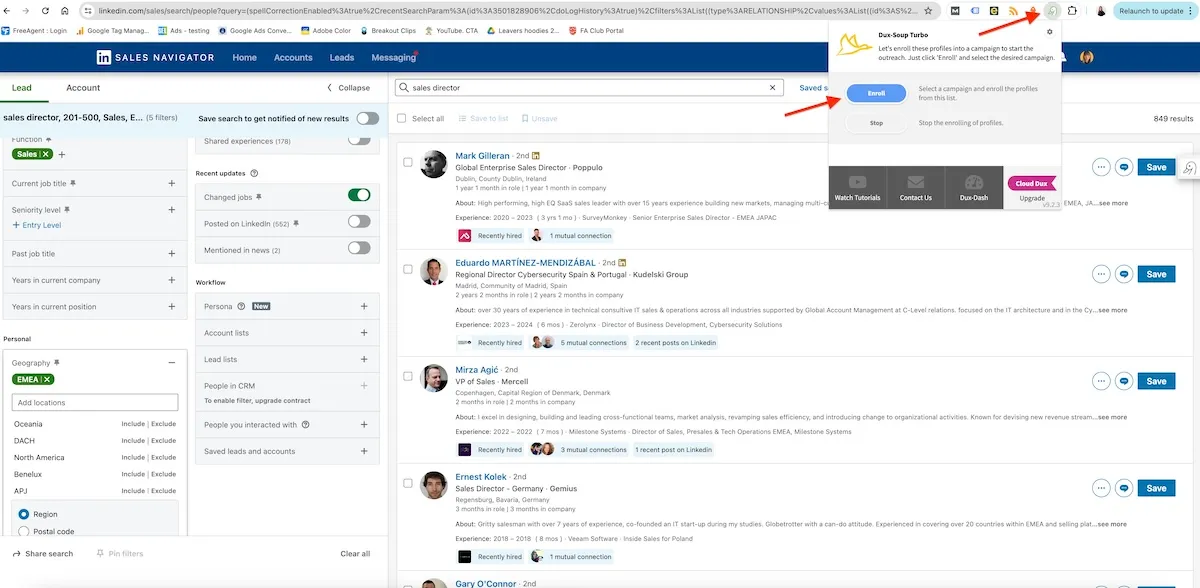
Dux-Soup and LinkedIn Sales Navigator integration
Dux-Soup and LinkedIn Sales Navigator

With 40% of B2B marketers considering LinkedIn as the most effective channel for leads (Sprout Social), Dux-Soup simplifies professional networking.

  • Origin: Launched as a Google Chrome extension to be as user-friendly as possible
  • Main objective: Automate prospecting tasks to focus on conversions.
  • Evolution: Now integrates tracking features and plugins for HubSpot or Pipedrive.
🧭 Dux-Soup — Quick Overview (2025)
🔧 Aspect 📋 Description ✨ Emoji
Tool Type – Official Chrome extension (Google Store)
– Pro/Turbo editions + Cloud "always-on" version
🖥️
Focus – LinkedIn prospecting and automation
– Profile visits, invitations, messages, drip campaigns
🔍
Estimated Users – 279,000+ declared users total
– 50,000+ installations shown on Chrome Web Store
📈
Cloud Version – 24/7 cloud execution without open browser
– Centralized targeting, sequences, and tracking
☁️
Trial – 14-day free trial (Turbo features)
– Then switches to free Starter edition
🆓

Main Dux-Soup Features

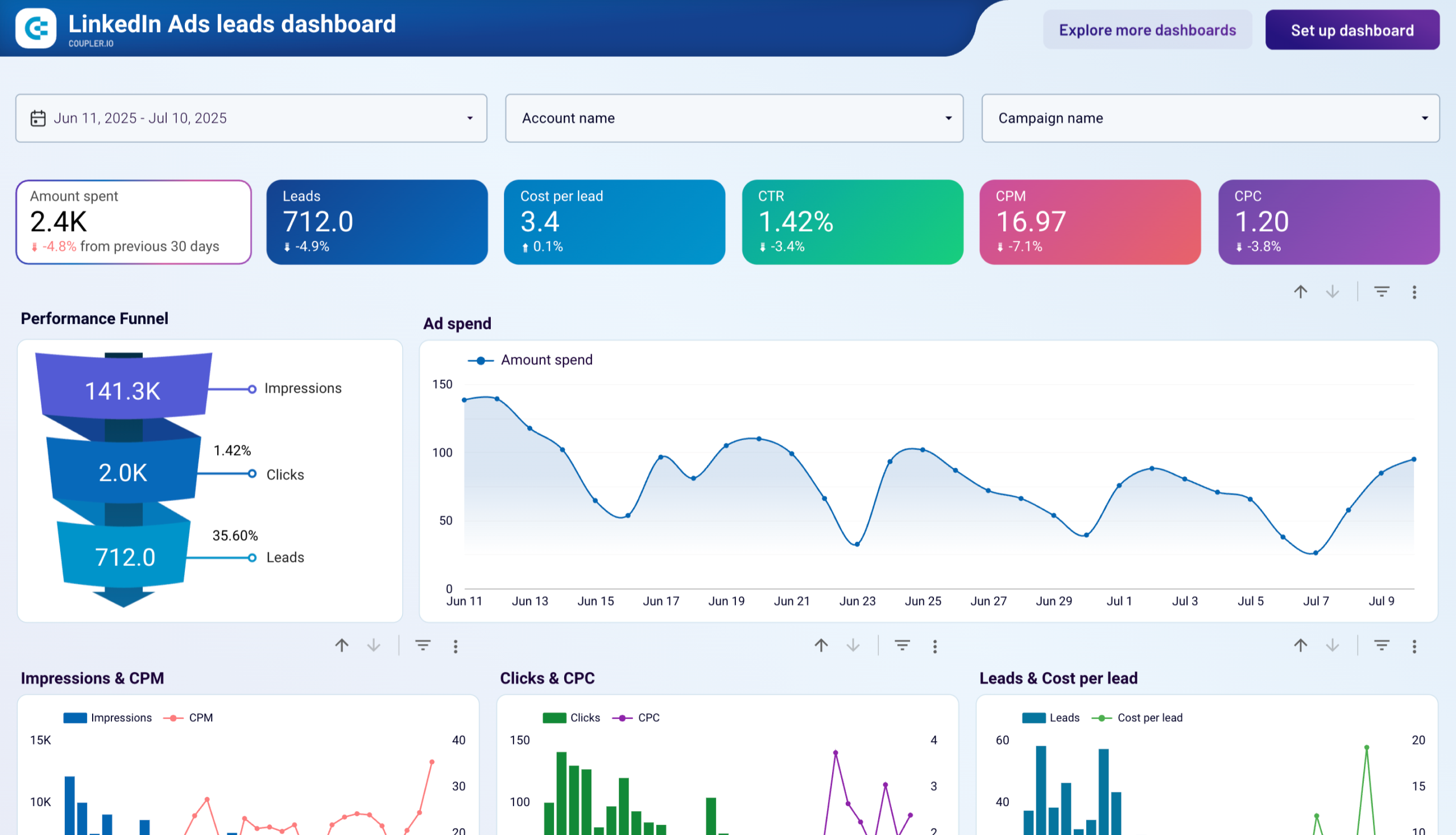
LinkedIn Ads Dashboard Examples & Reporting Templates
LinkedIn Ads Dashboard Examples & Reporting Templates | Coupler.io

Dux-Soup's key features revolve around LinkedIn marketing automation. It enables automatic profile visits, endorsements, and personalized follow-ups.

According to 2025 stats, 80% of companies using automation generate more leads (Adam Connell). Dux-Soup excels here with its automatic profile tagging.

  • Targeting: Advanced search on LinkedIn standard, Sales Navigator, or Recruiter.
  • Campaigns: Drip campaigns with up to 12 actions, custom delays.
  • Messaging: Automated InMail and message sending.
  • Tracking: Activity history and Dux-Dash for statistics.
🧰 Dux-Soup — Key Features for LinkedIn Prospecting (2025)
🔧 Feature 📋 What it enables 🌟 Concrete advantage
📩 Automated invitations Sending with personal note, hourly scheduling, CSV/Sales Navigator import. Respects LinkedIn limits (~20/day) while automating sourcing.
👀 Profile visits Targeted visits to trigger "viewed your profile" notification. Creates passive interest without messages — ideal for top of funnel.
✉️ Message sequences Up to 12 messages (Turbo/Cloud), variables, stop on reply. Contextual nurturing that boosts response rates without manual effort.
🧹 Auto cleanup Withdrawal of pending invitations after X days + logging. Protects account reputation and frees invitation quota.
🎯 Advanced targeting Filters (position, company, location) + duplicate high-performing lists. Focus on high-potential profiles — less noise, more ROI.
🏷️ Tags & funnel Auto-tag, notes, stages (Prospect → Warm → Customer). Clear visual tracking and immediate Sales/Marketing alignment.
🛡️ Enhanced security Random delays, simulated hours, pause on CAPTCHA, blacklist. Credible behavior = minimal risk of LinkedIn restriction.
📏 LinkedIn limits (2025) ~100 invites/week (free), ~250/week (Premium) — unofficial. Better to stay cautious: 15–20 actions/day max, spread throughout the day.
🔗 CRM integrations HubSpot, Pipedrive, Salesforce, Freshsales + Zapier/Make. Real-time synchronized data — no more double entry.
📊 Performance & export Acceptance/response rates, average time, complete CSV export. Measure, compare, and continuously optimize your campaigns.
☁️ Cloud always-on 24/7 execution without browser, remote management, queues. Ideal for teams: guaranteed stability, scalability, and continuity.
🧭 Conditional scenarios Different paths based on response, acceptance, or silence + recycling. Each lead receives the right message at the right time — increased conversions.
🧩 Chrome extension Quick list addition, sequence launch, visible activity log. Fluid workflow directly from LinkedIn — zero friction.

Who is this tool for?

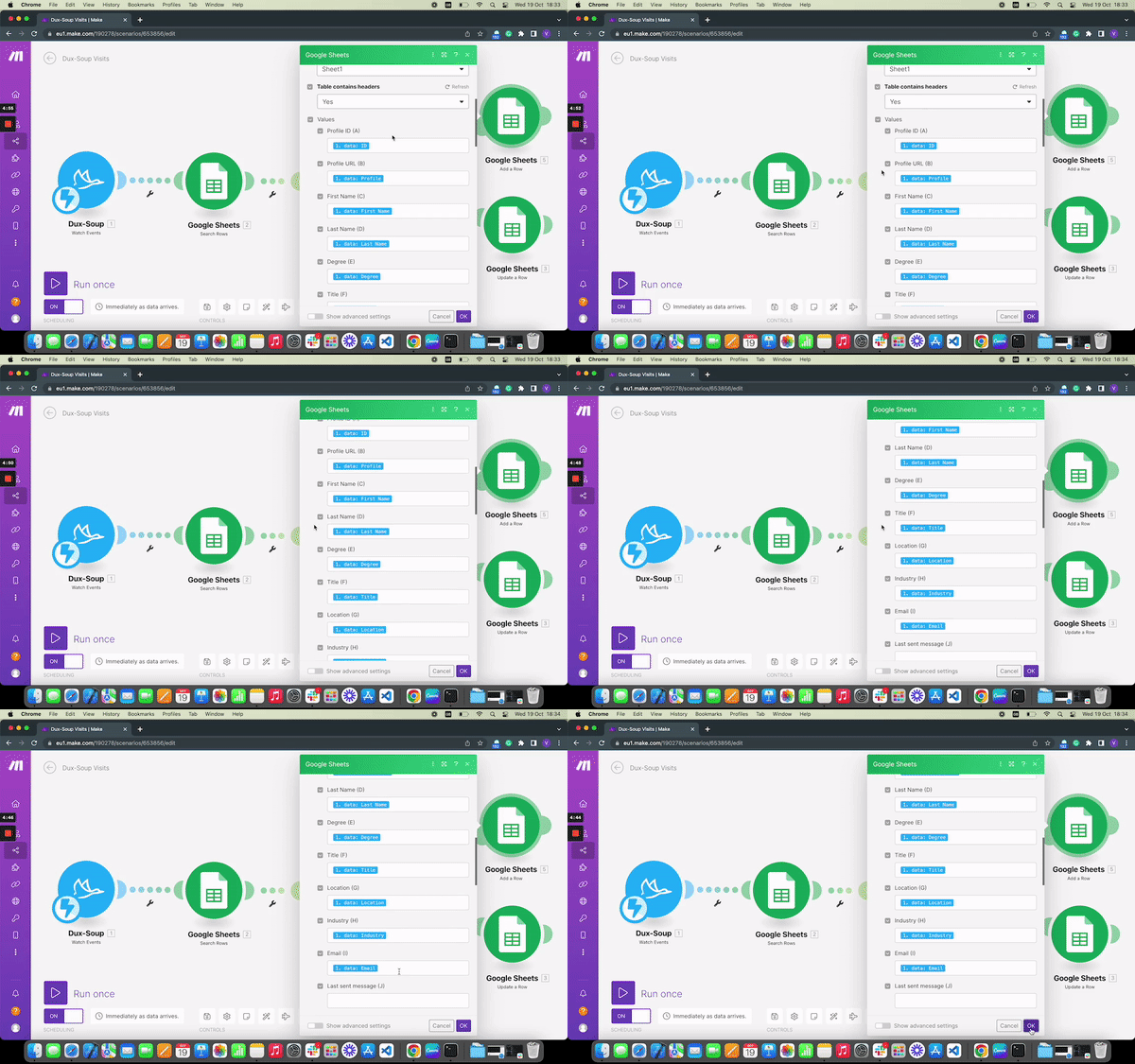
Dux-Soup & Make: Automating LinkedIn lead gen workflows

Dux-Soup targets marketing professionals, sales reps, recruiters, agencies, and entrepreneurs. It suits both beginners and experts in LinkedIn commercial task automation.

With 84% of leads generated via AI and automation (Amra & Elma), it's perfect for those seeking Dux-Dash added value.

  • Ideal profiles: Sales teams for team collaboration.
  • Levels: From solo users to agencies with scalable campaigns.
  • Needs: Lead generation and professional networking.

How does the LinkedIn integration work?

Integration is native: Dux-Soup operates directly on your LinkedIn account, with no third-party access. It supports LinkedIn standard, Sales Navigator, and Recruiter for multichannel strategies.

Dux-Soup LinkedIn integration

This keeps your activity history intact, minimizing risks.

  • Basic steps: Install extension, connect your account, launch campaigns.
  • Advanced: Sync with your database or CRM for scalable prospecting tasks.
  • Cloud vs. Local: Cloud version for 24/7 operation.

Integrate Dux-Soup with HubSpot: Leads responding to messages are automatically tagged and sent, streamlining your pipeline.

✅ Dux-Soup Advantages and Limitations

Dux-Soup offers customizable LinkedIn automation, saving time and boosting leads. But beware of ethical boundaries.

According to Dux-Soup user reviews on G2, it scores 4/5 for effectiveness.

What are the reviews or feedback on Dux-Soup?

Dux-Soup reviews and ratings

Reviews of Dux-Soup are mostly positive. On Trustpilot and G2 in 2025, it scores 4.5/5 for ease of use and Dux-Soup support chat.

Reddit feedback highlights its LinkedIn prospecting robot as "one of the best" for 2025.

  • Positive: "Best tool for LinkedIn" (G2).
  • Negative: Some security complaints.
  • Testimonials: "3000% uplift" (official site).
⭐ Dux-Soup — Ratings & Reviews by Platform (2025)
📍 Platform ⭐ Average Rating 📝 Useful Observations
G2 ⭐⭐⭐⭐☆ 4.3/5 – Reviews focused on time savings and automation
– Points of caution: improvable UX, settings to fine-tune
Trustpilot ⭐⭐⭐⭐⭐ 4.7/5 – Very good feedback on support and stability
– Recent positive testimonials (Cloud & Turbo)
Chrome Web Store ⭐⭐⭐⭐☆ 4.4/5 – Numerous installations and extension ratings
– Comments oriented toward simplicity & daily utility
Capterra ⭐⭐⭐⭐ 4.0/5 – Appreciated for value for money
– Mixed feedback on interface and onboarding
Reddit (community) – Overall sentiment fairly positive but cautious
– Frequent reminders: respect limits & LinkedIn ToS
Dux-Soup VS Linked Helper VS Closely VS Waalaxy comparison

Alternatives to Dux-Soup?

Yes, several alternatives compete in 2025. Dripify stands out with its UI and support (8.5/10 vs 8.1 for Dux-Soup on G2).

🔄 Alternatives to Dux-Soup (2025) — compact mobile-first comparison
🛠️ Alternative 🌟 Strengths (2025 field summary) 💵 Approx. Pricing
Dripify – Modern UI + visual sequence editor
– Good response detection & integrated analytics
– Cloud (autopilot) + unified inbox
– From $39–59/month (Basic/Pro plans; annual discounts possible) 🖼️
SalesRobot Cloud automation focused on "security" (quotas, randomization)
– AI agent for appointment booking + A/B testing
– Advanced dashboards
– Around $39–79/month depending on plan and billing ☁️
Waalaxy – Simple LinkedIn campaigns, strong personalization
– Good value for small teams
– Free trial, extensions & ready-to-use scenarios
– From ~€19–21/month (Pro edition; higher options) 📧
Skylead – Multichannel LinkedIn + email in one tool
– "If/then" sequences, unlimited email warm-up
– Image/GIF personalization
– Around $100/month (single offer geared toward agencies/teams) 🌐
Phantombuster – Ready-to-use automations (LinkedIn, Google, Instagram, etc.)
– Cloud execution + series workflows/flows
– Email credits & API for growth integrations
$56–69/month (Starter, annual/monthly) • higher Pro/Team plans 🧩

How to install and configure Dux-Soup (Chrome extension, etc.)?

Installation is simple: Download the Dux-Soup Chrome extension from the official site. No card required for trial.

Configure by connecting your LinkedIn, then create a campaign.

  • Step 1: Install via Chrome Web Store.
  • Step 2: Launch and authorize LinkedIn.
  • Step 3: Set targeting and actions.
  • Step 4: Test a small campaign.
🧭 Dux-Soup — Quick Steps Guide (2025)
🔢 Step 🛠️ Action ✨ Emoji
Installation – Add extension to Chrome from Chrome Web Store 📥
Configuration – Connect your account and authorize Dux-Soup on LinkedIn 🔑
Launch – Create a campaign (targeting, invitations, messages, cadences) 🚀
Tracking – Check performance in Dux-Dash (invites, acceptances, responses) 📊
Trial: Start with 50 profiles: Automatic visits + invitations, to test risk-free.

Is Dux-Soup secure and compliant with LinkedIn's policy?

Dux-Soup claims to be secure, keeping data within LinkedIn. However, LinkedIn prohibits excessive automation (Terms of Service).

In 2025, users report bans if abused; use moderately to respect ethics.

  • Security: No third-party access.
  • Compliance: Potential risks; opt for cloud version.
  • Advice: Limit to 100 actions/day.

Dux-Soup transforms LinkedIn prospecting into an efficient and scalable process. With its advanced features and integrations, it boosts your lead generation.

Dux-Soup Turbo Trial offer

Try it via the free trial on dux-soup.com, compare with Dripify, or explore additional guides to maximize your campaigns. Act now for intelligent prospecting!

Try Dux Soup for Free
arrow CTA right

Dux-Soup Features: Ultimate Software for LinkedIn Prospecting

Dux-Soup is a tool packed with powerful features to optimize your LinkedIn prospecting.

Whether you're looking to generate leads, expand your network, or engage in dialogue with your prospects, this tool has everything you need.

1. Automated Prospecting

The heart of Dux-Soup is its ability to automate repetitive prospecting tasks.

The software can:

  • Find LinkedIn profiles matching your criteria
  • Send personalized connection requests
  • Automatically follow profiles of interest
  • Export profile data to your CRM

No more tedious manual work—Dux-Soup handles everything in the background while you focus on what matters.

Critical review: Automated prospecting is Dux-Soup's absolute strength. The targeting options are highly advanced, and message personalization helps avoid the "robot" effect.

A must-have for multiplying your prospecting efforts.

2. Engagement Campaigns

Dux-Soup customer experience

To turn your prospects into customers, you need to nurture the relationship. Dux-Soup can help you stay on their radar with a comprehensive LinkedIn marketing strategy:

  • Automated follow-up messages
  • Automated connection requests
  • Sequenced InMail campaigns
  • Smart profile tagging for follow-ups
  • Email address retrieval for multichannel sequences
  • Automatically saved profile PDFs

With Dux-Soup, staying in touch with your leads becomes effortless. The platform manages regular and relevant follow-ups for you.

Critical review: Engagement campaigns are highly effective, especially combined with the power of initial targeting.

Message sequencing and automatic PDFs save tremendous time.

However, beware of the ban risk with overly automated ("non-human") responses.

3. Advanced Profile Filtering
Dux-Soup pricing and options

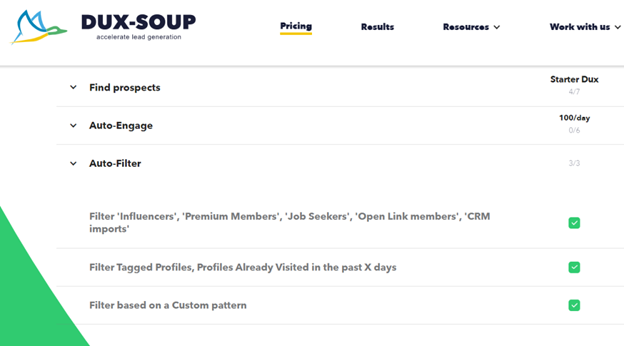
Not all profiles are created equal. To quickly identify the best leads with the highest conversion rates, Dux-Soup is a tool that offers ultra-precise filters based on:

  • Status (job seeker, influencer, premium...)
  • Specific keywords
  • Interests
  • Custom tags
  • Interaction history (messages, visits...)

This laser targeting allows you to focus on the highest-potential prospects and adapt your approach accordingly.

Critical review: Dux-Soup's filtering is one of the most powerful on the market. Pre-defined criteria cover most needs, and the ability to create your own filters is a real plus. An indispensable tool for optimizing your prospecting.

4. Large-Scale Lead Management

Dux-Soup API

As your network grows, keeping an overview becomes crucial. Dux-Soup facilitates pipeline management through:

  • Clear organization of profiles by tags and notes
  • Complete interaction history (visits, messages...)
  • Easy exports to your CRM or analytics tools
  • Automatic profile marking (optional)

You maintain complete control over your prospecting, even when managing hundreds or thousands of leads.

Critical review: Lead management is intuitive and effective with Dux-Soup. The tagging and note system is particularly handy for segmenting your base and easily finding a profile. Automatic tags are a real bonus for high volumes.

5. Data Integration and Sharing
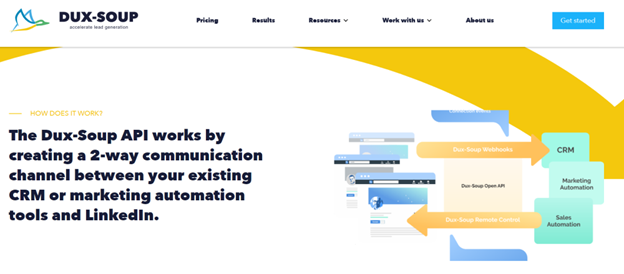
Dux-Soup API connection methods

Dux-Soup seamlessly integrates into your tool ecosystem through:

  • CSV format imports/exports
  • Compatibility with major market CRMs
  • Downloadable analytics reports
  • Simplified lead list sharing with your teams

You can thus connect Dux-Soup to the rest of your marketing and sales stack for optimal campaign tracking.

Critical review: Interoperability is a real asset of Dux-Soup. Imports/exports are smooth and sharing capabilities appreciable for teams. However, we'd like more native connectors with certain CRMs and email tools.

6. Advanced Integrations

Dux-Soup integrations

Dux-Soup connects seamlessly with your favorite tools:

  • Native integration with HubSpot, PipeDrive, and SharpSpring
  • Recording profile data and actions in your CRM software
  • Triggering automated tasks via third-party connections
  • Centralized LinkedIn interaction notifications

The tool thus naturally finds its place in your workflow and multiplies your daily productivity.

Critical review: HubSpot and Zapier integrations are a huge asset for users of these platforms. The ability to centralize everything and orchestrate your actions from your usual tool saves precious time. Great cross-channel automation opportunities!

7. LinkedIn Support Services
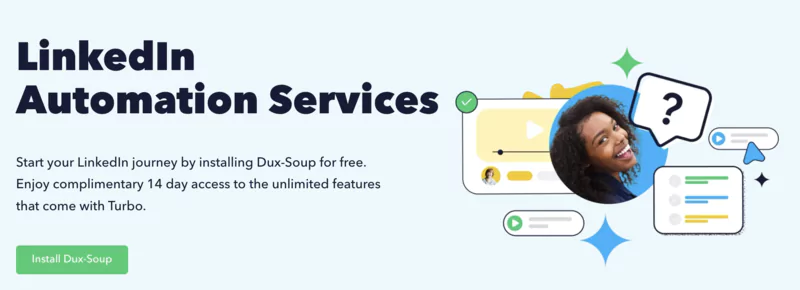
Dux-Soup installation

Beyond the software, Dux-Soup offers a full range of services to help you get the most out of LinkedIn:

  • Training and advice via webinars, tutorials, FAQs...
  • Responsive technical support via chat and email
  • Personalized consulting with LinkedIn experts
  • Management of your prospecting by certified agencies

Whether you're a beginner or advanced user, Dux-Soup supports you to boost your LinkedIn ROI.

Critical review: Dux-Soup's big plus is its educational approach and quality customer support. Resources are very comprehensive, and consulting and delegation options are welcome for getting started with confidence. A partner that clearly sees beyond the tool.

Customer Support

Dux Soup offers a very good level of customer assistance, which means it has live chat on its website and email support.

You can even request remote assistance calls where you can speak to a person.

Dux Soup support test presentation

These remote assistance calls have a maximum duration of 15 minutes, but we think that's more than enough to get your question answered.

They also organize stimulation sessions and technical sessions where you can integrate more complex solutions and strategies for your LinkedIn growth.

Another aspect of this LinkedIn growth tool that we love is its community.

Support can be found in their community, which means if you don't get the answers you need through their customer support, you can always tap into the community forum and see if someone else has had similar issues to yours. You can also do this through their Facebook page.

Guide: Create Your First Automation

Convinced by Dux-Soup's strengths and want to take the plunge?

Setting up your first automation is a breeze.

Follow our step-by-step guide to get to grips with the tool and launch your prospecting campaign in no time.

1. Install the Dux-Soup Extension on Your Browser

Dux-Soup Chrome extension

It all starts with installing Dux-Soup on your Chrome browser.

Go to the Chrome Web Store, search for "Dux-Soup," and click "Add to Chrome." In seconds, the extension integrates into your browser, ready to use.

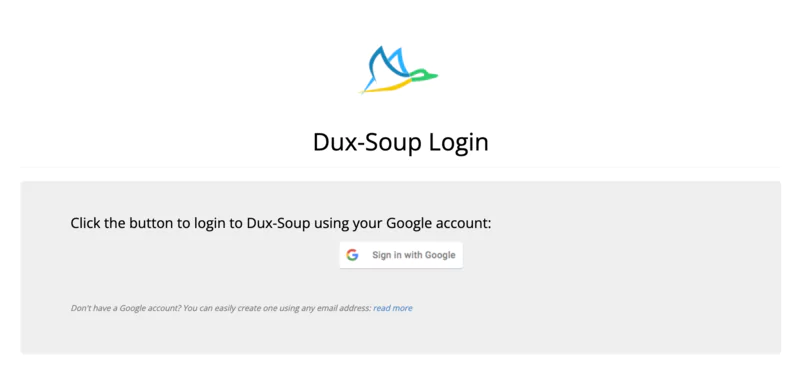
2. Log in to LinkedIn and Open Dux-Soup
Dux-Soup Login

Once the extension is installed, log in normally to your LinkedIn account AND your Gmail email address.

You'll see the Dux-Soup icon appear in your extensions bar.

Click on it to open the tool's control panel. Familiarize yourself with the different tabs and options.

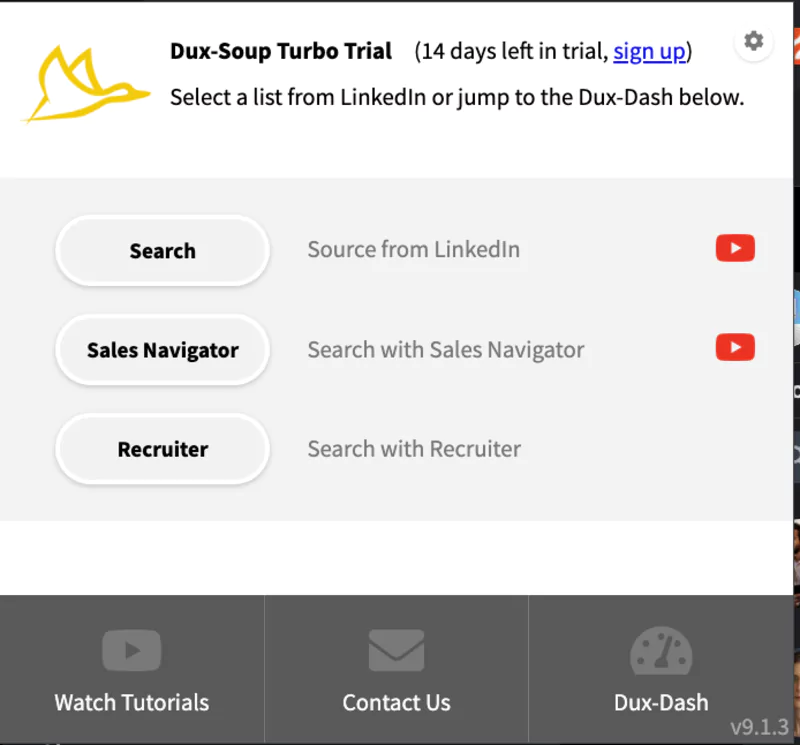
3. Define Your Target Audience
Define Your Target Audience Dux-Soup

Before launching your first automation, you need to define who you want to target.

Use LinkedIn's advanced search tool to find profiles matching your criteria: position, company, industry, location...

Save this search to easily reuse it.

4. Create Your First Automation Campaign
Create Your First Automation Campaign Dux-Soup

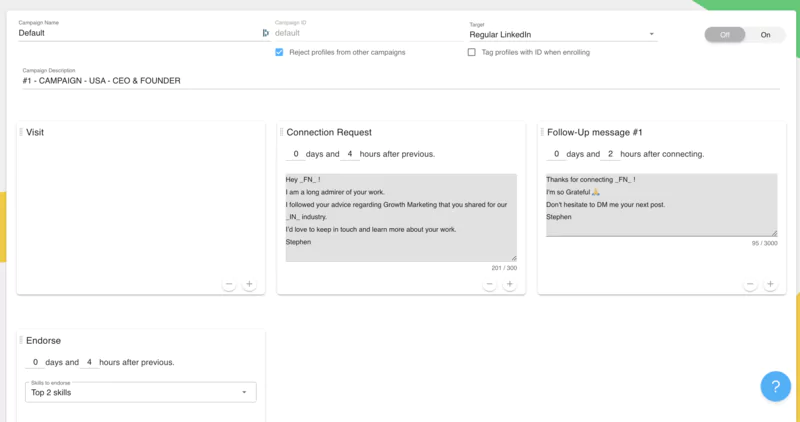
You can now create your first automation campaign.

In the "Campaign" tab, click on "New Campaign". Give your campaign a name and choose the type of action to perform: profile visit, connection request, private message...

Write your message text using dynamic variables to personalize each send.

Set the number of actions per day and pause times to mimic human behavior.

5. Launch Your Campaign and Analyze Results

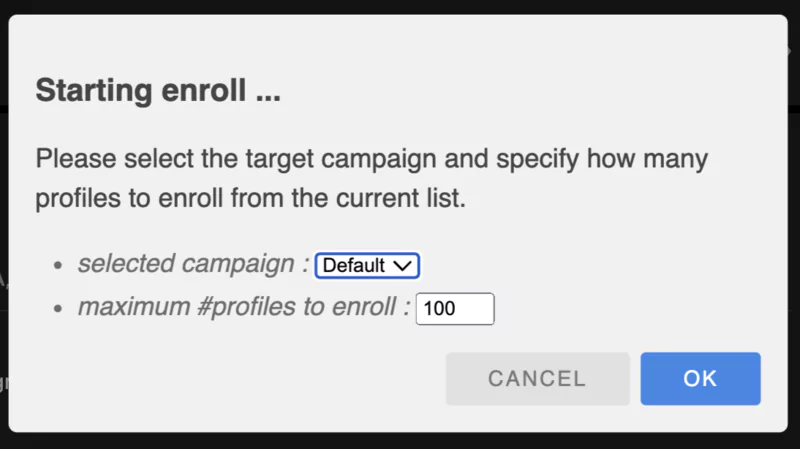
Once all parameters are set, you can launch your campaign.

Dux-Soup is a tool that will then execute programmed actions automatically while you go about your business.
Launch Your Campaign and Analyze Results Dux-Soup

Track progress from the dashboard and analytics reports.

Identify patterns that generate the most engagement with your prospects to optimize your future campaigns.

And there you have it—you now know how to set up your first Dux-Soup automation! Of course, this is just the tip of the iceberg.

The tool is packed with advanced features to refine your prospecting: profile filtering, personalized messages, CRM integrations...
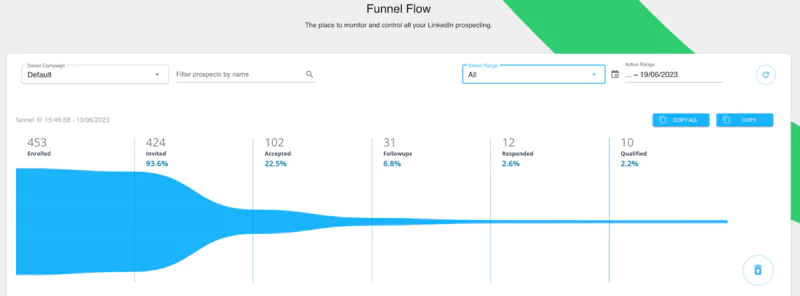
Dux-Soup funnel flow

But by mastering these basics, you're already equipped to accelerate your LinkedIn prospecting.

Don't hesitate to test different approaches, analyze your results, and always prioritize quality over quantity for your prospects.

Because the key to social selling is above all creating authentic and lasting relationships.

Get started with Dux-Soup and discover how to automate your LinkedIn prospecting simply and effectively.

Final Review

Dux-Soup works well for individuals as well as large enterprises, though its paid versions offer much more to users.

We recommend Dux-Soup to any business looking to save time with automatically generated leads and connections on LinkedIn.

The platform is also ideal for any business that needs help maintaining their system's reach and organization to reduce manual effort in converting leads.

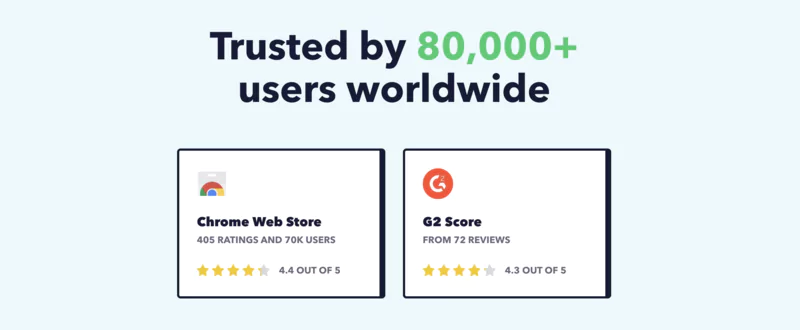
Over 70,000 users worldwide using Dux-Soup

FAQ

Is Dux-Soup compatible with LinkedIn Premium accounts?

Yes, Dux-Soup is a tool that works perfectly with LinkedIn Premium, Sales Navigator, and Recruiter accounts.

You can thus get the most out of your LinkedIn subscriptions.

Can I test Dux-Soup for free before committing?

Absolutely! Dux-Soup offers a completely free Starter plan, giving you access to basic features.

You can then upgrade to a paid plan anytime to unlock more options.

Is Dux-Soup compliant with LinkedIn's terms of use?

Dux-Soup is designed to respect LinkedIn's terms of use. However, it's your responsibility to use it ethically and moderately.

Abusing automation can result in penalties from LinkedIn.

You might also like...

TRANSPARENCY ON PARTNERSHIPS
We carefully choose the software, platforms, and services we recommend based on their quality and reliability. Our team tests and approves them, regardless of any business agreements.If you make a purchase or sign up through our partner links, we may earn a commission. This doesn’t cost you extra and helps keep our content free.

Vous Aimerez Aussi...

Check out more reviews to learn something new. Explore a variety of tools and resources that could be helpful and give you fresh ideas.