BLOG

13 Best SEO Tools to Boost Your Rankings in 2026

Check out the 13 best SEO tools to effectively boost your search rankings in 2026. Start improving your online visibility today!

hero image blog

📆 Last update:

01/2026

Key Takeaways

Best SEO Tools: If you really want to boost a site's SEO optimization, you don't need a "magic tool," but a small stack that covers at least three things to rank on search engines: Google data, competitive analysis, and technical (crawl + performance).

kwfinder webpage

➡️ Classic Scenario: You publish a "perfect" article, but it doesn't take off. In 80% of cases, it's not the "algorithm" against you... it's just a mix of wrong query, technical issue, or content not useful enough.

The stack logic allows you to adapt the choice of tools to your level of expertise, to optimize each step of SEO effectively. Good tools help IDENTIFY this quickly, without going in circles. Analyzing your site's performance is crucial to identify areas for improvement in your SEO.

"Recommended Tools" by Profile

⚙️ SEO Stacks by Profile: Tools + Overall Budget + Logic (with Surfer)
Profile 👤 Stack ⚙️ Budget 💸 Why It Works ✅
Beginner (0–30$) 🌱 GSC + Trends + PageSpeed + (Ubersuggest or Mangools) + Surfer ~0–30$ + Surfer covers basics + keyword research without getting scattered
Solo/SME (budget) 🚀 GSC + Screaming Frog + SE Ranking + Surfer ~100–200$ + Surfer audit + positions + reporting: the trio that drives progress
Agency/Expert 🧠 GSC + Screaming Frog + (Ahrefs or SEMrush) + Surfer ~250–600$ + Surfer technical + backlinks + competition + production of quality content

Note: It's often advised to start with a free tool to understand the basics of SEO before moving to a paid tool. This tool helps you get familiar with SEO analysis and tracking without any initial investment.

Global Comparison

Using SEO analysis tools helps identify areas that need improvements on your site. It's important to regularly analyze your site's data to detect technical errors and security issues. Key SEO KPIs to monitor include organic traffic, bounce rate, average session duration, and conversion rate.

It's essential to choose SEO analysis tools that suit your needs and budget. Paid SEO tools offer more in-depth analyses and advanced features compared to free versions and can provide a better return on investment if tangible results justify their cost.

Quick Comparison (Who Does What, Free vs Paid)
Tool 🧰 What It Does 🎯 Strengths ✅ Limitations ⚠️ Free? 🆓
Google Search Console SEO audit + Google visibility queries, pages, errors, indexing no advanced "competitor" analysis
SEMrush complete suite (keywords, audit, backlinks) strong focus on competitive analysis + reporting expensive if you want everything ❌ (trial)
Ahrefs backlinks + keywords + audit reference for backlinks + exploration high budget ❌ (limited free AWT)
SE Ranking "value" suite (rank tracking + audit) good price/features balance less "deep" than more expensive ones ❌ (trial)
Screaming Frog crawl analysis ultra-effective on technical SEO requires some method ✅ (limited)
PageSpeed Insights web performance simple, direct, actionable not a complete SEO audit
Surfer SEO optimized content (on-page) good for keyword strategy + structure can lead to "over-optimizing"
Yoast SEO (WP) on-page SEO for WordPress tags, readability, metadata depends on your theme/setup ✅/❌
Rank Math (WP) on-page SEO for WordPress + schema rich + advanced options easy to overdo it ✅/❌
Ubersuggest accessible SEO (keywords, ideas) simple, more affordable plans less "agency depth" data ✅/❌

Essential Free Tools

1. Google Search Console (GSC)

SEO Tools: Google Search Console

🙋FOR WHO: everyone. If you're not using it, you're flying your SEO blind.‍

✅STRENGTHS

  • Google Search Console is a free tool offered by Google.
  • It allows you to track a site's performance in search engines.
  • This free tool helps optimize natural referencing by measuring the effectiveness of your SEO actions.
  • Google "source" data: queries, pages, CTR, indexing, issues.
  • Quick error detection (coverage, sitemap, excluded pages).
  • Perfect for tracking the impact of optimized content on traffic.‍

⚠️ LIMITATIONS

  • Not a competitor analysis tool.
  • Data sometimes sampled/delayed, interpretation needed.
  • Backlinks: useful, but less "deep" than paid suites.‍

💰 PRICE: free.‍

⭐ RATING: 4.7/5 (G2).

2. Google PageSpeed Insights

SEO Tools: Google Analytics

🙋FOR WHO: slow sites, Core Web Vitals, mobile issues.‍

✅STRENGTHS

  • PageSpeed Insights is a free tool from Google that analyzes a web page's loading speed.
  • The tool accurately evaluates a web page's performance and provides concrete optimization recommendations.
  • It helps improve your site's performance by identifying weak points to fix.
  • Clear diagnostics via Lighthouse (Performance, SEO, best practices).
  • Gives you an actionable checklist (images, JS, CSS, cache, etc.).
  • Very useful for prioritizing what causes position loss.‍

⚠️ LIMITATIONS

  • Scores don't tell the whole story: need to cross-check with real data (CrUX, analytics).
  • The Chrome PSI extension has been discontinued (but the web tool remains).

💰 PRICE: free. ‍

⭐ RATING: — (no solid/standardized "product" rating).

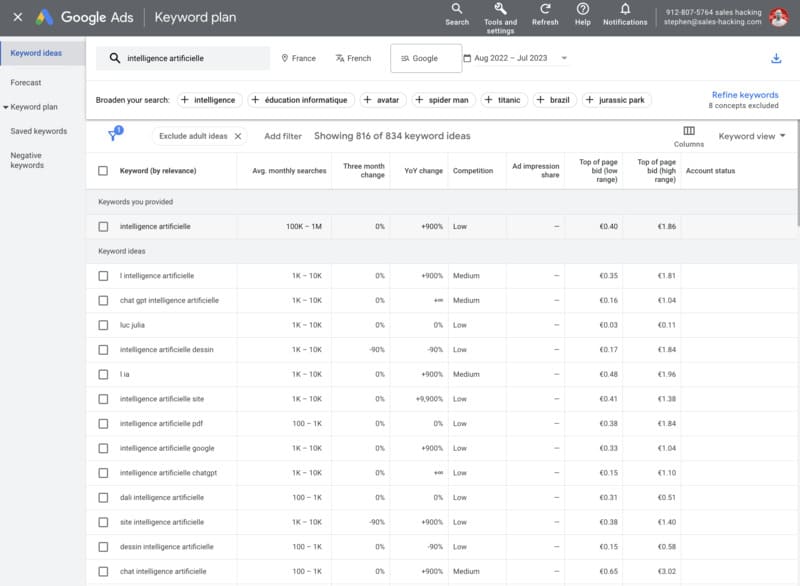
3. Google Keyword Planner

Google Keyword Planner

🙋FOR WHO: those also doing Google Ads or wanting a base of volumes.‍

✅STRENGTHS

  • Volumes + variations (useful for framing a keyword strategy).
  • Good for validating "business" keyword opportunities.‍
  • Google Keyword Planner is a free tool accessible to everyone.
  • The tool provides a large number of keyword suggestions to enrich your research.

⚠️ LIMITATIONS

  • Volumes are often "broad" without Ads spend.
  • Not made for advanced editorial strategy (intent, SERP, etc.).‍

💰 PRICE: free (Google Ads account required).‍

⭐ RATING: — (no reliable "Google Keyword Planner" reviews).

4. Google Trends

SEO Tools: Google Trends

🙋FOR WHO: content, seasonality, trends, page launches.‍

✅STRENGTHS

  • Google Trends is a free tool, accessible to everyone.
  • Allows you to get a large number of trends or comparisons to analyze search evolution.
  • Excellent for validating the timing of a topic (peaks, regions, comparisons).
  • Great complement for SEO campaign planning.‍

⚠️ LIMITATIONS

  • No precise volumes.
  • Interpretation required (a "peak" ≠ a profitable keyword).‍

💰 PRICE: free.‍

⭐ RATING: 4.5/5 (G2).

All-in-One Suites

4. SEMrush

SEO Tools: SEMrush

🙋FOR WHO: marketers/teams wanting broad coverage (SEO + content + competition + reporting).‍

✅STRENGTHS

  • Very strong in competitive analysis (keyword gaps, successful pages, trends).
  • Solid reporting (SEO reporting tools) + agency workflows.
  • Good balance "technical SEO + content + backlinks".‍

⚠️ LIMITATIONS

  • Can become expensive if you add modules/users.
  • Lots of data = easy to get scattered if you don't have a process.
  • Some proprietary metrics require perspective.‍

💰 PRICE: Pro $139.95/mo, Guru $249.95/mo, Business $499.95/mo. ‍

⭐ RATING: 4.5/5 (G2).

5. Ahrefs

SEO Tools: Ahrefs

🙋FOR WHO: SEO focused on backlinks + keyword research + clean competitive analysis.‍

✅STRENGTHS

  • Very good for analyzing backlinks (profile, linked pages, opportunities).
  • Solid keyword research (difficulty, SERP, content ideas).
  • Effective Site Audit to keep a site clean.‍

⚠️ LIMITATIONS

  • Less "marketing suite" than SEMrush (more pure SEO).
  • Some reporting/client needs require internal organization.
  • Price rises quickly when you scale (users/limits).‍

💰 PRICE: Lite $129/mo, Standard $249/mo, Advanced $449/mo, Enterprise $1,499/mo. ‍

⭐ RATING: 4.5/5 (G2).

6. SE Ranking

SE Ranking

🙋FOR WHO: SMEs/freelancers/agencies wanting good coverage/price ratio (rank tracking + audit + reporting).‍

✅STRENGTHS

  • Very good position tracking + client reports.
  • Allows real-time tracking of SEO performance and positioning.
  • Wide coverage (audit, backlinks, keyword research, local, etc.).
  • Often more accessible than Ahrefs/SEMrush for comparable scope.‍

⚠️ LIMITATIONS

  • UX sometimes "dense" when managing many projects.
  • "Content/AI" blocks don't replace a real editorial strategy.
  • Less "historical reference" in backlinks than Ahrefs for some SEOs.‍

💰 PRICE: Essential from $65/mo ($52/mo annually), Pro $119/mo ($95.20 annually), Business $259/mo ($207.20 annually). ‍

⭐ RATING: 4.7/5 (G2).

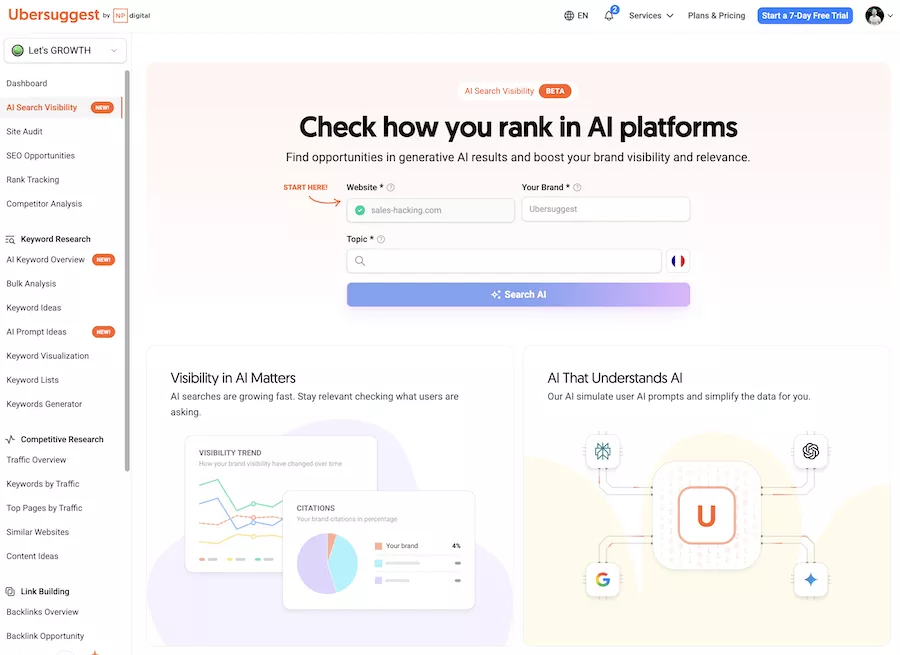
7. Ubersuggest

ubersuggest homepage

🙋FOR WHO: beginners, solopreneurs, tight budgets wanting a simple suite.‍

✅STRENGTHS

  • Ubersuggest is a free tool that makes it easy to start with SEO.
  • It's a tool that allows you to create a set of keywords from a single query.
  • Using Ubersuggest helps with keyword analysis and creating optimized content.
  • Very accessible for starting: keyword ideas, basic audit, tracking.
  • Good "entry tool" to structure an SEO routine without getting overwhelmed.
  • Aggressive pricing position.

⚠️ LIMITATIONS

  • Data sometimes less "precise" than premium tools (needs cross-checking).
  • Less suited for large sites/volumes.
  • Some reports remain quite "generic".

💰 PRICE: Individual $29/mo, Business $49/mo, Enterprise/Agency $99/mo (according to Neil Patel source).

⭐ RATING: 4.2/5 (G2).

8. Moz Pro

SEO Tools: Moz Pro

🙋FOR WHO: SEOs wanting a stable suite + "classic" metrics (DA, tracking, audits) and a fairly educational approach.‍

✅STRENGTHS

  • Clear interface, good for consultants/marketing teams.
  • Good keyword research tools + tracking + link research.
  • Historical reference on certain metrics (Domain Authority).‍
  • Allows analyzing the number of referring domains pointing to a website, useful for optimizing your netlinking strategy.

⚠️ LIMITATIONS

  • For "hardcore backlink" or very large volumes, some prefer Ahrefs.
  • "All-in-one" coverage sometimes less extensive than SEMrush.
  • Depending on the case, the price/features ratio depends a lot on your usage.‍

💰 PRICE: starting at $99/mo (Capterra). ‍

⭐ RATING: 4.5/5 (Capterra, based on 349 reviews).

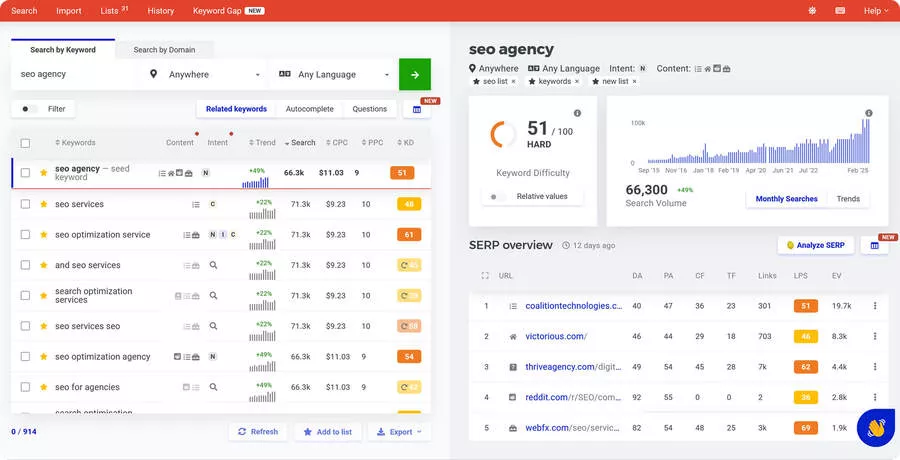
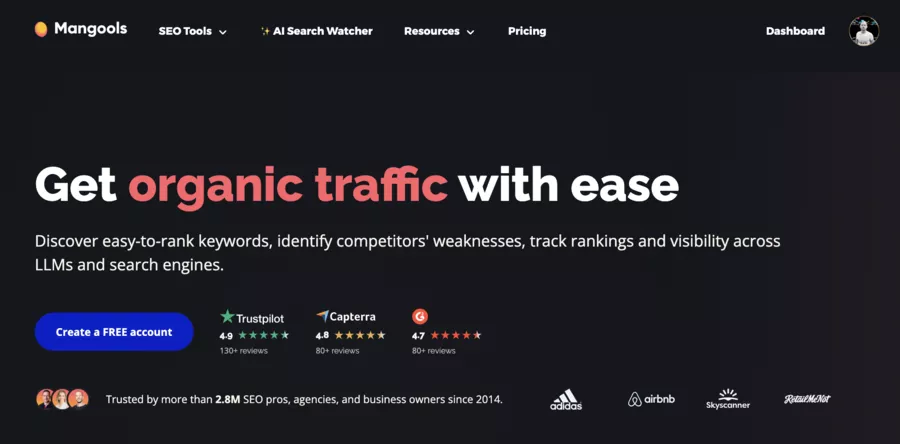
9. Mangools (KWFinder & co. suite)

mangools

🙋FOR WHO: content creators, bloggers, small teams wanting "light" but effective SEO.‍

✅ STRENGTHS

  • KWFinder + SERPChecker = very good combo for finding keyword opportunities.
  • Mangools provides a list of keyword opportunities to explore, making it easier to plan your SEO strategy.
  • Simple interface, perfect for producing quality content without over-complicating.
  • Good for starting an SEO content strategy + light tracking.‍

⚠️ LIMITATIONS

  • Less complete than a real all-in-one suite if you do a lot of tech + advanced reporting.
  • Backlinks/competitive analysis: useful, but not at the level of Ahrefs/SEMrush.
  • Can reach its limits if you scale hard (multi-account agency).‍

💰 PRICE: from $29/mo (annual plans). ‍

⭐ RATING: 4.7/5 (G2) and 4.8/5 (Capterra).

Technical SEO: Crawl, Errors, Structure

10. Screaming Frog SEO Spider

SEO Tools: Screaming Frog SEO Spider

🙋FOR WHO: technical SEO, migrations, redesigns, sites with "weird stuff" (indexing, canonicals, redirects).‍

✅STRENGTHS

  • The best magnifying glass for crawl analysis: titles, Hn, canonicals, 3xx/4xx/5xx, linking.
  • Perfect for uncovering crawl errors and structural issues.
  • Essential for a serious SEO audit before "touching" a site.‍
  • It's a free tool (freemium) up to 500 URLs, making it accessible for small sites or to test its main features.
  • Screaming Frog allows for technical and semantic audits of websites, offering an in-depth analysis to optimize SEO.
  • This tool requires some expertise to be fully exploited and take advantage of all its advanced features.

⚠️ LIMITATIONS

  • Learning curve: without method, you find 200 problems... without knowing what to prioritize.
  • Desktop tool (less collaboration/reporting than "SaaS suite").
  • For very large sites, it requires machine/configuration.‍

💰 PRICE: free up to 500 URLs, then license ~£199/year per user. ‍

⭐ RATING: — (no standard rating as widespread as SaaS suites).

Optimized Content + On-page SEO

11. Surfer SEO

SurferSEO homepage - best SEO tools

🙋FOR WHO: content marketing, publishers, content agencies, sites that publish often and want "tools for ranking".‍

✅STRENGTHS

  • Very good for "aligning" content with SERP intent (briefs, entities, structure).
  • Provides advanced expertise in on-page content optimization.
  • Helps produce optimized content without forgetting on-page basics.
  • Useful for industrializing (templates, writing process).‍

⚠️ LIMITATIONS

  • Doesn't replace a real strategy (angle, UX, controlled proofs, linking).
  • Risk of "over-optimizing" if you follow the checklist like a robot.
  • Not a complete backlinks/technical crawl tool.‍

💰 PRICE: Essential $99/mo ($79/mo annually), Scale $219/mo ($175/mo annually). ‍

⭐ RATING: 4.8/5 (G2).

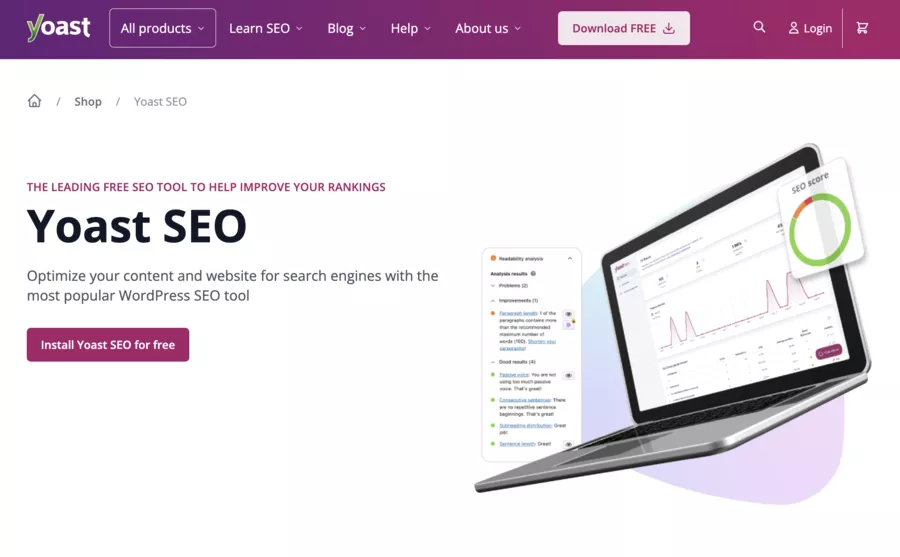
12. Yoast SEO (WordPress)

yoast

🙋FOR WHO: WordPress, editorial teams, showcase/blog sites, simple on-page need.‍

✅STRENGTHS

  • On-page checklists (titles, meta, readability, basic schema).
  • "Safe" technical management for daily use (sitemaps, canonicals, etc.).
  • Very good safeguard to avoid forgetting metadata optimization.‍

⚠️ LIMITATIONS

  • Doesn't buy positions: without content + linking + technical, it plateaus.
  • Can push to "optimize for the green light" rather than for the user.
  • Not made for competitive analysis.‍

💰 PRICE: free + Premium $118.80/year. ‍

⭐ RATING: 4.8/5 (WordPress.org).

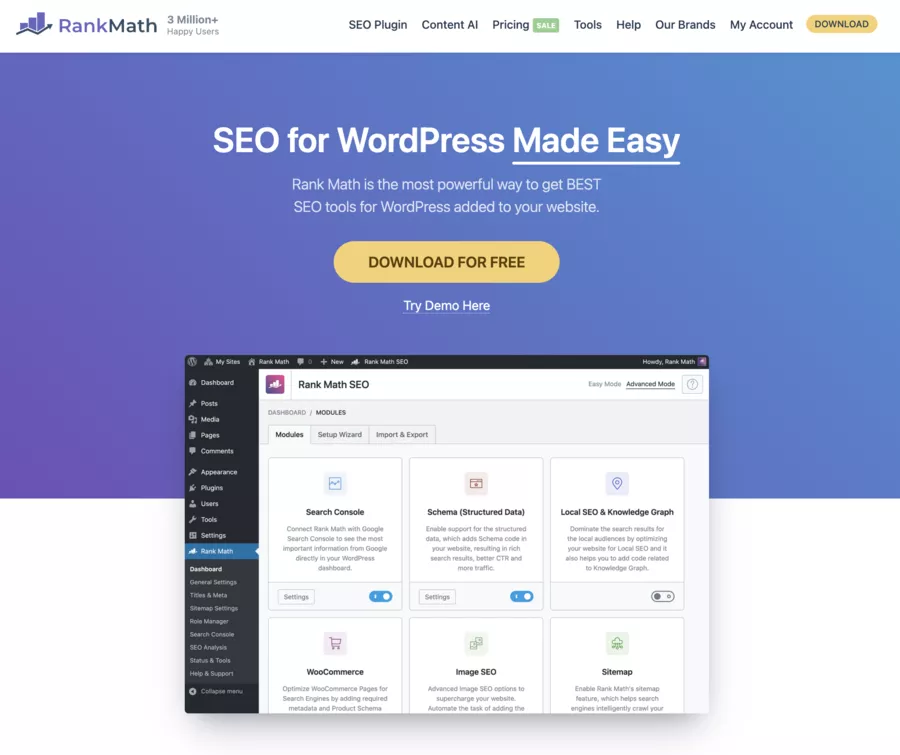
13. Rank Math (WordPress)

Rank Math

🙋FOR WHO: WordPress, slightly more "geeky" profiles, need for more advanced schema/control.‍

✅STRENGTHS

  • Very complete in on-page SEO + schema + advanced options.
  • More flexible than Yoast on some settings (depending on config).
  • Good choice if you want to grow without changing WP tool too quickly.‍

⚠️ LIMITATIONS

  • Can become "too much" if you tweak everything without understanding (risk of bad config).
  • Some advanced features are tied to paid plans.
  • Like Yoast: no magic without content + links strategy.‍

💰 PRICE: free + Pro/Business/Agency (annual renewal displayed as "per month": $8.99, $27.99, $64.99). ‍

⭐ RATING: 4.9/5 (WordPress.org).

Backlinks: Analysis, Quality, Opportunities

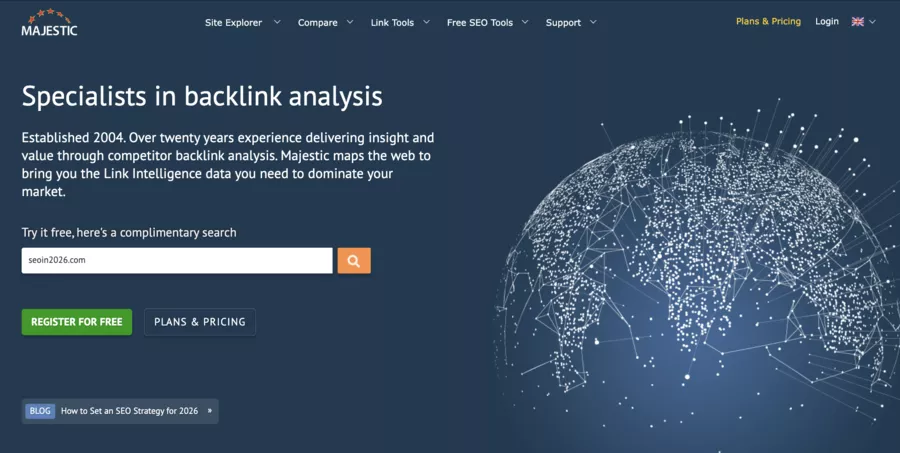
majestic seo

Backlinks ≠ quantity. It's mostly quality, context, diversity, and consistency.

Analyzing the number of referring domains and the quality of links is essential for an effective netlinking strategy. Tracking the number of domains pointing to your site helps evaluate the reputation and diversity of your link profile.

  • Ahrefs: very strong on link profiles + exploration.
  • SEMrush: good mix of backlinks + competitors + reporting.
  • Majestic: focused on "link intelligence" with tools (Site Explorer, Trust Flow/Topical, etc.) and even a "Sign Up for FREE" section.

Differences: SEMrush vs Ahrefs vs Google Search Console

Key Differences: SEMrush vs Ahrefs vs Google Search Console
Criterion 🔍 Google Search Console 🧭 SEMrush 🧩 Ahrefs 🔗
Data Source 📡 Google data (your site) proprietary base + tools proprietary base + tools
Best For 🎯 indexing, queries, errors SEO audit + content + competition backlinks + exploration + SERP
Main Limitation ⚠️ not a "complete suite" cost/limits per plan cost/access depending on plan
Must Have? ✅ YES, always if you want a suite if links and SERP are key

How to Choose the Right SEO Tool for Your Level and Goals

Simple rule: selecting an SEO tool should be done thoughtfully, considering your specific needs. There's a list of tools to consider based on your goals.

  1. Define your goal: traffic? leads? e-commerce? local?
  2. Choose 1 "source of truth" tool: GSC (always).
  3. Add 1 "depth" tool: SEMrush or Ahrefs or SE Ranking.
  4. Add 1 "execution" tool: Screaming Frog (tech) or Surfer (content).

Adopt a structured way to compare each tool and don't hesitate to consult a list of recommendations to optimize your selection.

Quick data reminder (useful for SEO metrics): do a mini "Anscombe analysis" in your reports — even if two curves have "the same averages," the story can be totally different. It prevents over-interpreting correlations.

Types of SEO Tools

🧩 Types of SEO Tools: What They're For, Examples, and Who They're For
🧩 Type of SEO Tool 🎯 What It's Used For 🛠️ Examples of Popular Tools 👤 Who It's Most Useful For
🔧 Technical SEO Spotting errors (crawl, indexing, speed, tags, linking) Screaming Frog, PageSpeed Insights Existing sites, agencies, e-commerce
🔍 Keyword Research Finding search queries people use and estimating their potential Keyword Planner, Ubersuggest Content creators, bloggers
📈 Position Tracking Tracking keyword progress in Google SE Ranking, SERPWatcher Freelancers, agencies, small businesses
🔗 Link Building / Backlinks Analyzing inbound links, popularity, and competition Ahrefs, Majestic Advanced SEO, competitive niches
🧠 All-in-One SEO Centralizing keywords, competition, backlinks, audits SEMrush, Ahrefs Agencies, consultants, marketing teams
✍️ Content Optimization Improving semantic relevance and search intent Surfer SEO, Clearscope Writers, editors, SEO content specialists
🧪 Real Performance Analysis Seeing what Google really shows (clicks, impressions, errors) Google Search Console ALL sites, no exceptions
🌍 Local SEO Optimizing local visibility (maps, reviews, proximity) Google Business Profile Local businesses, local agencies
🧩 Competitive Analysis Understanding why competitors rank SEMrush, Ahrefs SEO decision-makers, growth marketers
🧰 Essential Free Tools SEO basics to use even with paid tools Search Console, PageSpeed Beginners → experts

Conclusion

Choosing the right SEO tool for your needs is the most important thing when expanding your online reach.

As you can see in these business software, there are many paid and free options available. Starting with a free tool or free SEO tools is a great way to begin optimizing your site.

Using two SEO tools is also an option, as they can have features that complement each other.

In any case, identify your business goals and find out how SEO can help you achieve them before looking for the right tool. Tool selection should always be tailored to your specific needs to ensure maximum effectiveness.

SEO is a long-term process, and being selective is the best way to ensure you choose the right tool to serve you in the months ahead.

FAQ

❓ How do SEO tools help small businesses?

SEO tools allow small businesses to create a clear SEO strategy, even without an in-house SEO expert. They help improve your site's ranking, track keyword positions, analyze visitors, and prioritize cost-effective actions.

Basically, these tools make decision-making easier before a business meeting, help prepare an SEO project, and quickly adapt to search engine updates.

❓ Can I manage my SEO without an expert?

Yes, you can definitely manage your SEO on your own, especially when starting a project. Many businesses start without an SEO expert by using simple tools to:

  • identify strategic keywords,
  • track rankings,
  • understand visitor behavior.

Tools like AnswerThePublic are useful for understanding real user questions and building a coherent initial SEO strategy. As the site grows, having an SEO expert often becomes beneficial.

❓ What SEO metrics should I prioritize?

To effectively manage your SEO, certain metrics are essential:

  • the ranking of relevant keywords (and its evolution),
  • organic traffic and the number of site visitors,
  • click-through rate (CTR) on Google,
  • pages that generate the most conversions,
  • site speed and stability after updates.

These indicators help adjust your SEO strategy without acting blindly.

❓ What are the 3 pillars of SEO?

The 3 pillars of SEO are the foundation of any good long-term ranking:

  • Technical SEO: indexing, performance, structure,
  • Content: relevance, search intent, added value,
  • Authority: backlinks, reputation, credibility.

A site can have traffic, but without balance among these pillars, the ranking remains unstable over time.

❓ What is the main SEO tool?

The main SEO tool is still Google Search Console, as it's the only source that shows actual rankings, exact queries, clicks, and the impact of Google updates.

All other SEO tools are for analysis, anticipation, and optimization, but they should always be used alongside this official data.

SEO tools are essential for small businesses wanting to: Increase their visibility in search results, drive more qualified traffic to their website, outperform competitors in SEO performance, optimize product descriptions and e-commerce pages.

❓ Can I manage my SEO myself?

Yes, you can start SEO on your own: Use free tools like Google's planner, integrate relevant keywords into your site, and continuously improve by educating yourself through blogs and online guides.

Using a free tool or free SEO tools is ideal for starting in SEO.

❓ What SEO metrics should I watch?

It's crucial to know and understand several metrics for an effective SEO strategy.

Key metrics to monitor include: Organic traffic, number of visits, Bounce rate, Pages per session, Organic click-through rates (CTR), Domain and page authority, Page loading speed, and your site's performance.

Remember, it's essential to monitor the number of visits and your site's performance to optimize your SEO strategy.

❓ What are the 3 pillars of SEO?

The 3 pillars of SEO are:

  1. Technical SEO: performance, indexing, site structure.
  2. Content: quality, relevance, search intent.
  3. Authority (link building): backlinks, reputation, domain credibility.

An imbalance in any one pillar greatly limits results.

❓ What is the main SEO tool?

The main tool is still Google itself, via the Search Console. It's the only source that shows:

  • real queries,
  • impressions,
  • clicks,
  • indexing issues.

All other tools are supplements, not substitutes.

You may also be interested in