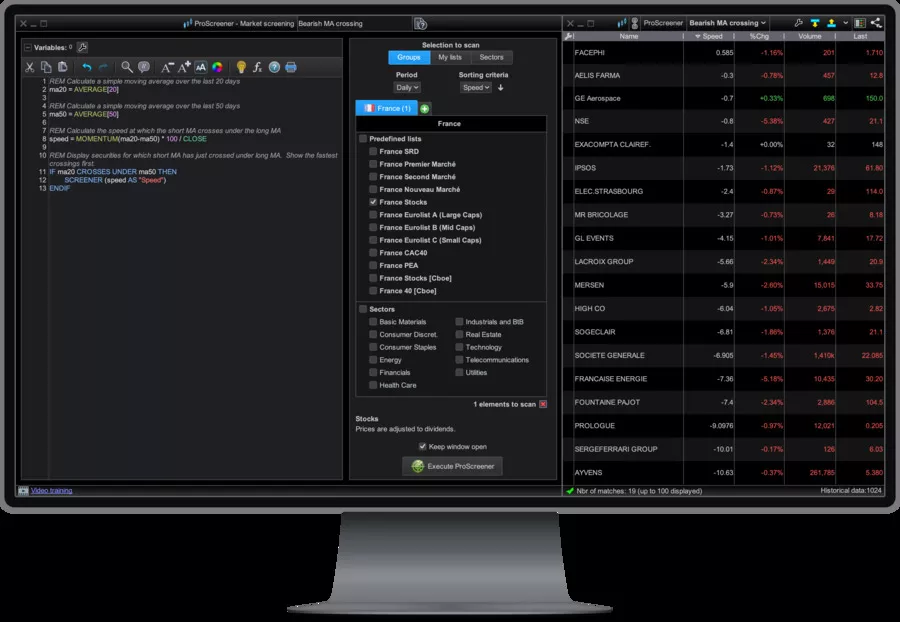
Stock market software have become the main interface between you and the markets: without the right tool, even the best strategy is theoretical.
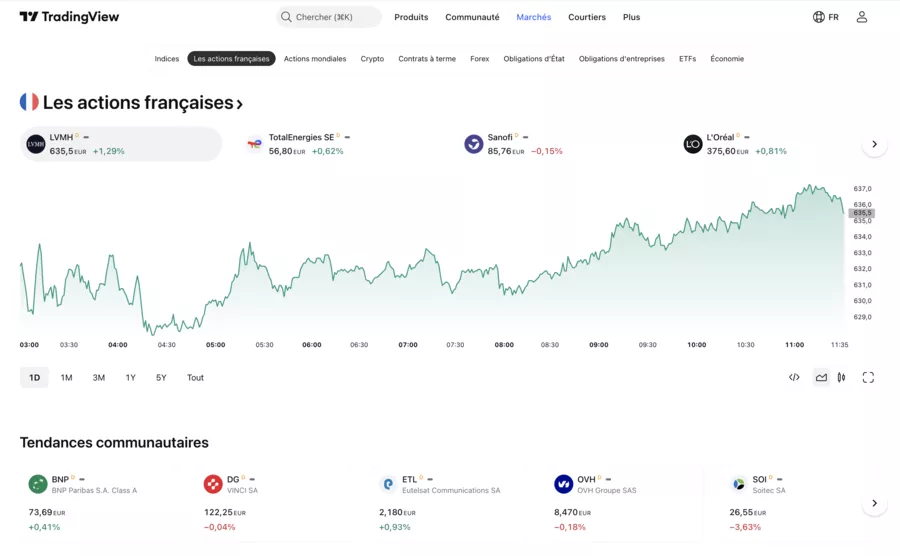
The challenge is that between ProRealTime, TradingView, MetaTrader 5, MetaTrader 5, Finary, Trade Republic, Portfolio Performance, TWS, etc., it is very easy to get lost in the offer.
The aim of this guide: to help you compare thestock market software, understand their key features (advanced technical analysis, back-testing, automated trading, portfolio management...) and above all Know which one to choose according to your profile (beginner, active trader, long-term investor, multi-portfolio management).
The best stock exchange software at a glance
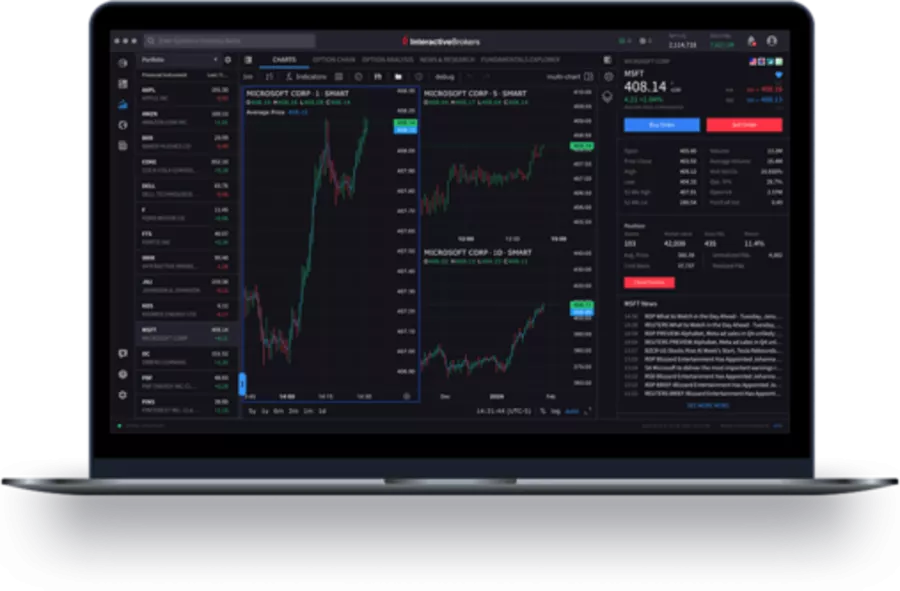
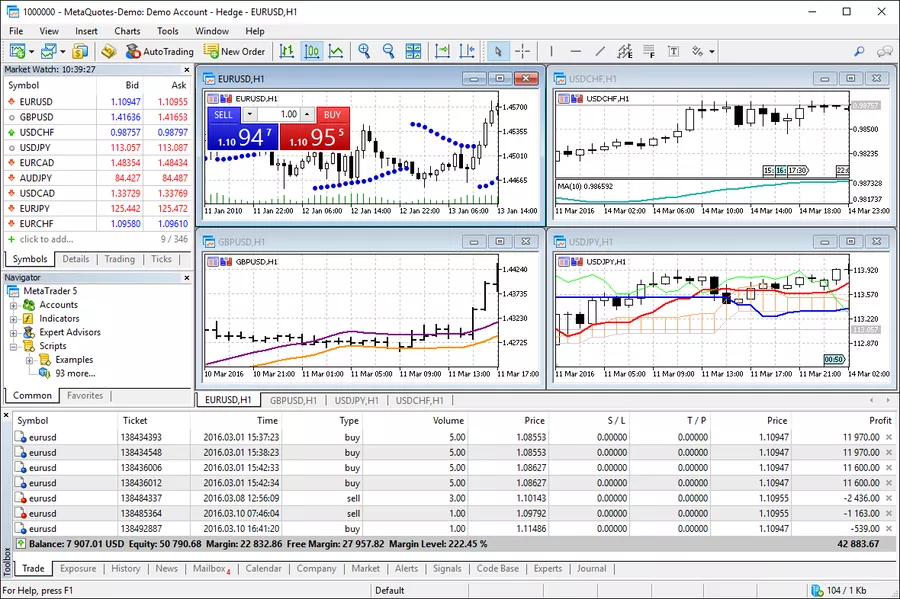
The same names come up again and again in the 2026 rankings: ProRealTime, TradingView, MetaTrader 5, Interactive Brokers TWS, but also more oriented tools portfolio management suchlike Finary or Portfolio Performance, and mobile investment apps like Trade Republic
To give you a quick overview, here is a summary table by profile 👇
📊 Top Trading Software 2026 — Which Tool for Which Investor
💻 Software
🎯 Ideal Profile
⭐ Key Strengths
🆓 Free Level / Pricing
ProRealTime
Active traders on stocks and indices
Swing traders focused on technical analysis 🎯
Highly detailed charts with many indicators
Backtests and automated trading via brokers 🤖
End-of-day version available 🆓
Real-time and advanced features paid 💶
TradingView
Beginners to experts focused on charting
Multi-asset investors seeking community 🌍
Smooth and intuitive web & mobile interface ✨
Shared ideas, Pine scripts, screeners, and alerts 📢
Free plan sufficient to start 🆓
Paid plans with advanced features 💳
MetaTrader 5
Active Forex and CFD traders
Users of robots and copy trading 🤖
Multi-asset with backtests and automated trading 🔁
Large library of indicators and EAs 🧩
Software provided by many brokers 🆓
Requires account with a compatible broker 💼
IB Trader Workstation
Experienced and professional investors 🧠
Complex portfolios across multiple markets 🌐
Access to many global markets 🌎
Advanced order, risk, and reporting tools 📊
Platform included for Interactive Brokers clients 🆓
Fees related to account and transactions 💶
Finary
Individuals with accounts at multiple banks 🧾
Tracking PEA, CTO, AV, crypto, and real estate 💼
360° portfolio view with performance 📊
Automatic connections to many providers 🔗
Basic version to centralize accounts 🆓
Paid plans with in-depth analysis 💶
Trade Republic
Beginners and ETF/stock investors 📱
Fans of programmed DCA investments 🔄
Simple, clear, mobile-first app 🎯
Low fees on a wide selection of assets 💸
App and account with no inactivity fees 🆓
Low transaction fees (verify specifics) 💶
👉 First simple filter:
If you want trade actively with advanced technical analysis → ProRealTime, TradingView, MT5.
If you especially want monitor the performance of your investments → Finary, Portfolio Performance.
If you are looking for a comprehensive trading platform with direct access to markets → TWS, Trade Republic (and other brokers).
What makes a good stock market software?
Good stock market software isn't just a pretty chart. It should help you parse, in particular thanks to advanced technical analysis functions, decide and execute your trading or investment plan, while respecting your level of experience.
1. “Portfolio Management” block
For an individual investor, the portfolio management is often the number one need:
Real-time (or near) monitoring of the portfolio value.
Consolidated PEA view, securities account, life insurance, crypto, etc.
Detailed history of investment performance (TWR, XIRR, etc.)
Breakdown by asset class, currency, country, sector.
Tools like Finary and Portfolio Performance have specialized in this area: multi-bank aggregation, fine analyses, multi-currencies, long-term vision
2. “Advanced technical analysis” block
For short/medium term trading, the priority becomesadvanced technical analysis :
Which stock exchange software should you choose according to your profile?
To avoid downloading everything that exists, start from your profile and of your main objective.
1. You are starting out on the stock market (ETF, PEA, long term)
Objective: invest gradually, monitor the evolution of your assets without drowning in 40 indicators.
For invest and place your orders : one Simple broker app like Trade Republic (shares & ETFs, clear interface, mobile first).
For track your wallets (PEA, CTO, AV, crypto): Finary offers a very educational global view of your assets, with an aggregation of thousands of banks and platforms.
👉 Effective beginner combo: Simple broker + Finary. You focus on: allocation, consistency, risk management, not scalping.
2. You are a “wealth & multi-portfolio” investor
Objective: seriously manage your portfolios on PEA, securities accounts, life insurance, PER, sometimes real estate and crypto.
Finary for aggregation and global vision (net worth, allocation, flow monitoring, performance).
Portfolio Performance if you like advanced tools: multi-currency, scenarios, detailed reports, all locally on your machine
👉 This duo is relevant if you want a very fine performance analysis (by strategy, by envelope, by currency) and a real logic of risk management.
3. You are an active trader (shares, indices, Forex, crypto)
Objective: to exploit the market opportunities in the short term with a solid technical analysis.
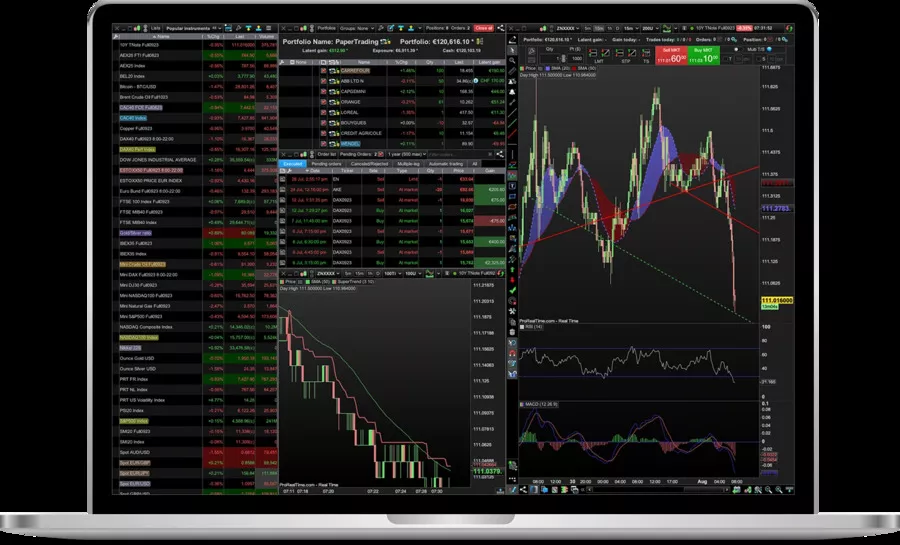
ProRealTime : a must for French-speaking traders, with an extraordinary depth on graphical analysis tools, indicators and the quality of execution with certain brokers.
TradingView : ideal if you like the size social trading, shared ideas, community scripts, multi-platform (web + mobile)
👉 If you are still learning, start by Paper trading (demonstration) on TradingView or ProRealTime before committing capital.
4. Do you do automated or quantitative trading
Objective: to transform a trading plan in system testable and, possibly, automatable.
MetaTrader 5 : very solid for EAs, back-testing and copy trading on Forex/CFD
ProRealTime : proprietary language more accessible for many retail traders, with ProOrder
TWS (IB) : relevant if you trade a lot of asset classes with a more institutional logic.
👉 Here, the software is only a tool: the real difficulty remains robustness of the strategy and the quality of your back-testing (data, fees, slippage, etc.).
Advantages & disadvantages of the main stock exchange software
– Fewer technical analysis tools 📊
– Less suited for advanced intraday 🕒
– Beginners & DCA on ETFs/stocks 📈
– Mobile investors 📱
Prices, free versions and compatibility (PC, Mac, mobile)
Good news: you can already go a long way without paying one euro, especially for starters.
TradingView : functional free plan (limited in indicators, charts per tab, alerts), then monthly paid plans with more power + 30-day free trial
ProRealTime : ad-free web/desktop version with free end-of-day data, real time and some modules invoiced or supported if you place your orders via the platform
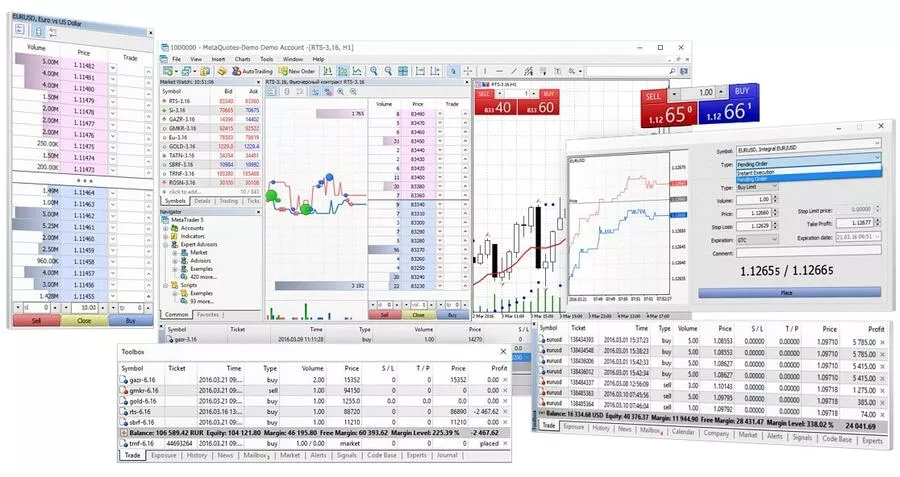
MetaTrader 5 : free software to download, access to the markets is via your broker (conditions specific to each broker)
Finary : free start, with paid offers for advanced features (reports, optimizations, etc.)
Portfolio Performance : 100% free, open source
TWS & Trade Republic : the platforms are free, but the fees are based on transactions, spreads, etc.
On the compatibility side:
Web + mobile : TradingView, Finary, ProRealTime Web, Trade Republic
In summary, the right stock market software is the one that precisely meets your level, your objectives (portfolio management, technical analysis, automated trading, performance monitoring) and your budget and time constraints. User feedback shows that a simple but controlled tool is better than an underexploited gas plant, especially for beginners and intermediate profiles.
The most effective approach is to:
Clarify your profile (beginner, long-term investor, active trader) and your investment horizon.
Test one or two free or trial software to verify ergonomics, compatibility (PC/Mac/mobile) and the wealth of graphical analysis, back-testing or portfolio management tools.
Validate that the platform respects serious security standards (encryption, MFA, updates) before connecting your accounts and committing significant amounts to them.
With this method, stock exchange software becomes real allies in structuring your trading plan, monitoring your performance and making more confident decisions on the financial markets.
🎁 TRY AI REVOLUTION FOR FREE
Notion AI: read less and decide faster
Ask one question across your pages, meeting notes, and databases. Notion AI surfaces the decisions, blockers, and next steps worth your attention.
Everyone gets complimentary AI responses. Upgrade to Business only after you use them up.
Open the meeting notes you have been avoiding and ask Notion AI for a one-minute decision brief.
Security: how do you protect your data and accounts?
A stock market software remains a gateway to your accounts. A few simple reflexes:
Check the regulatory level or the authorization of the actor (for example Finary is registered as a financial investment advisor and insurance broker, with AMF supervision)
Systematically activate the double authentication (2FA) when it is available.
Prioritize connections via Secure APIs rather than directly sharing login/password, when possible.
Limiting rights: an aggregator of portfolio management does not need to be able to place orders.
Update your software and OS regularly to integrate security patches.
Finally, keep in mind that stock market software, even very well designed, does not protect you from all errors: the best security is still a disciplined risk management (position size, stop-loss, diversification, investment horizon).
Training and resources: making progress with your stock market software
In the world of the stock market, continuing education and access to quality resources are essential levers for getting the most out of your technical analysis software. Whether you are a beginner investor or an experienced trader, mastering the tools and indicators offered by your platform makes all the difference in managing your portfolio and making informed decisions.
The best stock exchange software, like TradingView, ProRealTime, or MetaTrader 4, don't just offer advanced features: they come with a real educational ecosystem. Interactive tutorials, how-to videos, webinars, webinars, step-by-step guides, and detailed FAQs are often integrated directly into the interface or accessible via the user community. This wealth of content allows you to progress at your own pace, explore new technical analysis strategies and better understand the use of key indicators.
For beginners, choosing software with an intuitive user experience, like TradingView, makes it easier to get started and learn the basics of analysis. More experienced traders, on the other hand, will appreciate the depth of ProRealTime's tools or the flexibility of MetaTrader 4, while taking advantage of advanced resources to refine their methods and automate certain tasks.
The technical environment also plays a role: whether you are on Windows, Mac or Linux, it is crucial to choose a solution that is compatible with your system and is regularly updated. Software developments not only bring new functionalities, but also security improvements and tools adapted to current financial market trends.
Finally, don't underestimate the strength of the community: specialized forums, self-help groups and social networks dedicated to the stock market are full of tips, feedback and solutions to technical problems. Exchanging with other investors or traders allows you to broaden your horizons, discover new analysis patterns and stay informed of the latest trends.
In summary, progressing with your stock market software requires a combination of continuous learning, intelligent use of available resources, and adaptation to your specific needs. Whether you're looking to improve your technical analysis, optimize portfolio management, or explore new indicators, investing time in training and engaging with the community will help you make smarter decisions and evolve your market strategies.
How to really value stock market software: beyond charts 🎯
When we talk about technical analysis software, we often think of Japanese candlesticks and indicators.
In practice, the difference between an average tool and a True A good solution is played elsewhere: on the Getting started, ergonomics, compatibility with your broker and the way in which the software helps you in your decisionmaking, to limit the losses and maximize the winnings.
Facts to keep in mind:
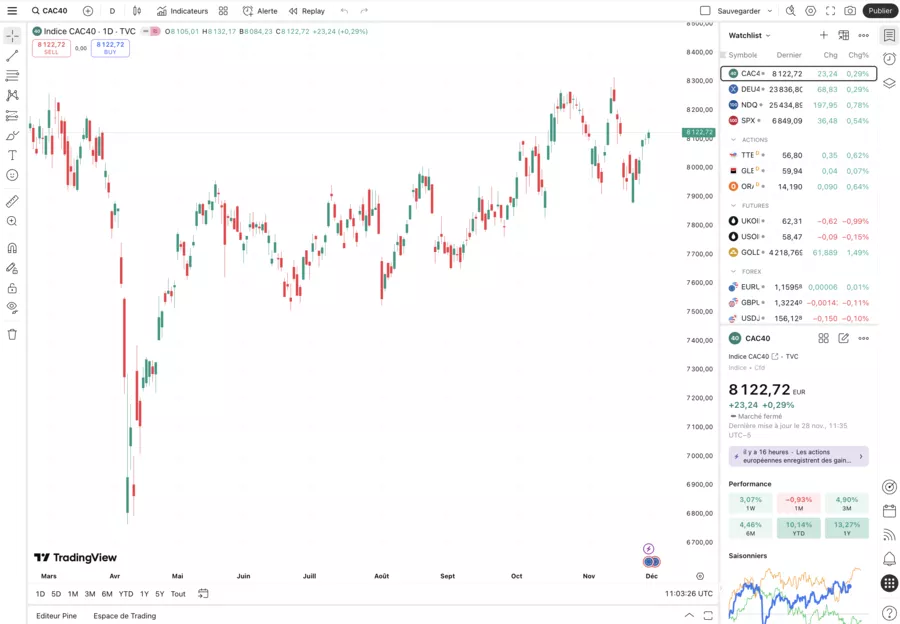
Platforms like ProRealTime or TradingView have become references because they combine detailed back-testing, customizable alerts, and extensive charting tools for technical analysis.
ProRealTime is used by more than 1 million investors around the world, with subscriptions ranging roughly from 24 to 70€ per month according to the options and course flow.
The best stock exchange software now includes real-time data, backtests, customizable interfaces, alert flows, training modules, and seamless integration with online broker accounts.
THEergonomics And theuser experience have a direct impact on the quality of your analyses: novice traders prefer intuitive interfaces, while advanced profiles accept more than complexity if it gives them more control.
Before choosing, ask yourself these very concrete questions:
Do the yards Are they reliable and well integrated into my broker in real time?
Does the software allow me to test my ideas via automated backtests realistic?
Does the interface and stencils Do navigation patterns make sense for my brain, or do I get lost every time?
Is the pricing model (subscription, options, data) consistent with my capital size and my bookkeeping personal or corporate?
👉 Modern stock exchange software is no longer just drawing lines: it automate repetitive tasks, send customizable alerts, integrate educational flows, and connect to your brokerage accounts to simplify everything process.
The evaluation criteria that matter (and how to weigh them)
The Back-testing allows you to confront your ideas withevolution real markets over years of history.
Les customizable alerts (prices, indicators, combined conditions) free you up time and strengthen discipline.
Training modules and resources fromhelps integrated allow you to increase your expertise over time.
You always remain thesubmitter of your decisions, but the software becomes a co-pilot who structures your selection of titles and makes your decisionmaking more rational.
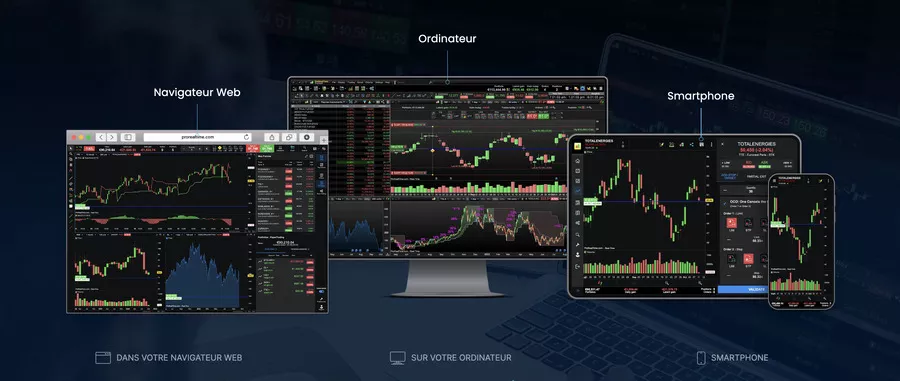
Multi-media, environment and devices: the software must follow your rhythm 📱💻
Another angle that is often overlooked: your environment daily trading. You can have the best backtest engine on the market... if it's not available on your devices (PC, Android, iOS, tablet, Mobile app dedicated), you won't really use it.
Some useful facts:
Platforms like SaxoTraderGO only work online or on mobile: everything happens in the browser or app, which facilitates access but requires a stable connection.
IBKR Desktop (Interactive Brokers) was designed for a very wide audience, including beginners, while offering advanced functions for more demanding profiles.
Many stock exchange software now includes Cryptocurrencies alongside shares, indices, ETFs or currencies: practical if you manage all your assets from a single tool.
Regular updates are crucial to monitor the markets and correct faults: software that does not move becomes dangerous over time.
In this comparative between types of platforms, the objective is not to designate a winner, but to help you choose the right “format” for your pace of life.
🧩 Trading Platform Types — Match Your Strategy to the Perfect Tool
🧩 The Platform
📲 Where It Lives
🎯 Who Wins & Why
Complete Desktop Suite 🖥️
💻 Windows / macOS (sometimes Linux)
→ The professional's command center
🔗 Often paired with a web companion
… But the desktop is the main event
🎯 The Multi-Screen Day Trader
→ Custom layouts, 4+ monitors, endless windows
💎 Advanced tools: Back-testing, local data storage
⚡ Lightning execution, zero latency 🏆 Pro📈 Day Trader⚡ Power
Web + Mobile Platform 🌐
🌍 Browser (Chrome, Safari, Firefox)
→ Your portfolio follows you everywhere
📱 Native iOS/Android apps with push alerts
… Seamless sync between devices
🎯 The Balanced Active Investor
→ Monitor markets from your couch or café
🔔 Real-time alerts for opportunities
⚖️ Perfect power/simplicity balance
📊 Enough analysis for serious decisions 🚀 Active📱 Mobile⚖️ Balanced
Execution-Focused Mobile App 📱
📲 Mobile-first, mobile-always
→ The phone is your primary tool
🌐 Maybe a limited web interface
… Designed for speed above all
🎯 The Opportunistic Reactor
→ See a chance, execute in 3 taps
✅ Minimal learning curve, maximum speed
🚫 Fewer advanced analysis tools
💥 Perfect for simple trades on the go
↗️ See the hidden tradeoff below →
🎯 The Hidden Cost & 2026 Hybrid Strategy → (Click to expand)
🚨 The 2026 Reality: Most successful traders use 2 out of 3 platform types.
💻 Desktop📱 Mobile🌐 Web
The Winning Combo:
• Desktop + Mobile App: Research on big screens, execute anywhere. (Cost: ~$200/month for premium data)
• Web + Mobile App: Lower cost, maximum flexibility. (Cost: $0-$50/month)
⚠️ The Mobile-Only Trap: You'll miss complex chart patterns and institutional-grade tools. Fine for occasional trading, dangerous for serious volume. 💎 Pro Tip : Look for platforms with unified login and sync. Your watchlist on desktop should appear instantly on mobile.
The 2026 Wildcard 🃏
🤖 AI-Powered Hybrid Platforms
→ Desktop brains, mobile convenience
🆕 Launched Q4 2024, maturing now
🔍 Check: TradeStation AI, Thinkorswim Mobile
🎯 The Algorithm-Assisted Trader
→ AI suggests, you approve with one tap
📊 Complex analysis simplified for small screens
💰 Premium pricing: $100-$300/month
⭐ Early adopters rate 4.2/5
… The future is hybrid
Here again, the Getting started is essential: a fluid web platform, with clear navigation and a good speed of order execution, will have more than senses for an active investor that is an ultra-complex tool that lags.
Think of your setup as a whole:
Your main analysis software (graphical, fundamental, multi-asset).
Monitoring tools (assets, performance, bookkeeping performance and taxation).
Your online broker (s) (PEA, securities account, derivatives).
The best stock exchange software integrates properly into this ecosystem, rather than imposing their own silo.
Conclusion and critical opinion 🧾
In the end, the strength of modern stock market software is not just one more indicator or a “magic super robot”, but how it fits into your process complete:
Observe the markets
Analyze (technically and via a minimum offinancial analysis)
Testing ideas
Place orders
Follow theevolution of your results over time
The facts show that:
The most used platforms (such as ProRealTime) combine a solid technical base (back-testing, automated alerts, task automation) and a massive user base, which validates their robustness.
Serious stock market analysis software offers configurable interfaces, real-time feeds, integration with multiple brokers, and educational modules to support you.
The frequent updates and interoperability with the ecosystem of Finances (brokers, aggregators, reporting tools) are not bonuses, but minimum conditions.
My critical review: before asking yourself if you should choose ProRealTime, TradingView, IBKR Desktop, or even an older tool like Metatrader 4, start by clarifying your way of working. Good software should serve your stencils of reflection, your tolerance for complexity and your ability to document your losses like your earnings. It is under this condition that a tool becomes a real one solution professional, and not just another toy on your screen.
You can now use it as a reading grid to refine your software selection in the rest of your article.
Frequently Asked Questions
How can stock market software really help me with my decision making?
Good stock market software structures your process: it centralizes real-time quotes, charts, back-testing and alerts. He doesn't decide for you, but he makes sense of the raw information so you can follow your trading plan with more discipline.
Should technical analysis software be preferred or financial analysis-oriented software?
The two complement each other: technical analysis software helps you read the timing of the market, while financial analysis helps you understand the strength of businesses. Even if you are primarily a trader, a minimum of fundamental analysis reinforces the importance of your filters and avoids some gross mistakes.
Is stock exchange software suitable for beginners?
Yes, especially those whose user experience is designed to reduce complexity: simple interfaces, guided paths, learning resources. Some even incorporate training and assessment modules to make progress step by step, both on technique and on risk management.
Can I manage my cryptocurrencies using the same tool as my shares and ETFs?
More and more platforms are integrating cryptocurrencies alongside stocks, ETFs or indices. This is useful for monitoring the overall evolution of your assets and not splitting your vision between ten different apps, even if tax accounting sometimes remains to be managed separately.
Does the device I use really change anything?
Yes: working on a tower with several screens has nothing to do with a mobile application on Android or iOS. Your environment influences your habits, your responsiveness, and the way you read information. Choose a tool that is easy to handle on the media you use most often.
How do you know if software is really worth its price?
First, see if the software actually helps you improve your process (better organization, fewer errors, more clarity in your decisions). Next, compare the cost of the subscription to your capital size, your average earnings and the value of the help provided (backtests, alerts, integrations, support). A good comparison takes into account both the functions and the business model.
What are the benefits of older tools like MetaTrader 4 today?
Platforms like metatrader 4 remain widely used for Forex and some CFDs thanks to their ecosystem of scripts and robots. They can still make sense if you exploit this heritage (indicators, expert advisors), but you have to accept less modern interfaces and sometimes heavier configuration processes.
If you want to go further, you can now use this section to build a detailed selection table by profile type (beginner, swing trader, long-term investor) in the rest of your guide.


.svg)