.svg)












Webflow: a no-code platform that is becoming established
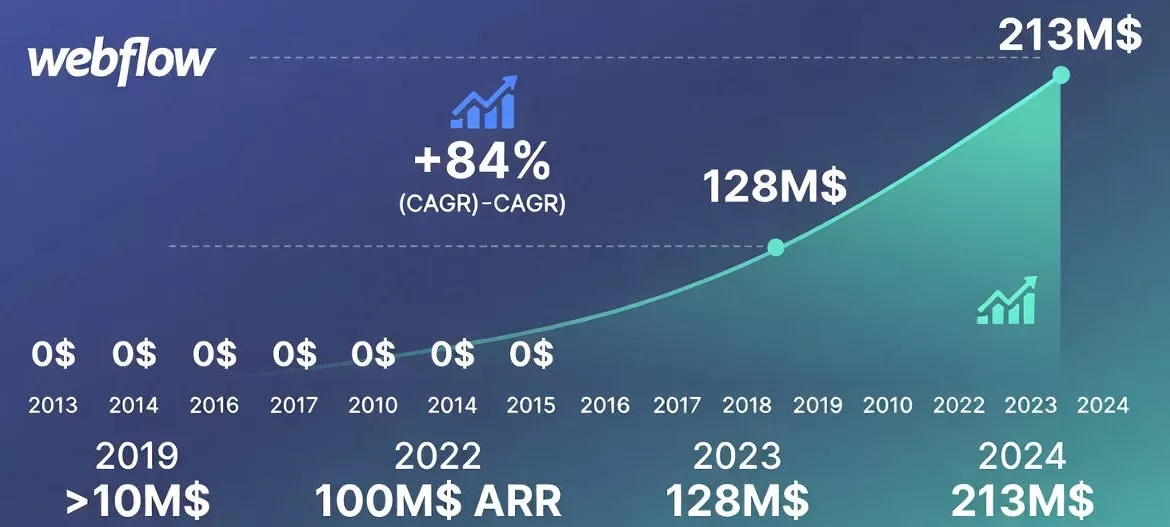
Webflow went from being an outsider to that of no-code platform reference for creating modern, responsive and well-structured sites without writing complex code.

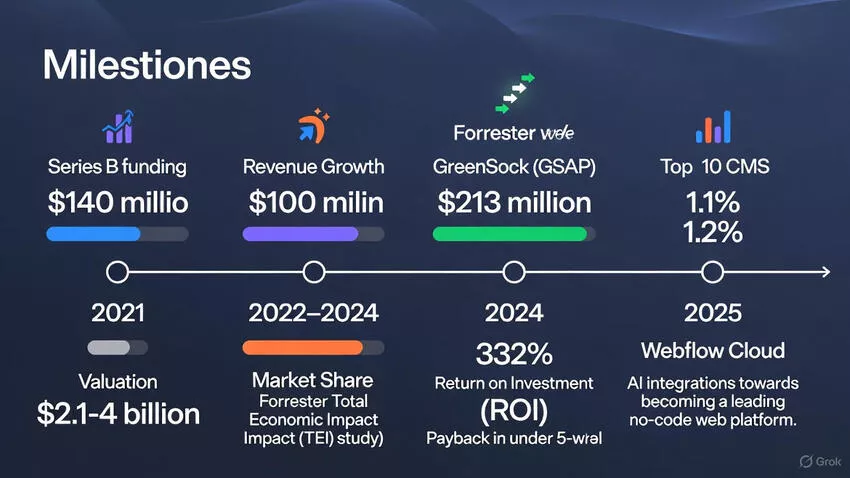
Les Webflow key figures show a strong increase in adoption, both among freelancers and agencies as well as in the marketing teams of established businesses.
- ~493,000 active sites built with Webflow
- ≈ 0.8% of all websites
- ≈ 1.2% sites using a CMS
- 3.5 M users in more than 190 countries
- 10 billion visits per month estimated on all Webflow sites
These figures show that Webflow is no longer a “small” CMS, but a solid SaaS platform, with a dynamic ecosystem and continuous growth.
Results measured after adopting Webflow
| 🏢 Use Case | 🎯 Main Goal | 📈 Results After Webflow |
|---|---|---|
| Rakuten SL |
🛡️ Migrate WordPress to Webflow for enhanced security 💸 Reduce infrastructure and maintenance costs |
📈 +12.7% page views and 📈 +3.4% pages per session 📉 –27.9% bounce rate and 📈 +9.5% new users |
| Getaround |
🧩 Empower marketing teams with autonomy 🚀 Launch pages without heavy dev dependency |
📈 +25% measured sessions 🔍 x2 organic traffic and new pages weekly |
| Forrester Panel |
💼 Measure Webflow ROI in enterprise context 🎯 Assess speed gains and business impact |
💶 332% estimated ROI over 3 years ⏱️ Payback under 6 months and 🚀 94% faster content publishing |
These cases illustrate three key dimensions:
- Business performance (traffic, conversions, engagement).
- Organizational agility (fewer tickets, more marketing autonomy).
- Webflow financial impact (time savings, reduction of development costs, time-to-market).
Webflow ecosystem: community, templates and libraries
Community and support

La Webflow community plays an important role in the perceived value of the platform:
- 3.5 million Webflow users across the world.
- An official community of more than 85,000 members, with forums, groups, events, cloneables, etc.
For a business, this means:
- easy access to Webflow experts (freelancers, studios, agencies),
- An abundance of educational resources,
- less risk of “isolated platform” without support.
Templates
Webflow offers:
- More than 1,500 official templates (free and paid),
- and, via external creators, several thousands of models additional adapted to niches (SaaS, infoproducts, agencies, content creators, etc.).
This allows you to:
- quickly start a modern website without starting from an empty canvas,
- rely on optimized structures (hero, social proof sections, FAQ, etc.),
- stay perfect with the user experience expected today.

Component libraries
Les Component Libraries (like Elements Webflow Library) offer: more than 200 pre-designed components : sections, maps, grids, footers, navbars, etc.
Result: a faster design, better design, and better scalability on multi-page or multi-site projects.
How to optimize performance and bandwidth on Webflow
Les Webflow key figures are interesting, but you still need to ensure the performance of the site. Here are the main levers to work with in Webflow.
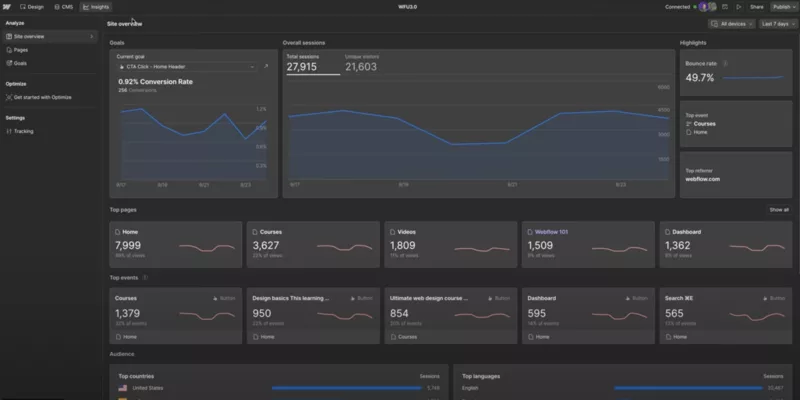
To effectively optimize performance, it is essential to rely on detailed reports that make it possible to monitor visitor behavior and precisely identify areas for improvement.

1. Optimize images

Images often weigh the most on a site:
- Use modern formats (WebP or Avif) to reduce file sizes automatically.
- Compress visuals before uploading (TinyPNG, Squoosh, etc.).
- Adapt the lifesize images on display (no 4000px for a 600px block).
- Leave active responsive images to serve the correct version according to the screen.
2. Activate lazy loading
Lazy loading allows images and heavy elements to be loaded only when they enter the field of vision:
- Activate the lazy load on non-critical images (below the waterline).
- Use clickable thumbnails for videos, rather than loading the full player from the start.
Direct effect: shorter initial load times, a better mobile experience, and less bandwidth consumed.
3. Limit scripts and custom code
Webflow already integrates:
- Of interactions,
- Of animations,
- the management of Forms,
- most of the usual needs.
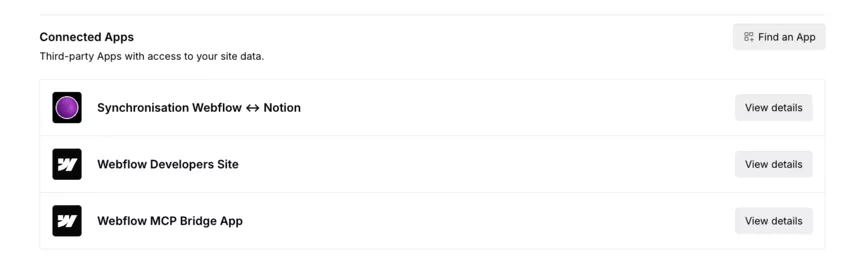
- Connections with applications
- A connector MCP with Claude (or Manus)
It is therefore relevant to:
- limit the use of external scripts not essential,
- avoid multiplying unused tracking or chat tools,
- clean the snippets of regularly Code Custom which have become obsolete.
4. Leveraging Webflow CDN
Webflow hosting is based on a Global CDN (Fastly), which:
- improves the latency,
- better secure the traffic spikes,
- reduces the load on a single server.

To optimize:
- ensure that static resources are properly cached,
- keep compression activated (Gzip, Brotli),
- avoid unnecessary redirections.
5. Optimize fonts and icons
To control the weight of your pages:
- limit the number of font families and loaded fats,
- give priority to SVG ICONS Or a icon font rather than dozens of images,
- remove variants that were never used in the design.

6. Conduct regular audits
Finally, a good reflex:
- clean theAsset Manager (deleting unused files),
- analyze performance with PageSpeed Insights, Lighthouse, GTmetrix,
- Watch the bandwidth consumption in the Webflow dashboard to anticipate needs.
Conclusion: how to use these Webflow key figures in your strategy?
The 2024—2026 data clearly shows that:
- Webflow has become a Credible Webflow CMS in the eyes of marketing teams, agencies and numerous businesses.
- Its documented ROI (up to 332% over 3 years in the Forrester study) and concrete cases (Rakuten, Getaround, etc.) prove that it can generate time, cost and performance savings.
- Its growth and its no-code ecosystem make it a relevant option for sites oriented to design, conversion, SEO and agility.
If you are still hesitating between WordPress vs Webflow, the Webflow key figures help you frame your thinking.
%252520(1).jpeg)