Choose between Webflow vs WordPress has become a real challenge for any site creator: entrepreneur, freelancer, SME, designer or marketer.
WordPress is used by everyone, regardless of skill levels, making it a very democratized solution for creating websites.
Both platforms are powerful, but their philosophy, costs, and learning curve are very different.
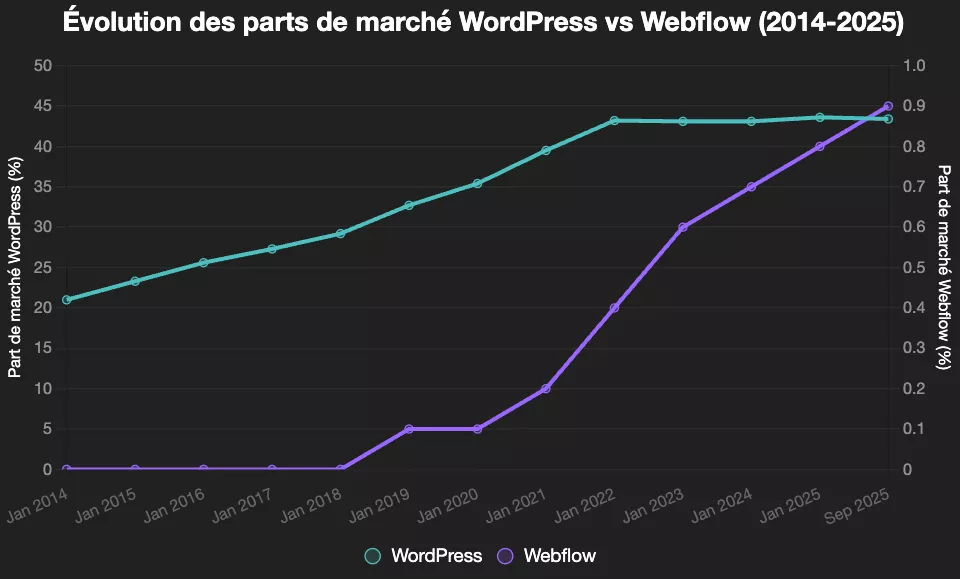
In 2026, WordPress remains the dominant CMS (more than 40% of the web runs on it), with unparalleled popularity, a colossal ecosystem of themes and plugins, and great ease of use for creating websites.
Webflow, on the other hand, is emerging as a platform for creating very visual no-code sites, designed for design, performance and maintenance reduction.
Handling and ease of use are major criteria in choosing between webflow and WordPress for your next website.
Webflow vs WordPress at a glance
Before going into detail, here is a Quick comparison to set the scene 👇
⚖️ Webflow vs WordPress — L’essentiel, version ultra compacte (2026)
⚙️ Critère
💜 Webflow
🌍 WordPress
📝 Conseil
Type & mise en place 🧩
– SaaS tout-en-un hébergé
– CDN, SSL déjà inclus
– Open-source auto-hébergé
– Hébergeur et stack au choix
Webflow = visual experience, less technique on a daily basis.
WordPress = maximum flexibility, but with more to set up and maintain.
Visual SaaS vs open-source CMS
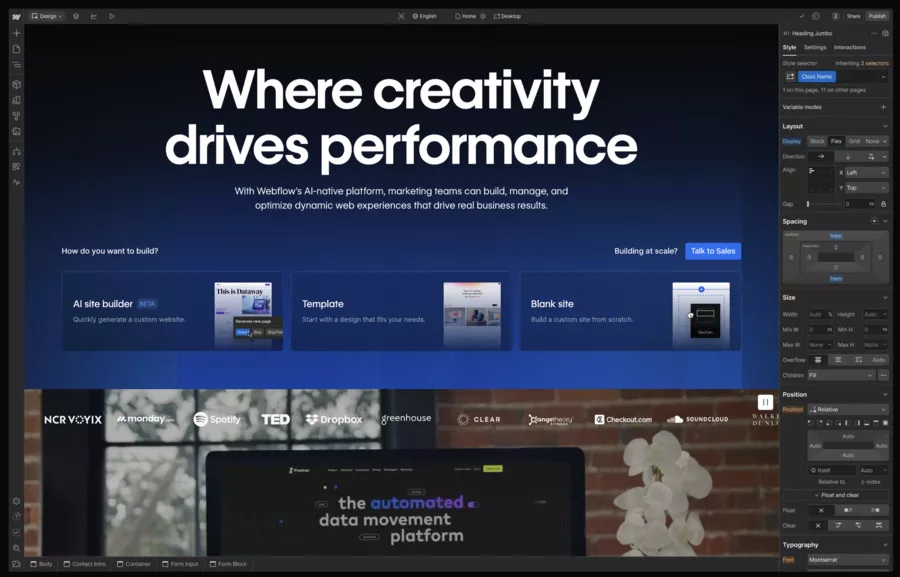
Webflow: a platform for creating no-code sites, focused on design
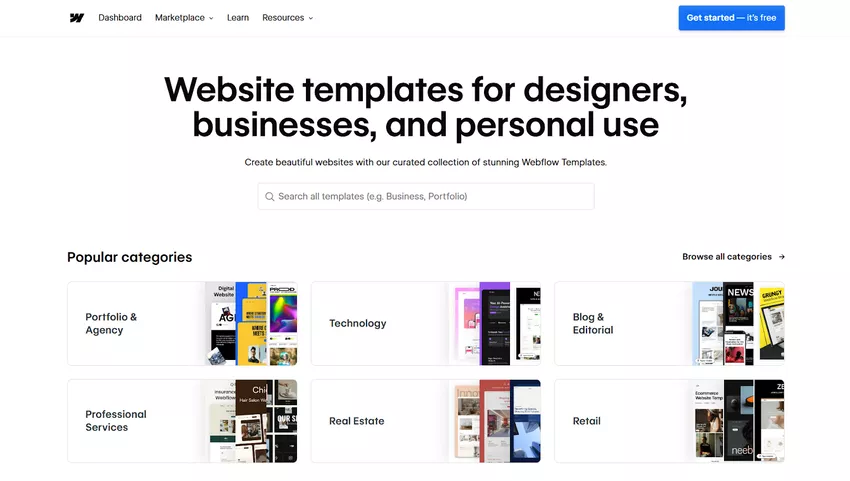
Webflow is a SaaS platform for creating sites (Software as a Service) that combines visual editor, CMS, hosting and e-commerce.
You design your site in a visual editor where each element corresponds to clean HTML/CSS/JS generated in the background.
Interface designed for designers and marketers.
No-code web design: Webflow drag and drop system, interactions and advanced animations.
Everything is centralized: hosting, performance, security, CDN.
The idea: you focus your energy on web design and content, Not on the technique.
WordPress: ultra-flexible open-source CMS... but to be assembled
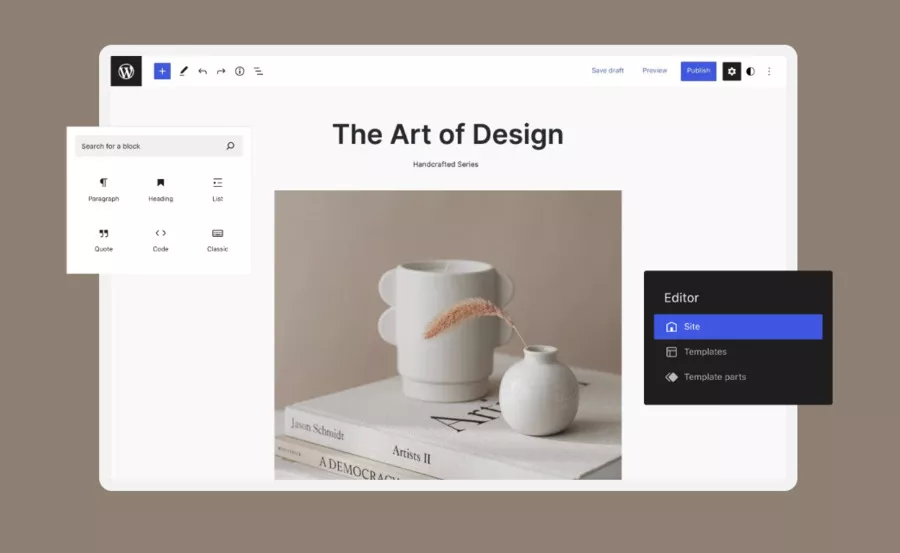
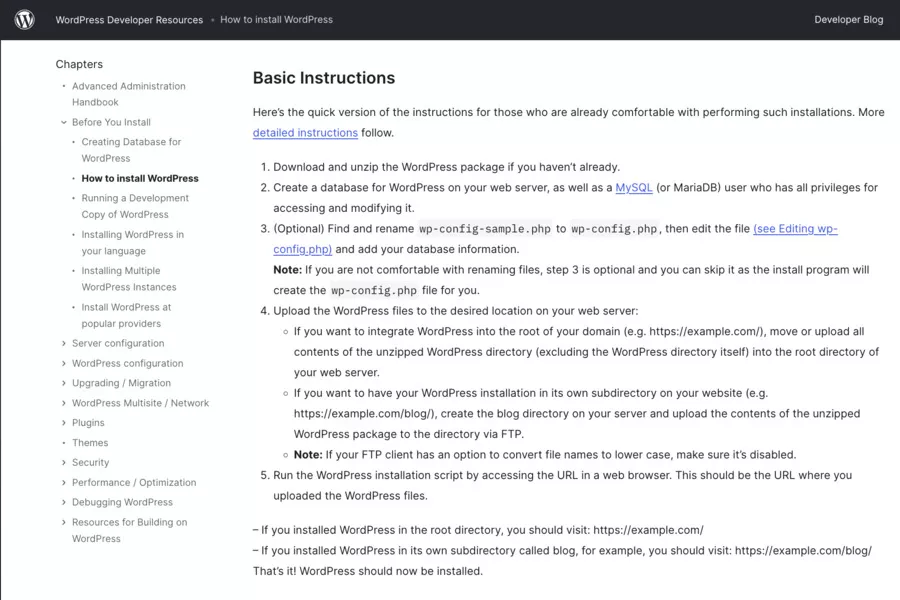
WordPress is an open-source CMSe (content management system) that you install on a web hosting. It is used to create websites like: blogs, showcase sites, portfolios, media, e-commerce, intranets, etc.
Total freedom : you choose host, theme, plugins.
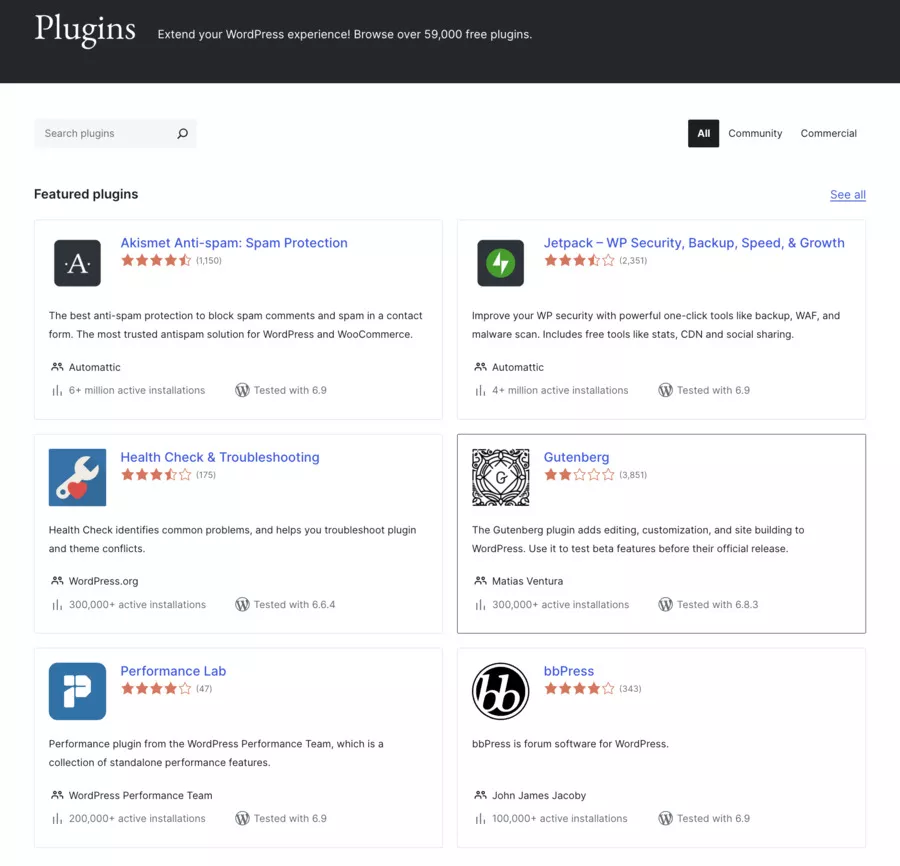
Huge WordPress community, thousands of tutorials and resources.
Can become a real development platform (API, custom post types, custom fields...).
The idea: WordPress gives you the complete toolbox, but you have to assemble and maintain everything.
Ease of use
Webflow: intuitive for visuals, more technical for real beginners
For someone who is used to design tools (Figma, Adobe XD...), Webflow is often perceived as very logical:
It all happens in a real-time visual interface.
Classes, margins, flexbox, grid, etc., are visible in the UI.
Webflow University offers very educational documentation and video tutorials.
But: Webflow directly exposes CSS concepts and HTML structure. For a beginner, The learning curve can be real.
WordPress: themes + page builders
With WordPress, customization is mainly based on:
The theme (free or premium);
Page builders (Elementor, Divi, Bricks, etc.);
Plugins for advanced elements (forms, sliders, e-commerce, etc.).
We get enormous flexibility, but also:
🛑 Risk ofplugin stacking !
Performances sometimes degraded ;
Consistency of design who depends a lot on the starting choicesT.
Cost: Webflow vs WordPress (hosting, plugins, maintenance)
Both platforms may seem “cheap” at first, but the real cost depends on your usage. Here is a simplified view of orders of magnitude.
Webflow (Site plans, excluding promotions)
Webflow Site plans (to publish on a custom domain) revolve around:
Low upfront cost (host + theme)
Maintenance and plugins can increase over time
Webflow: subscription + a few options, single provider
WordPress: host, security, backup, paid plugins
✅ Webflow: ideal for non-technical teams
✅ WordPress: highly optimizable with regular upkeep
👉 Cost conclusion:
On small projects very simple, WordPress can be a bit cheaper if you optimize everything.
On projects where you value the minimal maintenance And the performance without technical tuning, Webflow defends itself very well.
Performance, SEO, Security and Maintenance
Performance & SEO
Webflow : optimized hosting, integrated CDN, compression, SSL, very good Core Web Vitals scores possible without optimizing plugins.
WordPress :
Can be very efficient... if: good host, good theme, cache + image optimization, few heavy plugins...
Can also become slow with poorly optimized page builders or low-end hosting.
In terms of SEO optimization, both allow:
Own URLs, title/meta tags, site map, redirects, etc.
WordPress benefits from very mature tools like Yoast SEO, Rank Math, etc.
Webflow offers clean integrated SEO settings and good management of content structures.
Safety & maintenance
Webflow :
No core to update, no plugins to monitor.
Security, patches and infrastructure managed by the platform.
WordPress :
Regular updates to the core, themes and plugins.
Wider attack surface, because WordPress is the No. 1 target for robots and opportunistic attacks.
Need to manage backups, security, hardening (firewall, login, etc.).
👉 If you hate technical maintenance, Webflow has a serious advantage. 👉 If you already have a team or a service provider that manages your sites, WordPress remains very manageable.
⚡ Limitations
Webflow
❌ Primitive e-commerce : No promo codes, no recurrence/subscriptions, no customer history, no multi-currency
❌ No easy export : Your data is “locked” in Webflow (no CMS export)
❌ Limited design : Even with page builders, create design Unique is difficult
🏁 Conclusion
Webflow and WordPress are not really competing. These are two solutions for two different types of projects.
Choose Webflow If:
You are any type of user (honestly!)
La performance and safety Are critical
You want autonomy without technical maintenance
You create portfolios, showcase sites, landing pages
You want to integrate AI (MCP, Jasper, or an integrated generative AI) automation (n8n, Make, Zapier) in a simple way
You want to benefit from the platform that always brings changes without additional costs
Choose WordPress if:
You are technical and autonomous (otherwise keep in mind that you You won't be able to do everything yourself)
You need extreme flexibility
You have time to spend to take care of the updates yourself.
You have a limited budget and time available (but Watch out for hidden costs that quickly make the bills expensive!
Your project requires ultra-specific functionalities or custom development
Trend: Modern web agencies use Webflow for luxury projects and WordPress for complex/recurring projects. Freelancers are gradually switching to Webflow for profitability.
If you prefer Webflow : Test the free plan (web...). Browse Webflow University. Consider a paid template to get started.
If you are leaning towards WordPress : Install WordPress on a host like Kinsta (specialized). Choose a modern theme (Astra, Kadence). Install the essential plugins gradually (and get trained!)
The ideal platform exists: it is the one that corresponds to your project, your budget, and your skills. These two giants of The web will coexist for a long time, each excellent in their field.
🎁 TRY AI REVOLUTION FOR FREE
Notion AI: read less and decide faster
Ask one question across your pages, meeting notes, and databases. Notion AI surfaces the decisions, blockers, and next steps worth your attention.
Everyone gets complimentary AI responses. Upgrade to Business only after you use them up.
Open the meeting notes you have been avoiding and ask Notion AI for a one-minute decision brief.
Which CMS should you choose according to your profile and your project?
By user profile
Webflow vs WordPress: Which CMS to choose by profile in 2026
Profile 👤
Webflow 💜
WordPress 🌍
Beginner with no technical appetite
✅ Clear visual interface, low risk of breaking the site
⚠️ Requires basic logic for boxes/CSS
✅ Very accessible with a good theme or simple builder
⚠️ More settings to manage (host, plugins, security)
Designer / creative
✅ Pixel-perfect control of responsive design and animations 🎨
⚠️ Less suited for complex apps, focused on brochure sites
✅ Good for combining design, blog, and varied needs
⚠️ Experience less fluid without a good page builder
Freelancer / web studio
✅ Ideal for quickly delivering premium, reusable sites 🚀
⚠️ Monthly subscriptions must be clearly included in offers
✅ Highly flexible for blog, e-commerce, membership packs
⚠️ Plugin and security maintenance needs clear planning
SME / marketing team
✅ Perfect for stable corporate sites, minimal internal maintenance
⚠️ Fewer ready-made plugins for very specific needs
✅ Strong for rich blogs and multi-author content
⚠️ Needs resources for themes, plugins, and security
Developer / highly custom project
✅ Great for modern front-end with API integrations 🔧
⚠️ Code export and advanced business logic more limited
✅ Solid base for complex back-end and custom logic
⚠️ Stack heavier to optimize for performance and security
By type of project
Blog for content : WordPress remains a reference, thanks to its history of blog platform and its extensive editorial management.
Portfolio, creative site, landing pages : Webflow takes the advantage thanks to its visual editor and its animation capabilities.
SME/B2B showcase site : both work very well; the choice is mainly based on your desire (or not) to manage the technique.
Advanced e-commerce : WordPress + WooCommerce offers more possibilities and specialized extensions.
Hybrid project (app + marketing site) : Webflow + external back-end via API or headless WordPress, depending on your teams.
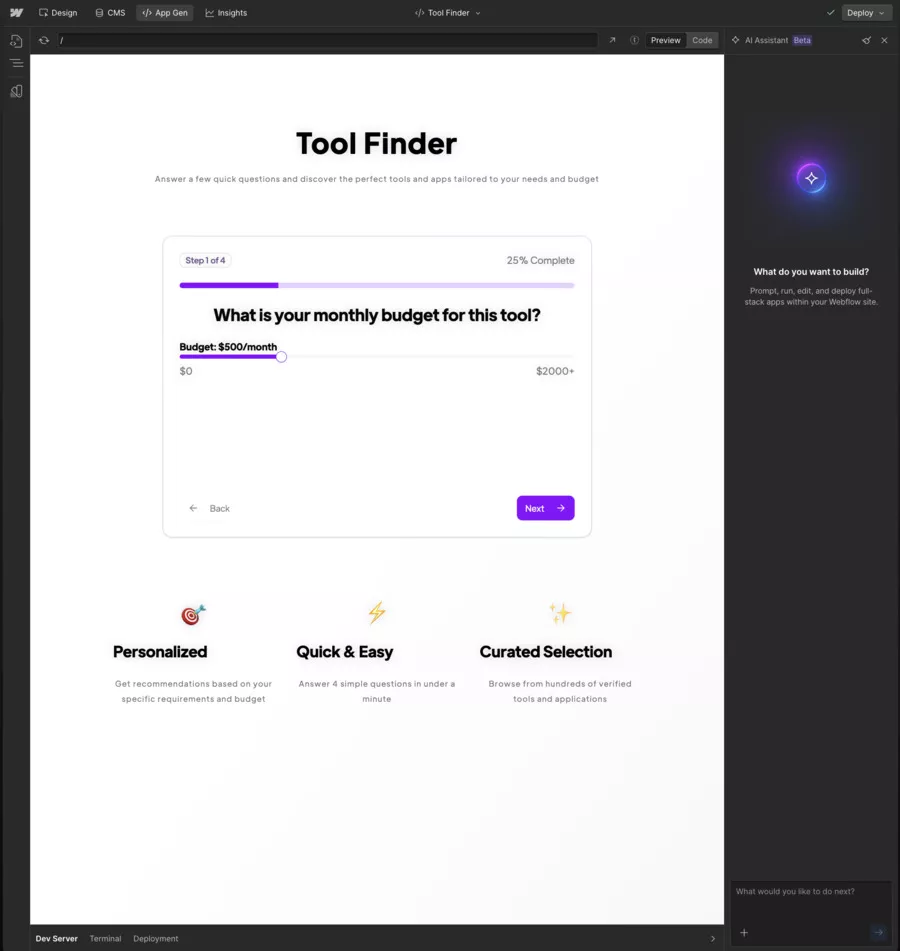
Application for creating an application by AI: Webflow has an integrated editor allowing you to create practical tools for your website in a few lines of a prompt
Features that are truly unique to each platform
What is unique about Webflow
Visual editor very advanced, linked directly to the DOM (HTML/CSS), without a rigid theme.
Webflow CMS : dynamic content management directly in the model, very pleasant for marketing teams.
Zero maintenance hosting : 99.99% uptime, CDN, SSL, infra updates without intervention.
Webflow University : one of the best training ecosystems integrated into a no-code platform.
What WordPress keeps to itself
An overwhelming CMS market share, which means: themes, plugins, tutorials, forums galore.
Tens of thousands of WordPress plugins (SEO, analytics, analytics, membership, LMS, multilingual, etc.).
The possibility of making it a real development framework (REST API, hooks, custom post types).
An ultra-frequent integration with other tools (Mailchimp, CRM, marketing automation...), often designed primarily for WordPress.
Conclusion: Webflow or WordPress?
In 2026, the Webflow vs WordPress duel has no “universal winner”, but very distinct winning contexts.
Choose Webflow if you want to:
A very stylish, clean and efficient site, without diving into technical maintenance.
A tool where the marketing or design team can work independently, with a robust code-free creation system.
A limited number of well-controlled sites, rather than dozens of installations to manage.
Choose WordPress if you want to:
Maximum flexibility, with the possibility of adding almost any functionality via plugins or development.
A huge ecosystem of themes, plugins and providers around the world.
A blog, a media, an e-commerce or a complex project that can evolve for years with a controlled base.
My opinion:
Webflow is ideal for projects where we value front-end quality, speed, and the reduction of technical debt.
WordPress remains unbeatable for the depth of the ecosystem, the diversity of use cases, and compatibility with almost the entire web universe.
The right choice is not “the best CMS on the market”, but the platform that fits your level, your budget, your need for autonomy and your tolerance for technology.
Frequently Asked Questions
What is the most suitable CMS for a beginner?
For a complete beginner, a well-configured WordPress with a modern theme and few plugins will often be easier to handle than a Webflow that directly exposes CSS concepts.
Webflow's technology is very educational, but requires a slight effort to understand the layout. even if it improves more and more (the Quyi technology innovates the most in web development in our opinion!)
Is Webflow really easier than WordPress?
Webflow is easier if you have a “design” sensibility or if you already understand the logic of blocks, grids, and styles. For someone without any base, the first steps will be more guided on WordPress... provided you have a clean setup because it is not “turnkey” like his opponent of the day.
Which CMS is the most efficient for SEO?
Both can be very effective in SEO for search engines. Webflow offers its own technical base (speed, structure, SSL, CDN). WordPress, on the other hand, has very complete SEO plugins (Yoast, Rank Math). The difference is more on your hosting provider (Amazon Web Services, OVH, Contabo, Kinsta, etc...), your theme, your content only on the CMS itself.
What are the hidden costs to look out for?
On Webflow: monitor the upgrade of plans (CMS, Business, E-commerce) and quotas. On WordPress: do not underestimate the premium plugin budget, maintenance, security, performance optimization.
Which CMS should you choose for e-commerce?
For a small and simple store, Webflow e-commerce plans are more than enough. For a more complex e-commerce (large catalog, specific pricing rules, marketplace, etc.), WooCommerce on WordPress remains more flexible thanks to its numerous extensions.
Can I migrate from WordPress to Webflow (or vice versa) later?
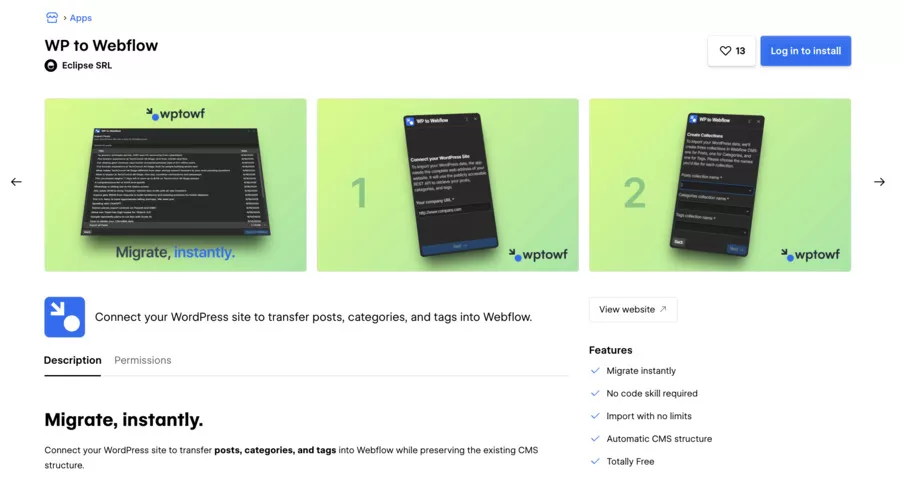
Yes, but it's never completely transparent. Content, URLs, SEO, product data, blog... everything has to be exported/imported, sometimes with scripts or third-party tools. Recently, there is a plugin called”Webflow Pages plugin for WordPress“which allows you to use Webflow on your Wordpress site without encountering the worries of a migration.
What is the most sustainable solution?
WordPress has proven its sustainability over the years and remains ultra-dominant. Webflow, for its part, is establishing itself as a no-code web design platform that is increasingly adopted by agencies and startups (or sincerely for anyone who wants to change the dominant religion that pushes people on WordPress). Both have a solid future: sustainability is mainly about the clarity of your stack and how well your team masters it.


.svg)








%252520(1).jpeg)