Basecamp Centralize the managing your projects and team communications for greater productivity and less confusion.
This guide is for anyone looking to understand Difference between Basecamp (project management) and Garmin BaseCamp (GPS planning), in order to choose the tool adapted to his professional or adventure needs.
Whether you are a team, an agency, a freelancer or a user of Garmin devices, here you will find all the information for make the right choice according to your use.
Basecamp project management & Garmin BaseCamp: which one are you really looking for?
When we type Basecamp project management In Google, we come across two different worlds:
Basecamp, the collaboration platform for managing team projects.
Garmin BaseCamp, the software (software) of GPS route planning for Garmin devices, to be installed on a computer.
⚠️ Attention: there is also Garmin BaseCamp, a GPS planning software for Garmin devices. Garmin BaseCamp is a free application that allows you to manage data recorded with Garmin devices.
Garmin BaseCamp is only available for Windows and macOS operating systems, and there is no mobile version (phones or tablets). The Mac version of BaseCamp is for Intel-based Mac computers. Note that some features of the software may require a later version of macOS or Windows to work properly.
This guide helps you Distinguish the two clearly, to understand their main functionalities, to know who they are aimed at and above all How to access or download them easily.
What is Basecamp? (project management version)
Quick definition
Basecamp, COProject management is a tool online management which makes it possible to centralize:
the tasks,
The team communication,
the files,
deadlines.
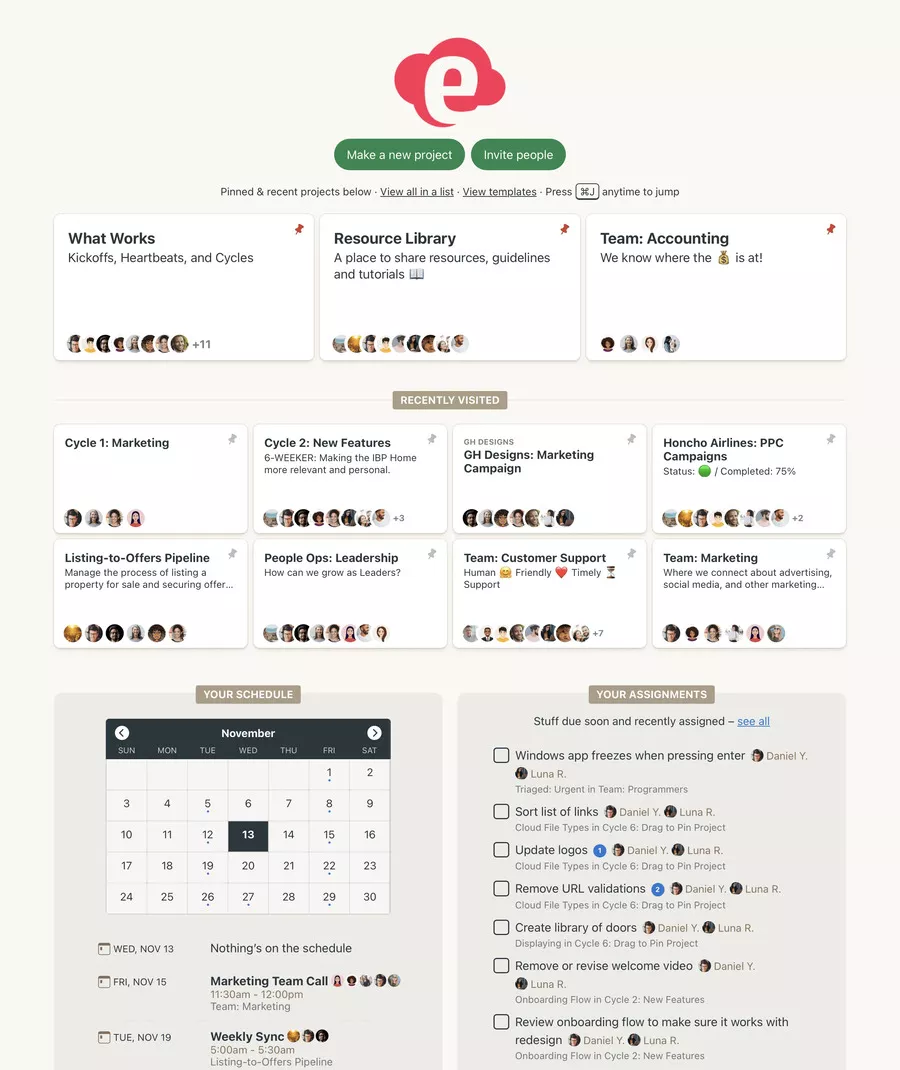
The idea: to bring together in a single space the project centralization And the centralization of exchanges, instead of scattering emails, documents, and discussions.
Unlike some very complex software, Basecamp focuses on ease of use and a clean user interface. It is suitable for VSEs/SMEs as well as for agencies, freelancers or product teams.
Basecamp and the agile method: a pragmatic approach
Basecamp is not a agile tool “dogmatic” full Scrum type, but it fits very well into a agile method Or a agile planning lightweight:
short work cycles,
simple prioritization of tasks,
overview of the project via the table and the calendar,
quick adjustments based on customer feedback.
This makes it a good compromise for teams that want improve team performance without spending weeks setting up the software.
Basecamp features: what does the platform really allow?
The basic building blocks: tasks, discussions, files
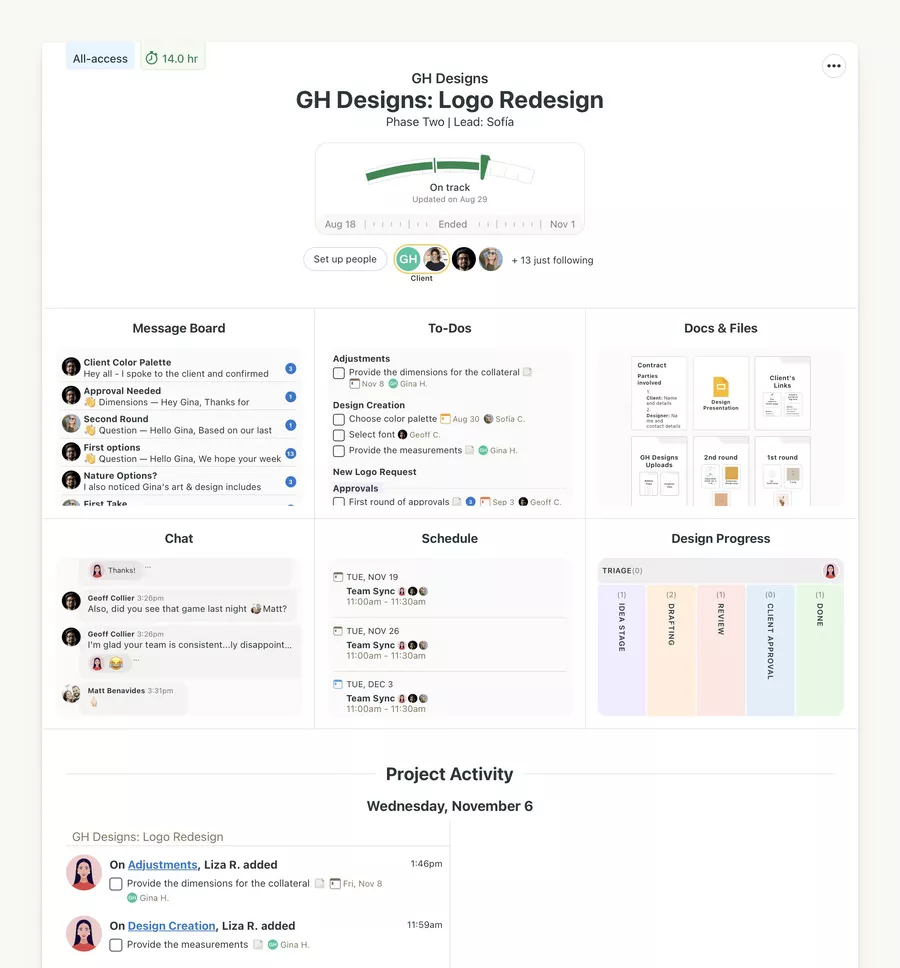
In each project, Basecamp offers a set of modules that serve as a task catalog and conversation center:
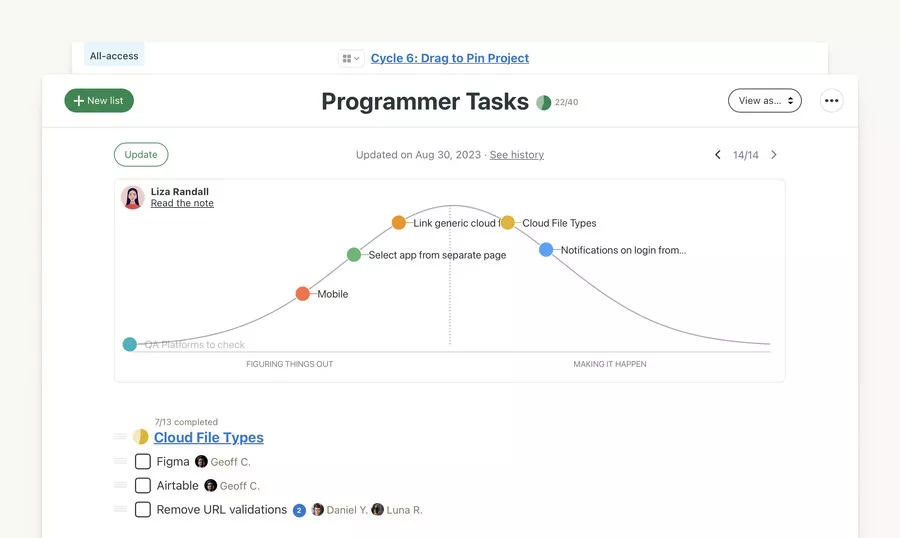
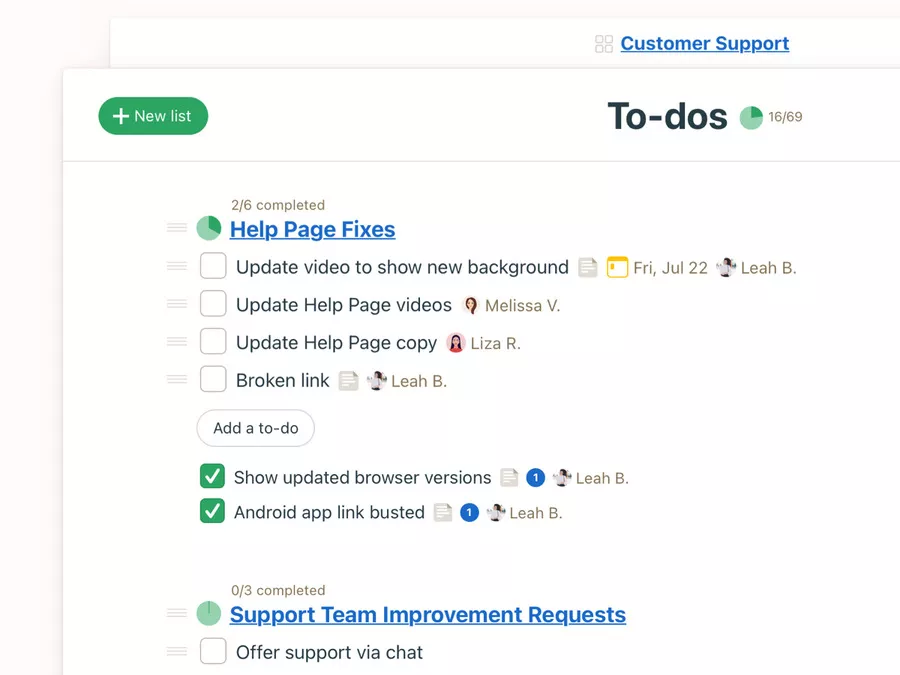
To‑dos (tasks) : lists, assignment of tasks, deadlines, comments.
Messages : for ads and Team communication structured.
Cat (Campfire) : instant messaging type for quick exchanges.
Docs & Files : shared documentation, files and folders.
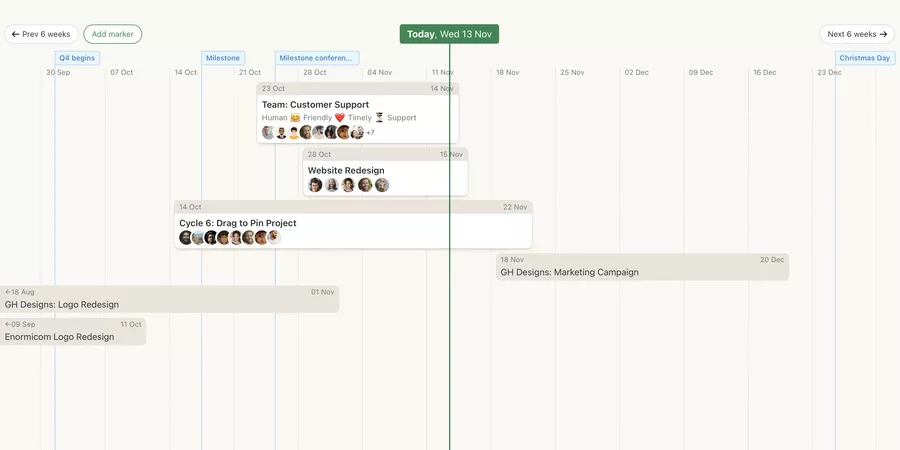
Schedule : a project calendar for events, milestones and management of deadlines.
Automatic check‑ins : regular questions to members (“What are you doing today?”) For the progress monitoring.
Example: An agency marketing create a project”Launch new site”. In Basecamp, she:
list the tasks (writing, design, integration),
attach the models in Docs & Files,
use the chat for quick questions,
Follow the delivery dates in the Schedule.
The result: fewer emails, more transparency at work.
SMEs/startups : management of transversal projects (product, operations, communication).
Freelancers/consultants : client area to centralize documents and exchanges.
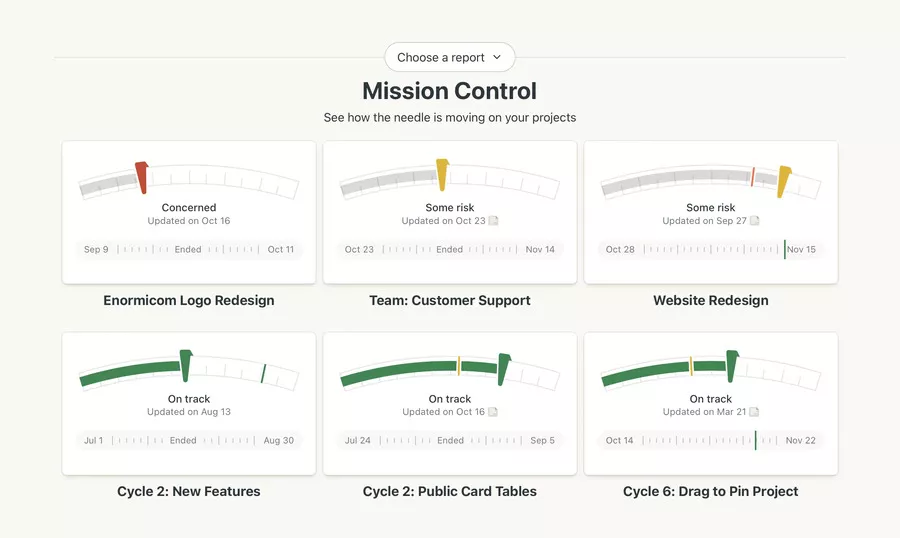
Product teams : lightweight roadmap, prioritization and progress reports simple.
It's not the ideal tool if you're looking for a comprehensive ERP or a highly complex project portfolio management system. But if your priority isworkflow optimization and a rapid adoption of software by the team, Basecamp scores points.
Access Basecamp: registration, applications and use
How to access Basecamp (web & mobile)
To use Basecamp (project management):
Go to the official Basecamp website.
Create an account (usually with a trial period).
Create your first project and invite your collaborators.
Basecamp is available:
in web version (browser),
in a desktop application (Windows/MacOS, depending on the version),
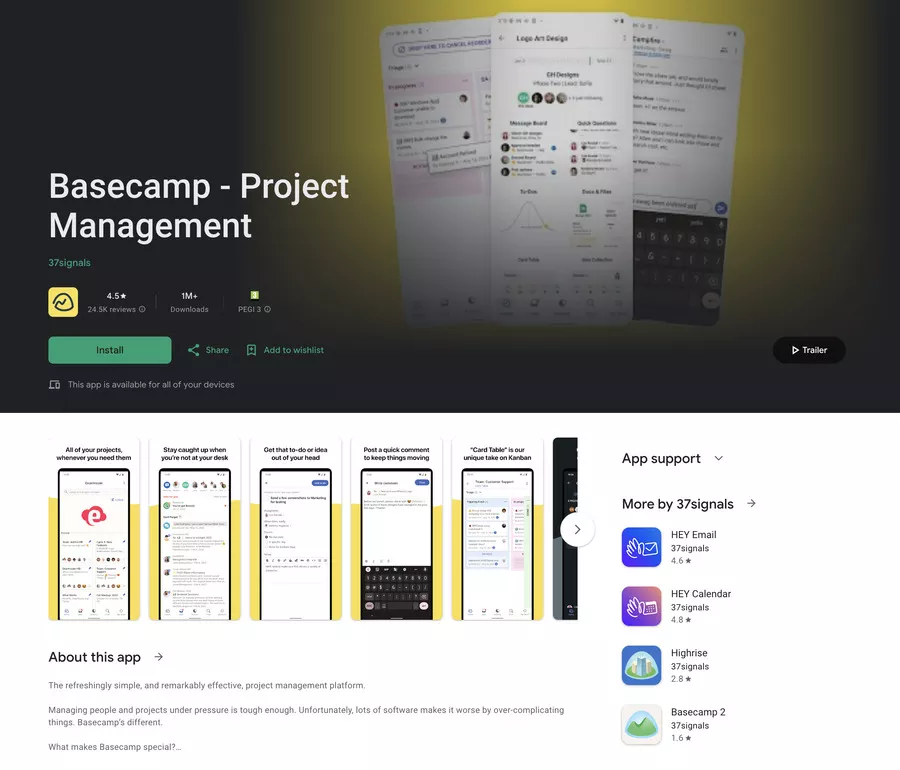
in mobile applications (iOS/Android).
The user experience is designed to reduce friction: few screens, few menus, a lot of clarity. This favors adoption Of software fast by non-technical teams.
Comparison table: Basecamp project management vs Garmin BaseCamp
Garmin BaseCamp makes it possible to plan hikes, bike rides, bike trips, car trips, and trips off the beaten path.
It allows you to create, visualize, edit, and organize waypoints, routes, and tracks, display 2D or 3D topographic maps, transfer data between the computer and the Garmin device, and download BirdsEye satellite images.
Here is a first summary table to clearly distinguish the two worlds 👇
4.2. Basecamp vs Garmin BaseCamp (2026): 7 Criteria to Ensure You Choose the Right Universe
The Matchup ⚔️
Basecamp (Project Mgmt) 🧑💻
Garmin BaseCamp (GPS) 🧭
Primary Usage 🧭
✅ Team headquarters for project management
→ Everyone reads the same "version of the story"... ⭐ Team Organization
✅ Digital map room for trip planning
→ Trace, verify, transfer... then head out 🌲 Outdoor Navigation
Target Audience 👥
💡 Teams, agencies, freelancers, businesses
→ Ideal when running multiple projects in parallel... 🧩 Multi-client
💡 Garmin GPS users, hikers, motorcyclists
→ For those traveling far beyond mobile network range 🚨 Garmin Specific
Daily Workflow ⏳
✅ Discuss, assign, track, and deliver
→ Lives "during" the project, every single day... ⚡ Continuous Steering
✅ Prepare before the trip, then transfer to GPS
→ Used "upstream" before heading outdoors... 🧭 Route Preparation
Key Features 🧩
✅ Tasks, messages, chat, calendar, files, notifications
→ Simple yet complete view to move forward without friction... 📌 Centralized
✅ Tracks, routes, waypoints, maps, import/export
→ Perfect for detailed step-by-step road trips... 🗺️ Mapping + POIs
Platforms 💻📱
✅ Web + mobile apps, access anywhere
→ Practical on the move... as long as you have internet 💻 Hybrid Work
✅ Software installed on your computer
→ Mainly used on PC/Mac before hitting the trail 💾 Desktop Install
Offline & Field Use 🔥
⚠️ Dependent on a connection for smooth usage
→ In a spot without a network, things get complicated... 🌐 Online
✅ Designed for offline prep, then used via GPS device
→ Outdoor navigation remains simple, even without signal... 🧊 Offline-friendly
The Search Trap 🕳️
💡 Search for: "Basecamp project management"
→ Otherwise, you'll end up in the wrong universe... 🔎 Clarify Keyword
💡 Search for: "Garmin BaseCamp GPS software"
→ Bonus: Check the official page for 2026 versions 🆕 Check 2026 Updates
The Google 🕳️ trap
💡 To type: “Basecamp project management” → Otherwise you run into the other universe... and you lose 10 minutes\ 🔎 Clarify the keyword
💡 To type: “Garmin BaseCamp GPS software” → Bonus: check the official page for 2026 versions\ 🆕 2026 to check
Sharing & photos 📧: ✅ Geotagging photos associated with waypoints, easy sharing of routes or images by email
Update 🔄: ✅ Manual or automatic update depending on the platform (Windows: via Garmin site, Mac App Store: no update function), without deleting stored data
Advantages, limitations, and typical use cases
Benefits
Strengths:
Ease of use: very little configuration, ideal for rapid adoption.
Good project overview: everything is grouped by project.
Well suited for collaborative projects with external customers.
Help withworkflow optimization and the reduction of emails.
Example scenario:
A small team of 8 people launches 4 customer projects in parallel.
Before Basecamp : Slack + Google Drive + emails + local files → chaos.
After Basecamp : each project has its space, its tasks, its discussions, its Documents.la direction tracks the overall load and the progress reports in a few clicks.
Potential limitations
Basecamp shows its limits if:
you need very advanced encrypted reporting,
you manage a very large portfolio of multi-team projects,
you are looking for complex Gantt features, budgets, etc.
Its scalability of functionalities is deliberately reasonable: we remain on a tool focused on Team communication and simplicity rather than functional heaviness.
Table: Basecamp key features
This table summarizes the Basecamp functionalities most used on the project management side, with their impact on the team productivity And the Workflow 👇
6. Tableau : fonctionnalités clés de Basecamp (gestion de projet) — 7 leviers concrets (2026)
Fonctionnalité 🧩
Description ✨
Bénéfice pour l’équipe 🚀
To-dos (listes de tâches) 🧩
Le cœur battant du projet, sans flou
Tout ce qu’il reste à faire, visible…
✅ Tâches + responsable + échéance, en une vue
→ Une action = une personne, pas “on verra” ⏱️ Deadlines visibles
🥇 Clarifie qui fait quoi, sans micro-management
→ Les “je pensais que c’était toi” s’éteignent… ⭐ Rôles clairs
Calendrier de projet 🗓️
Une ligne du temps partagée, simple
Les jalons arrivent… et tout le monde le sait
💡 Vue calendrier : événements, livraisons, deadlines
→ Tout est regroupé, pas dispersé en 10 outils 🧭 Vision planning
💎 Priorités plus stables, urgences moins fréquentes
→ Moins de surprises, plus de marge… ⏱️ Priorités claires
Messagerie instantanée 💬
Le “café virtuel” qui va droit au but
Question posée… réponse trouvée vite
✅ Chat interne par projet, contexte attaché
→ Les échanges rapides restent au bon endroit 💬 Discussions ciblées
🥇 Moins d’e-mails, plus de réactivité utile
→ La boîte mail respire… l’équipe aussi ⚡ Réponses rapides
Messages & annonces 📌
Les décisions qui restent, même après 2 mois
On retrouve le “pourquoi”… sans débat infini
💡 Fils structurés : CR, validations, décisions clés
→ Chaque “OK” a son contexte et ses pièces jointes 📌 Trace écrite
💎 Transparence + traçabilité, sans effort supplémentaire
→ Une décision = une page, une histoire… ⭐ Vision long terme
Docs & fichiers 📂
Un dossier projet unique, enfin propre
La bonne version ne se cache plus…
✅ Documentation partagée + pièces jointes centralisées
→ Charte, devis, specs : tout vit dans le projet 📂 Tout au même endroit
🥇 Moins de doublons, moins d’erreurs “vFinal2”
→ On récupère la version à jour, sans chasse… ✅ Moins d’erreurs
Check-ins automatiques 🔁
Un mini stand-up asynchrone, sans réunion
Chacun répond… quand il est prêt
💡 Questions programmées aux membres, à fréquence choisie
→ “Prévu aujourd’hui ?” “Terminé cette semaine ?” 🔁 Rituels légers
💎 Avancement visible, sans calls qui s’empilent
→ Le pouls du projet, en quelques minutes… ⏱️ Gain de temps
Notifications 🎛️
Un fil d’alerte contrôlable, pas envahissant
Tu choisis ce qui mérite du bruit…
✅ Notifications configurables : mail, app, résumé
→ Chacun règle son niveau de “bip” quotidien 🎛️ Alertes sur mesure
🥇 Informé sans surcharge, meilleur focus collectif
→ Moins d’interruptions, plus de concentration… 🚀 Focus renforcé
Conclusion: critical opinion and next steps
Summary:
Basecamp project management is a collaboration platform effective for centralizing tasks, files and exchanges, while remaining simple.
Garmin BaseCamp is a software dedicated to geolocation and the preparation of GPS routes for Garmin devices.
Who Basecamp (project management) is ideal for:
teams of 3 to ~50 people,
agencies, SMEs, freelancers,
organizations that want to reduce emails and structure their collaborative projects without a gas factory.
For whom it is not ideal:
large companies with heavy reporting needs, budgets, portfolio management,
teams that require advanced views such as sophisticated Gantt charts.
Next step:
If you are looking for a management tool for your projects and your team communication :
→ Go to the site of Basecamp, create an account and test a pilot project with a small team.
If you are looking to plan a GPS route for your hike or road‑trip:
→ Download Garmin BaseCamp from the Garmin site, install it and sync it to your GPS.
Starting with this guide, you should now know which Basecamp is right for you, how to access it, and how to use it to improve your team productivity, or your adventures in the field.
Security and privacy on Basecamp
Data protection and privacy
Data security is a priority for all Garmin BaseCamp users, whether it's planning trips, planning hikes, or managing sensitive information related to their outdoor activities.
With Garmin BaseCamp, each user benefits from a software environment designed to protect personal data, waypoints, routes, and all information associated with their routes.
The software incorporates advanced security measures, such as data encryption and access authentication, to ensure that only authorized users can view or change travel data. This approach allows you to maintain the confidentiality of information, while providing the peace of mind necessary to organize your adventures safely. Whether you're planning a walking, biking, or motorcycle trip, Garmin BaseCamp ensures your data is protected at every stage of your project.
Access management and permissions
Managing access and permissions in Garmin BaseCamp is a real asset for teams and groups of travelers who want to collaborate effectively on a hiking or discovery project. With this feature, each user can precisely define who has the right to view, edit, or share maps, waypoints, and tracks.
This fine management of permissions facilitates collaboration between team members, while ensuring data security and the confidentiality of shared information. For example, when preparing a group itinerary, it is possible to assign specific rights to each participant, according to their role in the project.
Thus, Garmin BaseCamp is a reliable management tool for teams who want to organize hikes, trips or adventures with confidence, while maintaining control over their data and maps.
Technical support and user support
Online support and help resources
To help users get started with Garmin BaseCamp, Garmin offers comprehensive technical support that is available online.
Whether you're a novice or an experienced user, you'll find a wealth of resources to help you get the most out of the software: detailed manuals, tutorial videos, step-by-step guides, and FAQs covering all aspects of managing your trips and GPS data. In case of questions or difficulties, the Garmin support team is available to assist you, whether it is installing the software, creating routes, or synchronizing with your GPS device.
This approach guarantees each Garmin BaseCamp user personalized support and an optimal experience, whether preparing for a hike, organizing a road trip or managing their navigation data online.
Community and feedback
The strength of Garmin BaseCamp also lies in its community of passionate users, who regularly share their adventures, itineraries, and tips on various platforms. With Garmin Adventures, you can publish your own routes, explore itineraries suggested by other users, and get inspired for future trips. Feedback, opinions and suggestions from the community contribute to the continuous improvement of the software, by raising the real needs of users and by enriching the functionalities available.
This collaborative dynamic allows everyone to benefit from a living ecosystem, where the exchange of information and the discovery of new trails are at the heart of the Garmin BaseCamp experience. Whether you're looking for ideas for your next trip or want to share your own discoveries, the Garmin community is with you every step of the way.
FAQ
What is Basecamp?
Basecamp is a project management and collaboration tool. It centralizes exchanges, tasks, schedules and files to avoid chaos between emails, messengers and scattered documents.
Who uses Basecamp?
Basecamp is often chosen by teams who want a simple and readable system:
👥 Small teams/SMEs
🎯 Agencies (with “guest” access for customers)
🧑 💻 Multi-project freelancers
🌍 Hybrid or remote teams
What is the price of Garmin BaseCamp?
Garmin BaseCamp is generally available as a free download. Attention: some Garmin maps, services or options may be chargeable depending on your needs (it depends on what you use with them).
What is the price of Basecamp?
Basecamp works on a subscription basis. The price depends mainly on the formula (per user or package for a team). The safest way is to use the price displayed on the official page when publishing.
Does Garmin BaseCamp still exist?
Yes, it may still be available, but Garmin also has other applications that are more highlighted depending on the uses (watches, bike, outdoor). Check the download/support page corresponding to your system (Windows/Mac).
What is the latest version of Basecamp?
The “latest version” depends on the active offer and what the publisher is pushing at the moment T. To avoid any outdated information, simply indicate: “most recent version = the one presented on the official website/in the Basecamp account”.
What application should I download to use my Garmin watch?
In the majority of cases:
Garmin Connect ✅ for sync, activities, health, settings
Connect IQ 🧩 to add dials, apps, and data fields (if compatible)
How do I put my Garmin GPS in French?
The exact path varies by model, but the logic is almost always: Settings → System (or Configuration) → Language → French. If the menus are difficult to follow, look for “Language” in the settings and then change.
How do I put the Garmin Connect app in French?
The most common: the app tracks the phone's language. Switch your smartphone to French, close the app completely, then relaunch Garmin Connect.
Who does Basecamp belong to?
The editor indicated for Basecamp (project management tool) is generally 37signals. To be concrete in your article, you can say: “Basecamp is published by 37signals (see site legal notice).”
TRANSPARENCY ON PARTNERSHIPS We carefully choose the software, platforms, and services we recommend based on their quality and reliability. Our team tests and approves them, regardless of any business agreements.If you make a purchase or sign up through our partner links, we may earn a commission. This doesn’t cost you extra and helps keep our content free.
PhantomBuster: launch your first LinkedIn campaign without the busywork
Build a targeted prospect list, enrich profiles, and organize follow-ups in one workflow. Spend less time moving data and more time personalizing your message.
14 days free. No credit card or automatic charge. Includes 2 execution hours and 5 automation slots.
Set your targeting and daily limits, run one Phantom, and export a prospect list ready to work.
.svg)
%25252520(1)-2-2.avif)