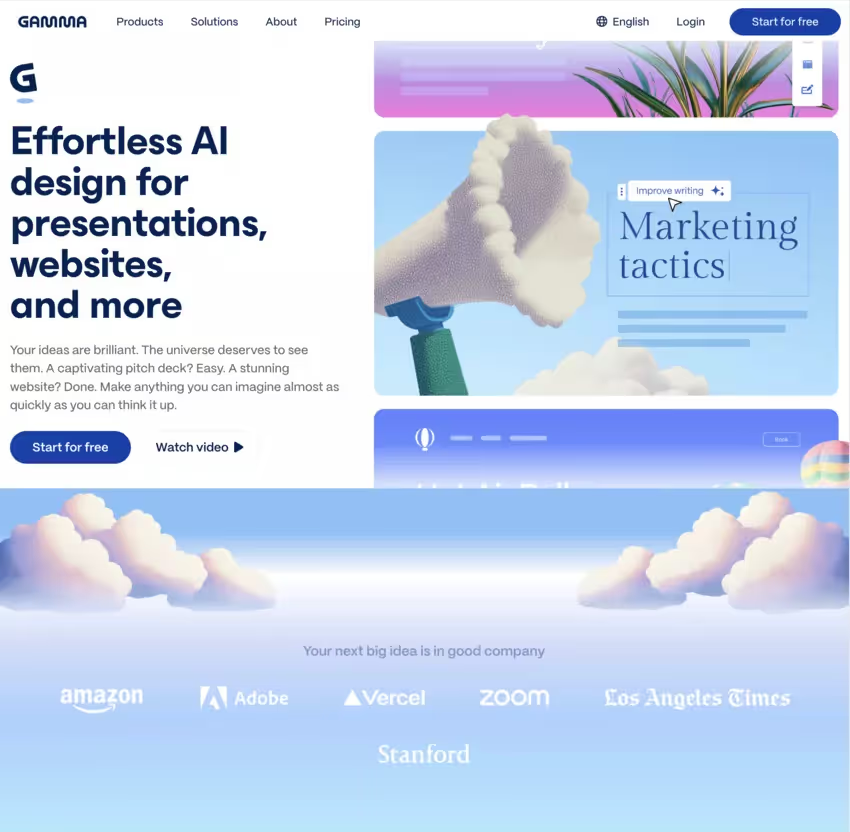
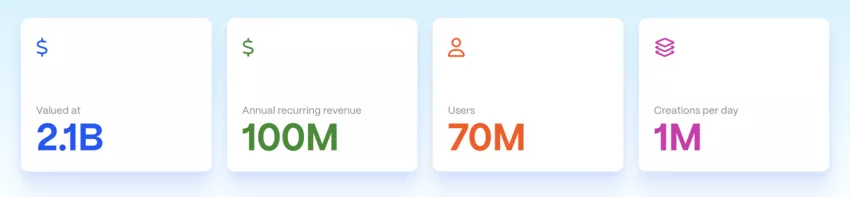
Since its launch in 2024, Gamma app has already won over 50 million users global by offering a revolutionary alternative to traditional tools.
Thanks to artificial intelligence, Gamma app is transforming the creation of presentations for all profiles, simplifying and accelerating the production of professional and powerful materials.
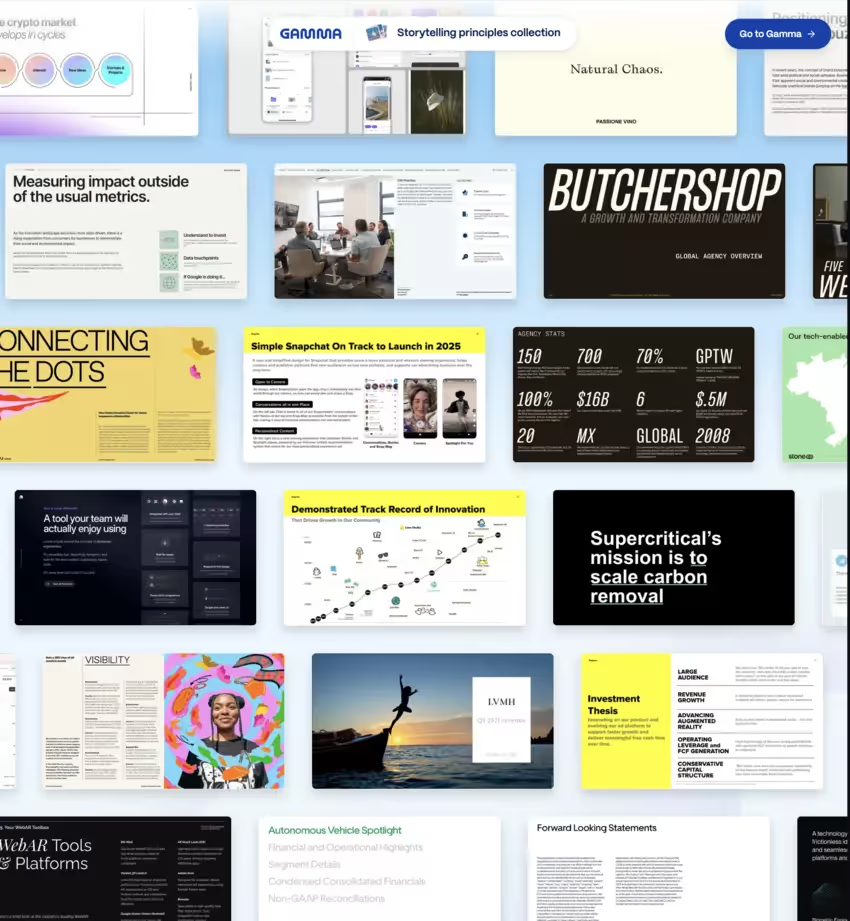
The application makes it possible to structure any subject into an attractive visual medium, suitable for entrepreneurs, trainers, students as well as professionals of digital marketing. Gamma app thus offers a solution Of creation artificial intelligence-based presentations that combine speed, simplicity, and visual beauty from scratch.
But beyond the buzz marketing, what are the real capabilities of this tool? How does it work? And above all, is it really the definitive alternative to PowerPoint? Find out everything you need to know to make your decision.
What is the Gamma app?
Gamma is a “web-first” platform (in the browser) designed to create with artificial intelligence:
Of presentations (the core of the product),
Of documents,
And even mini web pages shareable.
The process is based on “cards”: you advance in blocks, easy to reorganize, shorten in a few clicks, enrich with media, etc. This system allows you to build your presentation step by step, by choosing and organizing each block according to your needs.
Gamma's main features
1. Automatic generation of content and slides
Gamma is distinguished by its ability to:
Transform from raw content (text, notes, documents) in structured presentation.
Propose several possible plans before generation.
Automate the creation of slides (titles, subtitles, lists, boxes).
An interface in French
Have an excellent user experience of its interface to perform all your tasks
It is this fast document generation which especially attracts:
professionals under pressure (consultants, sales representatives),
teachers and trainers,
the creators of engaging communication materials.
2. Multi-format platform and format adaptation
Gamma does more than just bring “classic slides” to life:
Slideshow presentations.
Docs like a vertical web page (very useful for memos, summary reports).
Mini‑sites for presentations for investors, product pitches, etc.
It is also possible to easily export your presentations to PDF, which makes sharing much easier and ensures universal compatibility with all devices.
This adaptation of content formats is useful if you want to:
a “pitch deck” version for investors,
a “reference doc” version to read quietly,
without redoing all the formatting work.
3. Design: smart layout and custom templates
Visually, Gamma relies on a modern visual design :
Clean grids, balanced margins, legible fonts.
Custom themes and templates (colors, fonts, logos).
Brand personalization: apply your company's visual identity to the entire document.
The smart layout saves you hours of micro-adjustments (alignments, block sizes...).
Collaboration, sharing and analytics: using “in teams”
1. Real-time collaboration and annotations
Gamma integrates collaborative functionalities:
Collaboration in real time on the same presentation.
Annotations and comments targeted on a slide or a paragraph.
History of changes (according to plans) to monitor changes.
It is interesting for:
marketing and sales teams,
agencies,
the teaching teams.
2. Sharing, PDF/PPT exports, and integrations
Once your supports are ready, several options:
Sharing via a simple link (like a Google Doc).
Integration into a site or an intranet via iframe.
PDF and PPT exports for meetings where the tool is not available, or to possibly rework in PowerPoint.
Gamma also offers integrations of external content:
embedded media (videos, GIFs, tweets, etc.),
connections with graphics libraries (icons, royalty-free images) according to the versions.
3. Consultation statistics
For presentations shared by link, you can have consultation statistics (variable level depending on the offers):
Who opened the presentation.
Which part has been viewed the longest.
At what point do people drop out.
Ideal for optimizing:
a commercial pitch,
A support ofeducation and training,
or effective business practices based on data.
Use case: for whom is Gamma relevant?
1. Professionals, businesses, freelancers
Gamma is clearly aiming for a performance for professionals:
Sales people/startups : pitch decks, presentations for investors, product demos.
Consultants/agencies : recommendation slides, summary reports for customers.
HR & management : strategic presentations, reports, internal communication materials.
Key points:
reduction in design time,
homogeneity of the graphic charter,
optimization of presentations on an ongoing basis through feedback.
Trainers: educational paths with interactive presentations, links, videos.
Learners appreciate:
the “web page” side, which is more fluid than a frozen PDF,
the ease of reviewing the content after the course.
3. Communication and digital marketing
For Marketing and publications on social networks:
Transform an item From blog in Slide carousel exportable.
Create synthetic product sheets to share by link.
Design “one-pagers” for campaigns.
AI-based image generation (depending on the offer) helps to quickly obtain coherent visuals, even without a designer.
Alternatives to Gamma
Gamma is strong when you want speed + clean rendering without being a designer. PowerPoint is king when you want Pixel-perfect and strict brand constraints.
2026 Presentation Tool Comparison: Gamma vs. PowerPoint vs. Canva ⚔️
Criteria 🔍
Gamma AI 🤖
Microsoft PowerPoint 🧩
Canva ✨
AI Creation
– Full generation from a prompt or raw document
– AI handles design, image selection, and structure
– Results in under 30 seconds ⏱️
– Integrated Copilot (requires subscription)
– Assists in drafting and simple slide creation
– Still heavily focused on manual refinement
– Magic Design generates templates based on your text
– AI recommendations for styles and visual content
– More creative but requires more manual tweaking 🎨
Layout & Design
– Smart, fluid "card" system
– Automatic layout (no "pixel-pushing" needed)
– Modern, clean aesthetics by default
– Total control and pixel-perfect precision 📐
– Master slides and complex animations
– ⚠️ Risk of "dated" designs without expertise
– Thousands of high-impact visual templates
– Intuitive drag-and-drop interface
– Fewer structural constraints than Gamma
Sharing & Analytics
– Direct web link with detailed reading stats 📊
– Track who viewed which card and for how long
– Sharing via OneDrive / Teams
– No native analytics on reader engagement
– Share via link, PDF, or social media
– Basic view analytics (Pro plans)
– Access to latest premium AI models
– Full API access
– SSO / SAML security
– Dedicated Account Manager
≈ €100 / seat / month
📌 “Practical” bonus: you can also buy credits (e.g. 1,500 credits for $6). 📌 Annual plans are usually at a reduced rate (mention on the credit side).
Advantages and limitations of Gamma AI
1. Key benefits 👍
Time saver : go from an idea to a presentable medium in a few minutes.
Modern visual design without design efforts.
Adaptation to user needs thanks to themes and brand customization.
Multiformat platform : the same content that can be divided into presentations, documents, mini‑sites.
Accessibility for non-technical users : no design skills required.
2. Limits based on user feedback 👎
According to the feedback found in public notices (without inventing figures):
Generated content can be:
sometimes too generic,
to be reworked for a truly expert tone or one that is very specific to a sector.
Some users who are used to PowerPoint regret:
less ultrafine control over animations
some work habits that are difficult to transpose.
Les advanced features in premium version are required as soon as:
we collaborate as a team,
a lot of presentations are created,
Or that the brand personalization is critical.
How does Gamma App work? Step-by-Step User Guide
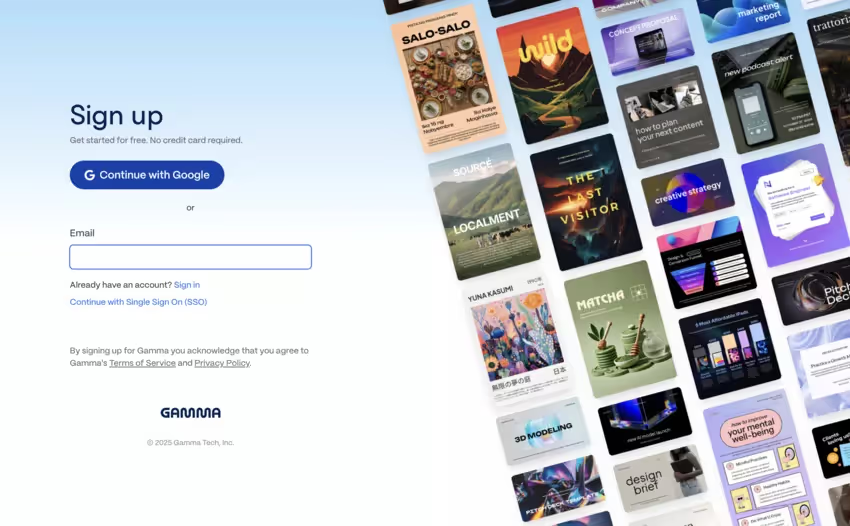
Step 1: Create an Account (Free)
See you on gamma.app/en and sign up with your email or Google account. No credit card is required for the free version. You receive immediately 400 AI credits to test.
Step 2: Choose the Creation Mode
Gamma offers you three options:
1 ️ Generate from text → Paste your content, Gamma analyzes it and creates the slides 2 ️ Generate from a prompt → Describe your project in natural language 3 ️ ※ Importing a file → Upload a PDF, PowerPoint, or document
Step 3: Customize Build Settings
Gamma asks you to specify:
Desired length : Short summary, full version, or balanced
Text density : Little text or detailed content
Language : Generate in the language of your choice
Image style : Realistic photographs, illustrations, abstract, etc.
Step 4: Generate and Refine
Once your settings are set, click “Generate.” In a few seconds, Gamma creates a complete presentation with:
✨ Structured and consistent slides ✨ AI-generated images corresponding to each slide ✨ Automatic and balanced layouts ✨ Modern and professional themes
Step 5: Edit with AI (The Magic Power)
This is where Gamma shines: every element of the presentation can be edited with the help of AI. For example:
“Simplify this formulation“→ AI rewrites text more clearly
“Add a summary“→ AI synthesizes automatically
“Generate an image“→ The AI creates a corresponding visual
“Changing the tone“→ Formal to casual, or vice versa
Step 6: Share and Export
Once satisfied, you have several options:
📤 Sharing an interactive link → Recipients see an elegant, trackable web presentation that can be modified in real time 📤 Export to PowerPoint → Compatibility with conventional office software (beware of limitations) 📤 Export to PDF → For a fixed and secure format 📤 Integrate on a site → Insert the presentation on a blog or landing page
Summary table: uses, formats and benefits
Gamma AI Use Case Guide 💡 (2026 Edition)
Profile & Need 👥
Recommended Format 📄
Major Benefit ⚡
Concrete Example ✅
Startups & Sales (Fundraising & Pitches)
Presentation Slides 📽️
– AI-structured storytelling generated in 30 seconds
– Clean, "Series A" ready designs that build investor trust
– Built-in Analytics: Track who opened the deck and which slide they focused on 📊
A Seed round pitch deck generated from a simple PDF business plan or a one-page brief.
Trainers & Educators
Doc + Slides 🎓
– Dual-purpose: Visual support for live sessions + rich document for student review
– Embed interactive videos, quizzes, and live polls directly into cards
A Digital Marketing course module with embedded YouTube tutorials and clickable chapter navigation.
Managers & HR (Internal Reports)
Web Page / Single Page 📄
– Replaces heavy PDF attachments; shared via a secure link
– Mobile-responsive by default for on-the-go reading
– Real-time updates: The link stays the same while the content evolves 🔄
An annual retreat summary or internal OKR report shared via a secure Slack or Teams link.
Content Creators (Social Media)
Vertical / Carousel 📱
– Transforms a long blog post into a punchy LinkedIn carousel series
– Massive time savings on graphic design and layout
A 10-slide LinkedIn carousel summarizing the "Top 5 AI Trends for 2026," ready for export.
Product Managers (Docs & Wikis)
Web Site / Wiki 🌐
– Create a professional knowledge base without any coding skills
– Section-based navigation that makes complex info easy to browse
– An interactive user manual with screenshots and "how-to" videos
– Employee onboarding guide with integrated forms 🤝
History, evolution and perspectives
Without going into a development history Too detailed, we can note a few trends:
Gamma is part of the wave of tools that:
automate the transformation of raw content into ready-to-use media,
make the presentation accessible to non-designer profiles.
We observe an evolvability of functionalities:
more style options,
improved collaboration,
Better integration with graphics libraries,
rise of statistics.
It is reasonable to anticipate:
an even better AI in Psychology of presentation (order of arguments, storytelling),
more tools for performance for professionals (sectoral templates, playbooks, etc.).
Conclusion: should Gamma AI be adopted? My opinion
Gamma app is a creation accelerator : you mainly win on the structure + the initial design, and you iterate quickly. If your objective is “to release a clear medium in record time”, this is often a good choice.
If your daily life is “graphic chart to the millimeter + complex animations + total control”, PowerPoint (or a designer) will remain more reliable.
With Gamma AI, creating websites and web pages becomes child's play, even for those who have no development or design experience. Thanks to built-in artificial intelligence, it only takes a few clicks to turn your ideas into a professional website, ready to be shared with the world.
The process is simple and intuitive: choose a template from a wide selection of modern templates, then customize the shape and design of your web page according to your needs. Add text, images, videos, or other content using drag and drop, and let Gamma AI take care of the smart layout to always look harmonious and engaging.
Gamma's interface facilitates each stage of creation, by guiding the user to structure their pages, integrate interactive features or connect their social networks. Whether you want to launch a product presentation page, an event mini-site or a landing page to capture email addresses, Gamma offers you a quick and effective solution.
On the security side, Gamma integrates advanced features to protect your web pages and guarantee the confidentiality of your data. Professionals thus benefit from a reliable platform to publish content without worrying about risks.
Finally, each website or web page created with Gamma can be shared instantly via a simple link, integrated on another site, or exported in various formats according to your needs. This flexibility makes Gamma an essential tool for anyone who wants to bring their ideas to life on the web, without wasting time or sacrificing design quality.
In summary, thanks to Gamma AI, creating websites and web pages has never been so accessible, fast and professional. Whether you are an entrepreneur, content creator, or marketing manager, you have an all-in-one solution to easily design, publish, and share your web pages.
FAQ
Is the gamma app free?
Yes: Gamma app offers a Free plan. You can create presentations, docs, and mini-pages, with PDF/PPTX import and PDF/PPTX/PNG/Google Slides export. The point to remember: the free plan starts with AI credits and they don't automatically recharge on the Free.
Is Gamma free?
Yes, in its free version (Free). For regular use (lots of automatic slide generation, analytics, branding, etc.), paid plans quickly become more comfortable.
What is gamma for?
To quickly create visual supports: presentations, documents, shareable pages. AI helps you generate clean structure, content, and layout without spending hours “designing” each slide and asking too many questions to make progress.
How do I create a slideshow on Gamma?
You start with a prompt, a text, or a PDF/PPTX import
Gamma generates a plan + maps (slides)
You adjust the content (title, sections, length)
You apply a theme/a style
You export (PDF/PPTX/PNG) or you share a link
What is a Gamma AI presentation?
It's a presentation built in Gamma with the help of AI: the content and layout are proposed automatically, then you refine (order, key messages, visuals, theme).
What is gamma AI?
In this context, “Gamma AI” simply refers to Gamma's artificial intelligence functions: text generation, structure, design, images (depending on the plan), to accelerate the creation of supports.
What is the best free AI tool for personal use?
It depends on your needs:
To make quick slides: Gamma (Free), ideal for testing
For an easy “templates + design” rendering: Canva (generation via Magic Design/Magic Presentations according to options)
If you especially want to write/structure before putting into slides: a general chatbot + a slide tool (Gamma/Canva) often works better than “all-in-one”.
What is the best AI for PowerPoint?
If your goal is to stay in PowerPoint, the most integrated option is Copilot in PowerPoint: you describe the presentation, and it can also rely on files that you give it.
What AI to make PowerPoint?
Three common choices:
Copilot (PowerPoint) if you already work on Microsoft 365
Gamma if you want a very fast slide generator + PPTX export
Canva if you want mostly “ready-to-publish” design and templates
Which AI is best for presentation slides?
Better business integration: Copilot in PowerPoint
Best “speed run” to create a deck: Gamma (especially to structure quickly)
Best templates/design side: Canva (Magic Design/Magic Presentations)
TRANSPARENCY ON PARTNERSHIPS We carefully choose the software, platforms, and services we recommend based on their quality and reliability. Our team tests and approves them, regardless of any business agreements.If you make a purchase or sign up through our partner links, we may earn a commission. This doesn’t cost you extra and helps keep our content free.
PhantomBuster: launch your first LinkedIn campaign without the busywork
Build a targeted prospect list, enrich profiles, and organize follow-ups in one workflow. Spend less time moving data and more time personalizing your message.
14 days free. No credit card or automatic charge. Includes 2 execution hours and 5 automation slots.
Set your targeting and daily limits, run one Phantom, and export a prospect list ready to work.
.svg)