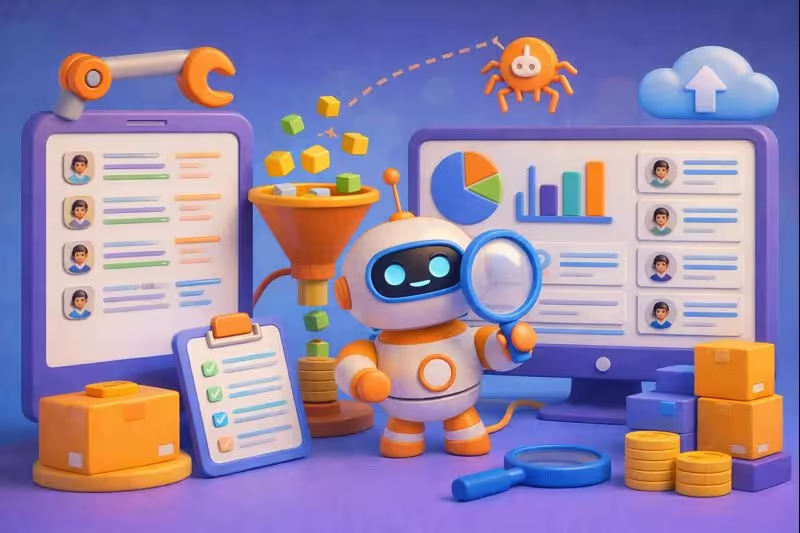
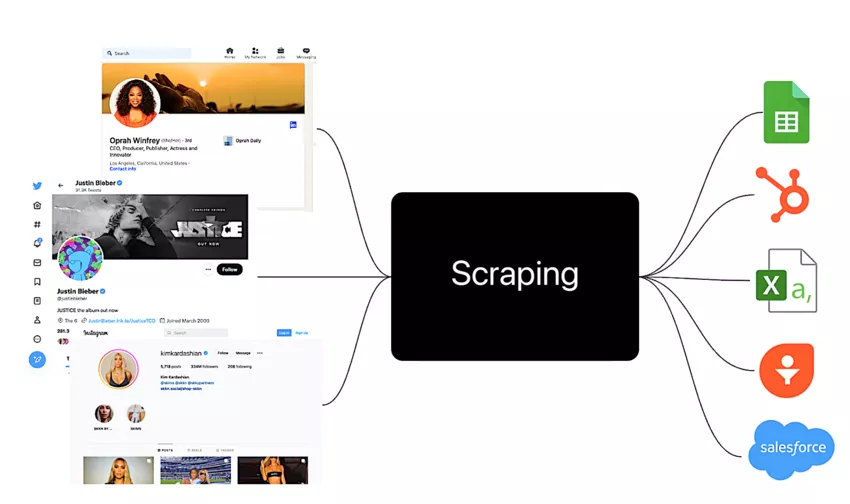
The web scraper (or web scraping) is a technique that allows for the automatic extraction of data from websites to transform them into usable information (CSV, JSON, databases, etc.). Today, it is a key tool for competitive intelligence, market analysis, price comparison, and even training AI models.
What is web scraping?
Web scraping is the process of automated data extraction from web pages, typically using scripts, bots, or dedicated tools. The collected information is then structured in formats like CSV, JSON, or a database to support analyses, dashboards, or business applications.
It is also referred to as web data extraction, web harvesting, or data extraction, but the principle remains the same: converting raw HTML content into data ready for data analysis or marketing automation. This practice is similar to web crawling, which explores and indexes pages en masse, but scraping focuses more on targeted extraction of specific information (prices, reviews, product sheets, contacts…).
How does web scraping work?
The functioning of web scraping is based on a simple yet powerful principle. A computer program simulates human navigation on a website, identifies the elements to collect, and then organizes this information into a structured format.
In 80% of cases, the workflow looks like this:
You define the target (site, pages, fields)
You retrieve the content (HTML, sometimes dynamic content). To avoid blocking or detection issues, using rotating proxies can mask your IP address and reduce the risk of detection during scraping. It is also essential to use legitimate user-agent strings to simulate real user behavior. Websites often impose rate limits and implement CAPTCHAs to protect against bots, which can be common issues during scraping.
You perform HTML parsing (identify where the data is)
You clean (formats, duplicates, inconsistencies = data cleaning techniques)
You export (CSV, JSON, spreadsheet, database)
Modern sites often use dynamic content generated by JavaScript. In this case, tools like Selenium or Playwright simulate a real browser to access dynamically loaded data.
Here are 3 ways to scrape (and when to choose which) 🧭:
🚀 Comparison of web scraping approaches (2026)
Approach 🚀
Level
Ideal for 🎯
Limitations ⚠️
Outputs 📦
No-code scraping tools (Octoparse, ParseHub…) 🖱️
Beginner → Intermediate
Quick needs, small projects, marketers
Less flexible on very specific cases
CSV, JSON, Sheets, DB (depending on tool)
Python web scraping (BeautifulSoup, Scrapy, Playwright…) 🧑💻
Intermediate → Expert
Large volume, complex logic, quality/robustness
Requires dev + maintenance
All formats + data pipelines
Scraper APIs / cloud platforms ☁️
Intermediate
Scalability, industrialization, BI integration
Variable costs, vendor dependency
JSON/exports + integrations
When is web scraping useful?
Web scraping is relevant whenever you need to turn scattered web data into an exploitable database for decision-making, automation, or research.
Data mining & data analysis: creating datasets for predictive models, segmentation, user experience analysis, or scoring. 🤖
Monitoring & data quality: regularly checking the consistency of information (availability, product sheets, legal notices, brand mentions…).
In marketing, scraping is particularly powerful for B2B prospecting, SEO monitoring, tracking customer reviews, detecting content opportunities, and personalizing messages from public signals.
Comparison of the best web scraping tools
The market offers a multitude of solutions to scrape a website. Here is a selection of the most efficient tools, ranked by their approach.
Octoparse stands out for its intuitive interface and pre-configured templates. Over 100 ready-to-use templates allow scraping Amazon, LinkedIn, or Instagram in just a few clicks. The tool offers local or cloud extraction with automatic scheduling.
Scrapy is an open-source Python framework that remains the reference for large projects. Its modular structure efficiently handles pagination, errors, and proxy integration. Scrapy requires programming skills but offers total flexibility.
Bright Data combines a network of residential proxies with specialized scraping APIs. The platform bypasses anti-bot protections and ensures high success rates. It is aimed at organizations with massive data needs.
Legal and ethical aspects of web scraping
The question of the legality of web scraping frequently arises when collecting data. In France and Europe, this practice is not illegal per se, but it must adhere to strict guidelines. It is essential that scraping complies not only with GDPR but also with applicable copyright and licensing laws to ensure compliance with intellectual property. The French legal framework for web scraping is heavily influenced by GDPR and specific European Union rules, imposing particular obligations regarding data collection and reuse.
What the law says
The GDPR strictly regulates the collection of personal data. Scraping emails, names, or phone numbers without explicit consent constitutes an offense punishable by fines of up to 20 million euros or 4% of annual turnover.
The CNIL published precise recommendations on web scraping in June 2025, especially in the context of training AI systems. The collection must meet a legitimate interest and respect the principle of data minimization.
Rules to strictly follow
🔍 Check the site's T&Cs: Many platforms explicitly prohibit scraping in their terms of use.
🤖 Consult the robots.txt file: This file indicates which pages robots can or cannot crawl.
⚖️ Respect intellectual property: Article L.112-3 of the Intellectual Property Code protects databases.
🚫 Never bypass technical protections: Bypassing a CAPTCHA or authentication constitutes technical fraud.
Ethical best practices
Beyond the legal framework, adopt a responsible approach. Limit the frequency of your requests to avoid overloading servers. Clearly identify yourself via the user-agent. Collect only the data strictly necessary for your project.
Risks and common mistakes to avoid ❌
Web scraping involves pitfalls that beginners often discover to their detriment.
Technical risks
Sites implement anti-scraping technologies: CAPTCHA, request limitation, IP address blocking. Without proxy rotation or delays between requests, your scraper will be quickly blocked.
Sites constantly evolve. A functional scraper today may fail tomorrow due to a change in HTML structure. Plan regular maintenance of your scripts.
Legal and reputational risks
The company Nestor was fined 20,000 euros by the CNIL for scraping LinkedIn data without consent. Beyond financial penalties, abusive collection can permanently damage your company's image.
Common beginner mistakes
💥 Sending too many simultaneous requests, saturating the target server.
💥 Ignoring dynamically rendered pages by JavaScript.
💥 Neglecting to clean extracted data, making analysis impossible.
💥 Storing personal data without a valid legal basis.
– Datasets for NLP, vision, recommendation
– UX, customer support 🤖
– Model training, recommendation
– Chatbots
Browser extensions and free tools to get started
Want to test web scraping without investing? These extensions and free tools allow for quick data extraction, then export in CSV export or JSON extraction for analysis and automation.
“Starter” extensions (zero hassle)
Instant Data Scraper (Chrome): automatically detects tables and lists; export CSV/Excel; perfect for one-time extraction.
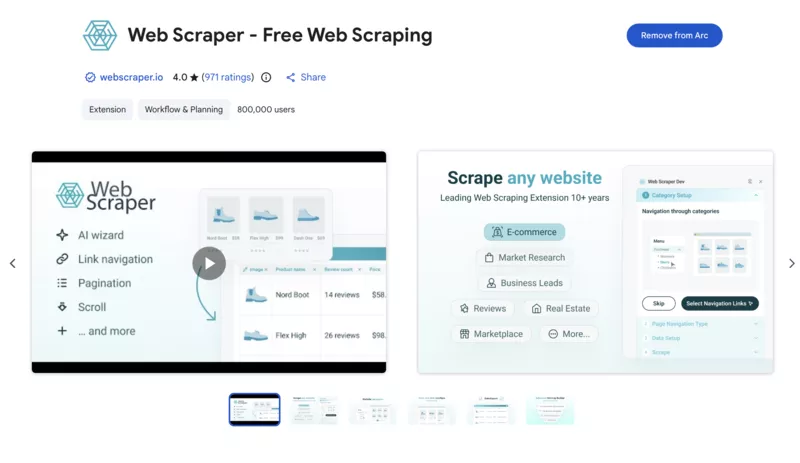
Web Scraper (Chrome/Firefox): visual editor to create scenarios; works locally in the free version; Cloud option available for scheduling depending on the offer.
Data Miner (Chrome): ready-to-use recipes; free quota (e.g., 500 pages/month depending on the plan); ideal for novices.
Extensions that save a lot of time
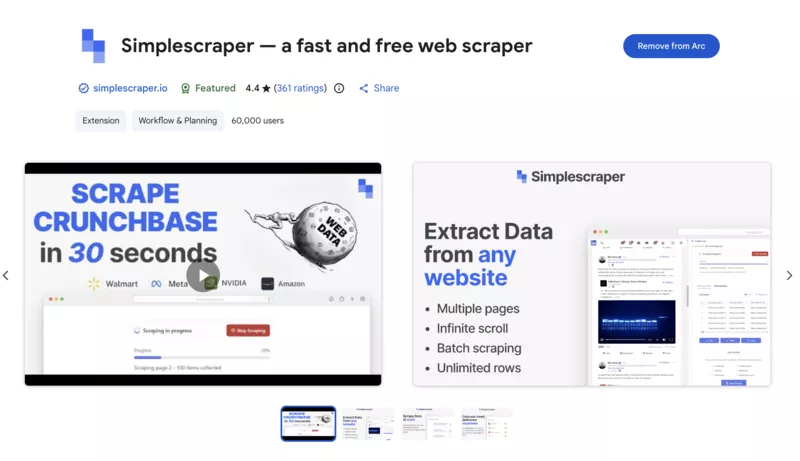
Simple Scraper (Chrome): quick extraction of elements (lists, product cards, results) with CSV export.
Table Capture (Chrome): capture and export HTML tables to CSV/Excel/Sheets (super useful for monitoring).
Copytables (Chrome): “clean” copy of tables (Excel/CSV format) without breaking columns.
Link Klipper (Chrome): retrieves all links from a page and exports them (useful for preparing a mini-crawling).
SingleFile (Chrome/Firefox): saves a complete page in one file (handy for archiving and verifying data quality).
Once the data is collected, its exploitation depends on the chosen export format.
CSV: Universal format compatible with Excel, Google Sheets, and most analysis tools. Prefer it for simple tabular data.
JSON: Ideal for hierarchical structures and API integration. Developers appreciate it for its interoperability.
Excel (XLSX): Convenient for business users accustomed to spreadsheets, with the ability to add formulas directly.
Database: MySQL, PostgreSQL, or MongoDB efficiently store large volumes of data and allow complex queries.
Advanced tools like Octoparse or Apify offer direct integrations with Google Sheets, Airtable, Zapier, or CRMs like HubSpot to fully automate your workflows.
Conclusion: web scraping, a mastered strategic asset
Web scraping is becoming an essential skill for anyone working with data. This technique of automated extraction democratizes access to information and offers a significant competitive advantage.
Users highlight the power of these tools to save considerable time on manual collection. Feedback on G2 and Capterra indicates a variable learning curve depending on the chosen solutions. No-code tools like Octoparse or ParseHub are suitable for beginners, while Scrapy will satisfy developers seeking total flexibility.
The key is to adopt an ethical approach and comply with GDPR. By respecting best practices and the legal framework, scraping becomes a powerful growth lever for your business.
Ready to automate your data collection? Start by identifying a specific use case, test a free tool, and then gradually build your skills. The web's data awaits you.
Efficient Data Collection: Tips and Advanced Methods
Web scraping can revolutionize the way you collect data from the web, provided you adopt best practices and master some advanced techniques. Here's how to optimize your scraping operations to extract maximum value from websites while staying agile and compliant.
1. Choose the Right Tools for Each Task
Every scraping project is unique: for quick and visual extractions, opt for no-code solutions like Octoparse or Chrome extensions such as Web Scraper or Data Miner. For more complex or large-scale needs, turn to frameworks like Scrapy or Beautiful Soup in Python, which offer complete flexibility over code and data management.
2. Master the HTML Code of Web Pages
Understanding the HTML structure of a site is key to precisely targeting the information to extract. Learn to identify the tags, classes, and identifiers that structure web pages: this will allow you to configure your scrapers accurately, avoid errors, and automate extraction even on complex sites.
3. Utilize Official APIs When Available
Before scraping a site's content, check if it offers an API. APIs provide structured, reliable, and often faster access to data while respecting the site's terms of use. This is the cleanest method to collect data, especially on large platforms or social networks.
4. Use Proxies to Bypass Limitations
Websites implement protections against massive scraping. Using proxies (rotating or residential) allows you to distribute your requests, avoid IP blocks, and speed up data collection. Solutions like Bright Data or tools with integrated proxy management facilitate this operation.
5. Master Scraping of Dynamic Pages and Social Networks
More and more sites use dynamic content generated by JavaScript. To extract this data, opt for tools capable of simulating a browser (Selenium, Playwright) or choose cloud solutions like Octoparse that handle dynamic rendering. For social networks, prefer specialized tools or APIs, always respecting usage rules.
6. Automate and Schedule Your Extractions
Cloud web scraping solutions (Apify, Octoparse, Browse AI) allow you to schedule recurring tasks, manage large volumes, and directly integrate data into your business tools (Google Sheets, CRM, etc.). Automation saves you valuable time and ensures reliable collection.
7. Boost Your Productivity with Browser Extensions
For occasional extractions or competitive monitoring, Chrome extensions like Simple Scraper, Table Capture, or Link Klipper are incredibly effective. They install with a click and allow you to collect data without coding, directly from your browser.
8. Learn to Code to Go Further
Mastering a language like Python opens the door to advanced scraping scenarios: multi-page extraction, automated cleaning, API integration, image or file management. Numerous tutorials and resources are available to help you progress quickly, even without an initial technical background.
9. Respect Intellectual Property and Terms of Use
Scraping should always be done in compliance with copyright and the terms of use of websites. Prioritize collecting public data, avoid scraping protected content or personal information, and consult the robots.txt file to know the allowed limits.
By combining these tips and advanced methods, you can turn web scraping into a true growth driver for your organization. Whether you're a developer, marketer, or entrepreneur, there are solutions available today for every level to collect data, automate workflows, and fuel your analyses. Test, experiment, and make scraping a strategic asset for your projects!
Frequently Asked Questions
Is web scraping legal in France?
Yes, web scraping is legal in France as long as you comply with the GDPR, the terms of use of the websites, and intellectual property law. Collecting non-personal public data remains permitted. However, scraping personal data without consent or bypassing technical protections constitutes an offense.
Can you scrape without knowing how to code?
Absolutely. No-code tools like Octoparse, ParseHub, or WebScraper.io offer visual point-and-click interfaces. You simply select the elements to extract on the page, and the tool automatically generates the collection bot. No technical skills are required for simple to moderate projects.
What is the best web scraping tool for beginners?
For beginners, Octoparse offers the best balance between ease of use and features. Its free plan allows you to create 10 tasks with local extraction. WebScraper.io (a free Chrome extension) is also an excellent entry point for occasional extractions.
What is the difference between web scraping and web crawling?
Web crawling involves systematically browsing and indexing web pages, as search engines do. Web scraping specifically aims to extract targeted data from these pages. In practice, both techniques are often combined: the crawler discovers URLs, then the scraper extracts the information.
How to avoid getting blocked while scraping?
Respect a delay between your requests (1-2 seconds minimum). Use rotating proxies to vary your IP addresses. Set a realistic user-agent. Avoid scraping during the site's peak hours. Some tools like Bright Data integrate automatic anti-blocking solutions.
What export formats are available for scraped data?
Most tools offer export in CSV, JSON, Excel (XLSX), XML, and HTML. Advanced solutions also allow direct export to Google Sheets, Airtable, databases (MySQL, PostgreSQL), or via API to your business tools.
How much does a professional web scraping tool cost?
Prices vary significantly. Free versions suffice for occasional needs. Paid plans start around $50-90/month for no-code tools (Octoparse, ParseHub). Enterprise solutions like Bright Data charge based on the volume of data collected, starting at $4/month for small projects.
Does scraping work on sites with JavaScript?
Yes, but it requires suitable tools. Sites using dynamic content (React, Vue, Angular) require a headless browser like Selenium or Playwright that executes JavaScript before extraction. Tools like Octoparse or ParseHub integrate this functionality natively.
What are the penalties for illegal scraping?
Penalties vary depending on the offense. GDPR violations can result in fines up to 20 million euros or 4% of annual turnover. The Penal Code sanctions the fraudulent collection of personal data with fines and imprisonment. Violating intellectual property exposes you to damages.
Can you scrape LinkedIn or Facebook?
These platforms explicitly prohibit scraping in their terms of service. LinkedIn has notably won and then lost several lawsuits on this subject in the United States. In Europe, scraping personal data from these networks without consent violates the GDPR. Specialized tools like PhantomBuster offer regulated solutions, but the legal risk remains high.


.svg)

.avif)








.avif)