Disclosure: this review may include partner links. We evaluate tools for their practical value first; commissions never determine our verdict.
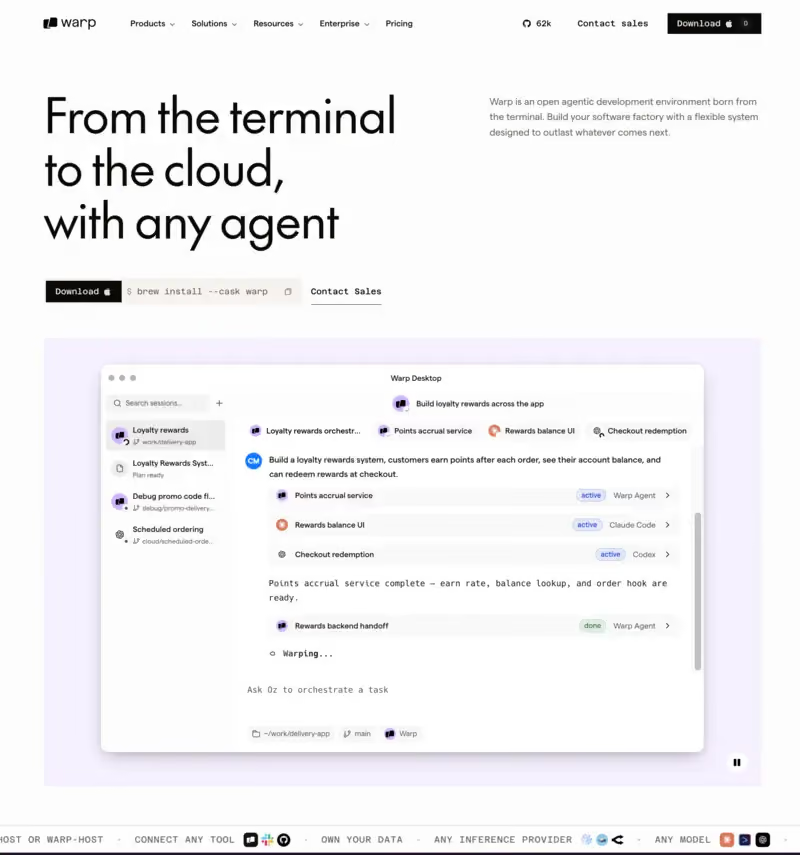
Warp is an agentic development environment that combines a modern terminal, AI coding agents, team knowledge, and Oz, its orchestration platform for local and cloud agents.
Originally known as a more visual terminal, Warp is now closer to an AI-assisted development workspace. It helps developers inspect code, run commands, debug issues, create tests, review changes, and coordinate several coding agents from one place.
What is Warp?
Warp is an Agentic Development Environment. It is not only a command-line interface: it lets you switch between normal terminal work and multi-step agent workflows.
The product is built around four pieces:
Warp Terminal: a block-based terminal with modern editing, search, tabs, panes, and rich command interaction.
Warp Agent: an integrated coding agent that can inspect a codebase, propose changes, run commands, and help with debugging.
Oz: a cloud agent platform for launching, supervising, scheduling, and orchestrating agents.
Warp Drive: a shared workspace for workflows, prompts, notebooks, rules, and environment variables.
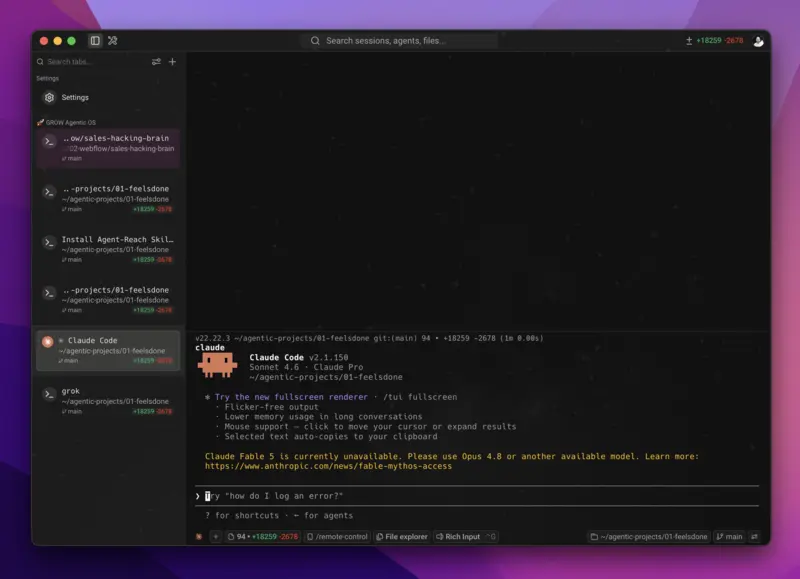
Warp can also enhance third-party CLI agents such as Claude Code, Codex, OpenCode, Gemini CLI, Cursor CLI, and others. That makes it useful for teams that do not want to bet on a single agent vendor.
Who is Warp best for?
Warp is most useful for developers who already live in the terminal: backend engineers, DevOps teams, platform teams, data engineers, and technical founders. If your workflow involves logs, scripts, tests, deployments, Git worktrees, pull requests, and command-line agents, Warp reduces context switching.
Warp is not just a prettier terminal. It is a serious agentic development layer for teams that want terminal-first coding, cloud agents, shared rules, MCP integrations, and stronger supervision of coding agents.
Its main drawback is complexity. Agent profiles, permissions, credits, cloud runs, MCP servers, model choices, and team controls all need proper governance. For individual use, start with the free plan. For a team rollout, run a pilot before connecting Warp to sensitive repositories or production workflows.
Warp, Cloudflare Warp, or an AI terminal: clarify the search intent
The word Warp is ambiguous. It can refer to Cloudflare Warp, a VPN-like networking product, music, fiction, crypto, or Warp.dev. This review is about Warp.dev, the agentic development environment for coding workflows.
That distinction matters for both SEO and readers. If someone is looking for mobile network protection or a VPN, this is not the right product. If someone wants an agentic terminal for software development, Warp is directly relevant.
Example workflow in Warp
Imagine a production error appears after a deployment. In a classic setup, you would jump between logs, the repository, a ticket, your editor, test commands, and a pull request.
In Warp, you can ask an agent to analyze the error, identify the affected code, propose a fix, create or update tests, and run the relevant commands. You still review the plan and approve important actions, but the repetitive navigation happens faster.
If your team connects GitHub, Linear, Sentry, or internal tools through MCP, Warp can use that context to investigate the issue and prepare a more complete pull request.
When should you choose Warp over an agentic IDE?
Choose Warp if your workflow starts in the terminal
Warp is strongest when the terminal is the control center: debugging, CI/CD, infrastructure scripts, backend services, migrations, dependency updates, and multi-agent coding sessions. It works well alongside tools like Claude and Codex when you want a stronger command-line environment around them.
Choose Cursor or VS Code if visual editing dominates
If most of your work happens inside files, diffs, visual navigation, and manual refactoring, Cursor or VS Code may still feel more natural. Warp is a better fit when the agent needs to execute sequences of commands and coordinate context across terminal sessions.
Security and privacy checklist
Warp may handle source code, command output, environment variables, agent conversations, and cloud executions. Before using it in a professional environment, check telemetry settings, data retention, model routing, MCP server permissions, cloud agent configuration, and approval rules.
Repositories: limit agent access to the codebases it actually needs.
Secrets: keep API keys out of agent-readable output unless strictly required.
MCP: install only trusted servers and avoid broad permissions.
Cloud agents: define what can run remotely, where logs live, and who can inspect runs.
Human review: keep approval gates for production, migrations, destructive commands, and security-sensitive changes.
Pricing: what should you watch?
As of July 7, 2026, Warp's official pricing page lists Free, Build, Max, Business, and Enterprise plans. Monthly pricing starts at $20/month for Build, $200/month for Max, and $50/user/month for Business, with lower annual prices displayed separately.
The subscription is only part of the equation. Real cost depends on credits, model usage, codebase size, number of cloud agents, and reload credits. Teams should set spending caps before scaling agent workflows.
Final recommendation
Warp is a strong choice for terminal-first developers and teams building a software factory around AI agents. It is especially compelling if you want one place to run local agents, cloud agents, third-party CLI agents, MCP tools, and shared team instructions.
It is less urgent if you only need lightweight autocomplete or a classic IDE experience. In that case, compare it with development tools and broader AI coding options before committing to a full agentic workflow.
FAQ
Is Warp the same as Cloudflare Warp?
No. This review covers Warp.dev, the agentic development environment. Cloudflare Warp is a different product focused on networking, DNS, mobile security, and VPN-like connectivity.
Is Warp open source?
The Warp client is open source under AGPL v3. Cloud services, Oz, and hosted orchestration features should be considered separately from the local client.
Can Warp replace Cursor or VS Code?
Sometimes, but not always. Warp is better for terminal-first workflows. Cursor and VS Code remain more natural for heavy visual editing, file navigation, and manual refactoring.
Does Warp work with Claude Code and Codex?
Yes. Warp supports several third-party CLI coding agents, including Claude Code and Codex, and can orchestrate supported harnesses through Oz.
Which Warp plan should I choose?
Free is enough to try the terminal. Build fits regular individual agent usage. Business is better for teams that need SSO, admin controls, usage metrics, and spend management.
Is Warp safe for enterprise code?
It can be, if permissions are configured carefully. Review agent profiles, MCP servers, secrets, cloud execution, data retention, and human approval gates before using it on sensitive repositories.
TRANSPARENCY ON PARTNERSHIPS We carefully choose the software, platforms, and services we recommend based on their quality and reliability. Our team tests and approves them, regardless of any business agreements.If you make a purchase or sign up through our partner links, we may earn a commission. This doesn’t cost you extra and helps keep our content free.
PhantomBuster: launch your first LinkedIn campaign without the busywork
Build a targeted prospect list, enrich profiles, and organize follow-ups in one workflow. Spend less time moving data and more time personalizing your message.
14 days free. No credit card or automatic charge. Includes 2 execution hours and 5 automation slots.
Set your targeting and daily limits, run one Phantom, and export a prospect list ready to work.
.svg)