Unsloth AI review: Unsloth has become one of the most practical ways to fine-tune open-source LLMs on a personal GPU or an affordable cloud instance.
The promise is simple and attractive: faster training, much lower VRAM usage, and the ability to customize multi-billion-parameter models without buying enterprise-grade infrastructure.
But Unsloth is not magic. Its value comes from a very optimized implementation of known methods such as LoRA and QLoRA, custom kernels, and aggressive memory management.
Our Unsloth AI verdict at a glance
Unsloth is currently one of the best tools for experimenting with open-source models on a consumer GPU. It is strongest for developers, independent researchers, small teams, and builders who want economical fine-tuning without giving up control.
Unsloth AI in 2026: our verdict on open-source LLM fine-tuning
Evaluation criterion
Our score
Practical comment
Quick verdict
Training speed
9.2/10
Excellent on a single GPU thanks to optimized kernels.
Best for fast experimentation loops.
Memory optimization
9.5/10
Major VRAM savings with LoRA and QLoRA workflows.
The main reason to choose Unsloth on consumer hardware.
Model compatibility
9.0/10
Broad ecosystem that is updated frequently.
Works with many popular open-source model families.
Ease of use
8.4/10
Accessible notebooks plus the local Unsloth Studio interface.
Fast start, although fine-tuning remains technical.
Technical stability
7.8/10
Some updates can introduce dependency or compatibility issues.
Pin versions before any important project.
Multi-GPU scalability
7.5/10
Possible, but less natural than some distributed training frameworks.
Axolotl can be easier for larger clusters.
Performance-to-cost ratio
9.4/10
Excellent for prototyping without expensive infrastructure.
Very relevant for freelancers, labs, and small AI teams.
Unsloth is less obvious for very large distributed infrastructure, highly regulated environments, or teams that need a perfectly frozen multi-GPU training stack.
What is Unsloth AI?
Unsloth is an open-source library designed to accelerate training, post-training, and execution of AI models. It is especially known for making LLM fine-tuning more practical on limited GPU memory.
The project now has two complementary experiences: Unsloth Core and Unsloth Studio.
Unsloth Core
Unsloth Core is the original Python library. Developers use it directly inside scripts, Jupyter notebooks, Hugging Face workflows, or local training environments.
It gives technical users control over LoRA and QLoRA parameters, dataset preparation, gradient checkpointing, context length, training steps, and evaluation.
Unsloth Studio
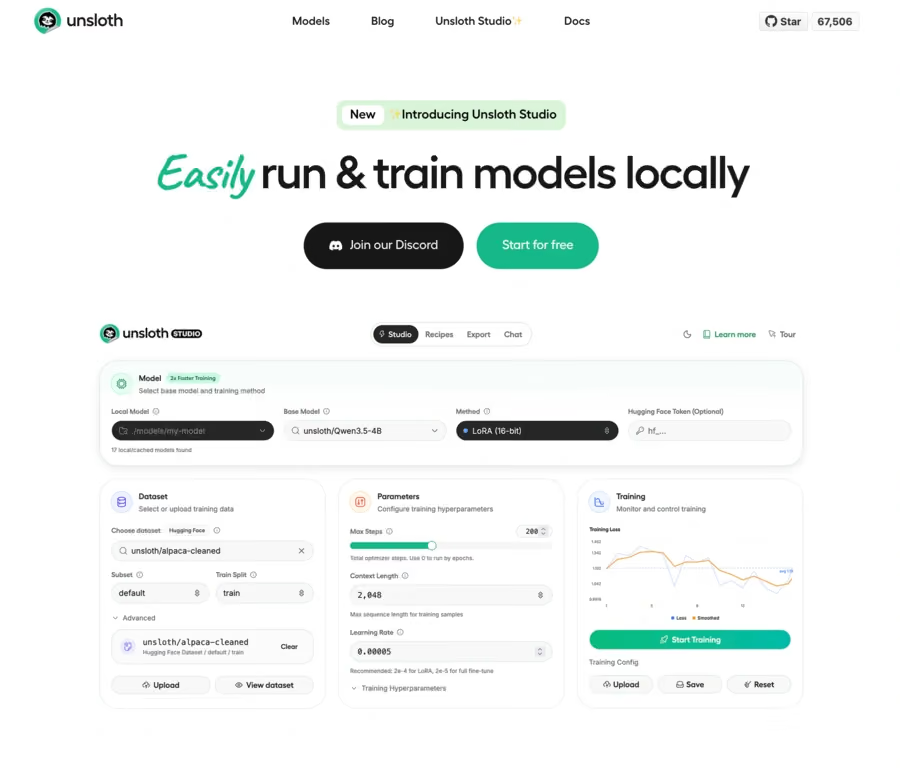
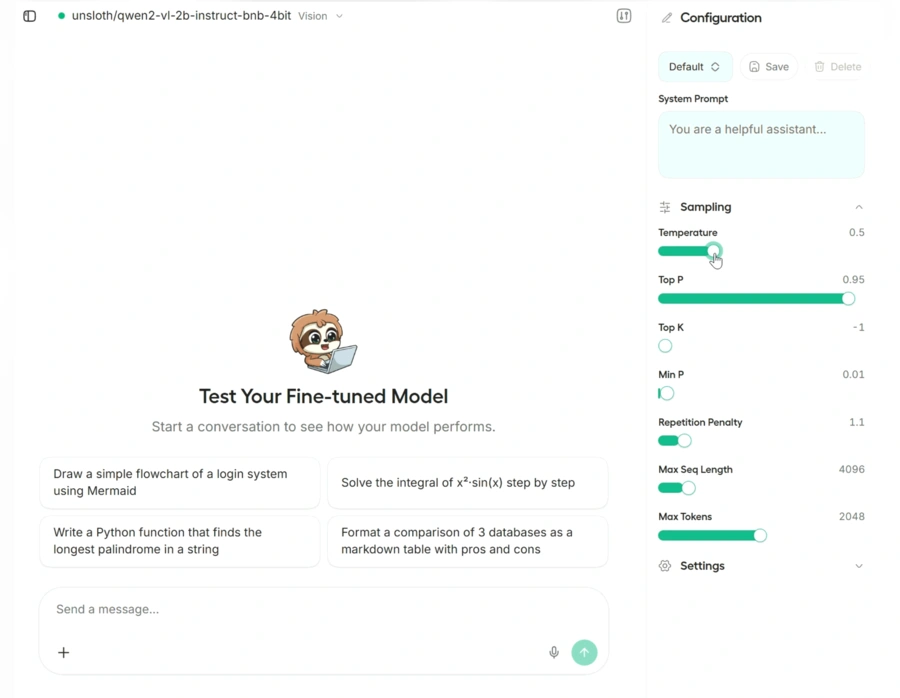
Unsloth Studio is a local open-source web interface. It brings together dataset preparation, training, metric observation, inference, and model export in a more visual workflow.
It supports text, vision, audio, text-to-speech, and embedding models. This makes Unsloth closer to tools such as LLaMA-Factory or LM Studio, while keeping its main strength: optimized training.
How does Unsloth speed up LLM fine-tuning?
Unsloth is not only a wrapper around Hugging Face. It optimizes several operations used during model training.
The library relies on custom CUDA kernels, optimized Triton kernels, more efficient memory allocation, gradient checkpointing, and specialized LoRA and QLoRA implementations.
The result can be lower VRAM usage and better use of available GPU compute. The speed gains are real in many scenarios, but they depend on the selected model, sequence length, GPU, batch size, and versions of PyTorch, CUDA, Triton, and Transformers.
Does Unsloth really reduce VRAM usage?
The VRAM reduction is probably Unsloth's strongest argument. With QLoRA, base model weights are loaded in 4-bit precision while small LoRA adapters are trained. Unsloth optimizes this workflow further to reduce memory used by activations, gradients, and intermediate operations.
Estimated VRAM requirements
The following figures are indicative minimums. Context length, batch size, and LoRA parameters can increase real requirements.
Estimated GPU memory in 2026 by model size and training method
Model size
QLoRA 4-bit
LoRA 16-bit
Possible setup
3B
About 3.5 GB
About 8 GB
Small compatible GPU or Colab environment.
7B
About 5 GB
About 19 GB
RTX 3060 or better.
8B
About 6 GB
About 22 GB
RTX 3060, RTX 3090, or RTX 4090.
14B
About 8.5 GB
About 33 GB
QLoRA can be realistic on a recent consumer GPU.
27B
About 22 GB
About 64 GB
RTX 3090 or RTX 4090 recommended for QLoRA.
32B
About 26 GB
About 76 GB
GPU with 32 to 48 GB of memory recommended.
70B
About 41 GB
About 164 GB
Professional GPU or multi-GPU setup.
This explains why Unsloth is popular among users with an RTX 3090 or RTX 4090. With 24 GB of VRAM, these cards can fine-tune models in QLoRA that would otherwise require much more expensive infrastructure.
Unsloth vs Axolotl, LLaMA-Factory, TRL, and torchtune
The best fine-tuning tool depends less on raw speed than on the type of project you are running.
Unsloth vs Axolotl, LLaMA-Factory, TRL, and torchtune in 2026
Solution
Main advantage
Main limitation
Best-fit profile
Unsloth
Fast training and optimized GPU memory. Fine-tuning is accessible on 1 GPU.
Fast-moving ecosystem with frequent changes.
User with limited GPU memory.
Axolotl
Advanced configuration and distributed training options.
YAML files can be technical to configure and maintain.
ML team using distributed infrastructure.
LLaMA-Factory
Visual interface and broad model compatibility.
Some abstraction layers make the pipeline less transparent.
Beginner, trainer, or user who prefers a graphical interface.
TRL
Direct integration with Hugging Face Transformers.
Memory and speed optimizations require more manual work.
Researcher already working in the Hugging Face ecosystem.
torchtune
Readable, modular PyTorch code that is easy to customize.
More technical onboarding for beginners.
Research and custom training pipelines.
Recommended Unsloth use cases
Unsloth is especially relevant when memory, iteration speed, and local control matter.
Recommended Unsloth use cases in 2026
Use case
Fit
Why it works
Specialized model prototype
Excellent
Fast iterations on targeted datasets with lower GPU cost.
Fine-tuning on RTX 3090 or 4090
Excellent
Strong VRAM optimization on a single GPU.
Business assistant
Very good
Adapts style, vocabulary, and expected output formats.
Structured extraction
Very good
Learns to return fields according to specialized examples.
Private local model
Excellent
Keeps data and training on controlled infrastructure.
Learning fine-tuning
Good
Notebooks, examples, and tutorials make the first run easier.
Massive distributed training
Average
Other frameworks are more mature for large clusters.
Highly regulated environment
Variable
Pin versions and audit the pipeline before production use.
Where Unsloth is less suitable
Unsloth is not always the best choice. Consider another option if your pipeline must run across dozens of GPUs, your team requires contractual support commitments, every dependency must remain frozen for years, the target model is not supported yet, or you need to deeply modify internal PyTorch components.
Pros and cons
Unsloth pros and cons in 2026
Criterion
Pros
Cons
GPU memory
Major reduction in required VRAM Optimized
Installation can be sensitive to CUDA and PyTorch versions.
Performance
Real acceleration across many fine-tuning scenarios.
Gains vary by model, hardware, and configuration.
Hugging Face ecosystem
Strong compatibility with Transformers, TRL, and popular models.
Rapid changes can make some examples outdated.
Model export
Export to Ollama and llama.cpp friendly formats.
GGUF export can need adjustments or fail for some models.
Onboarding
Many ready-to-use notebooks for a fast start.
Fine-tuning remains technical for beginners.
Openness and privacy
Local workflow and open-source code Local
Security still depends on the environment and installed dependencies.
Scalability
Fast support for many newly released models.
Multi-GPU workflows are still less smooth than specialist stacks.
Main features
Main Unsloth features in 2026: training, export, and multimodal models
Feature
Practical use
Interest level
LoRA and QLoRA fine-tuning
Customize a model with less GPU memory.
Very high
CUDA and Triton kernels
Accelerate calculations while reducing VRAM usage.
Very high
Hugging Face compatibility
Use Transformers, PEFT, TRL, and the Hub.
Very high
Ready-to-use notebooks
Train a model on Colab, Kaggle, or locally.
High
Unsloth Studio
Prepare, train, and export a model without writing much code.
High
GGUF export
Deploy a model in Ollama, llama.cpp, or a local app.
Very high
OpenAI-compatible API
Connect applications and agents to a local model.
High
SFT, DPO, GRPO, and RL
Apply different post-training methods depending on the goal.
High
Vision, audio, and embeddings
Customize multimodal models and vector representations.
Evolving
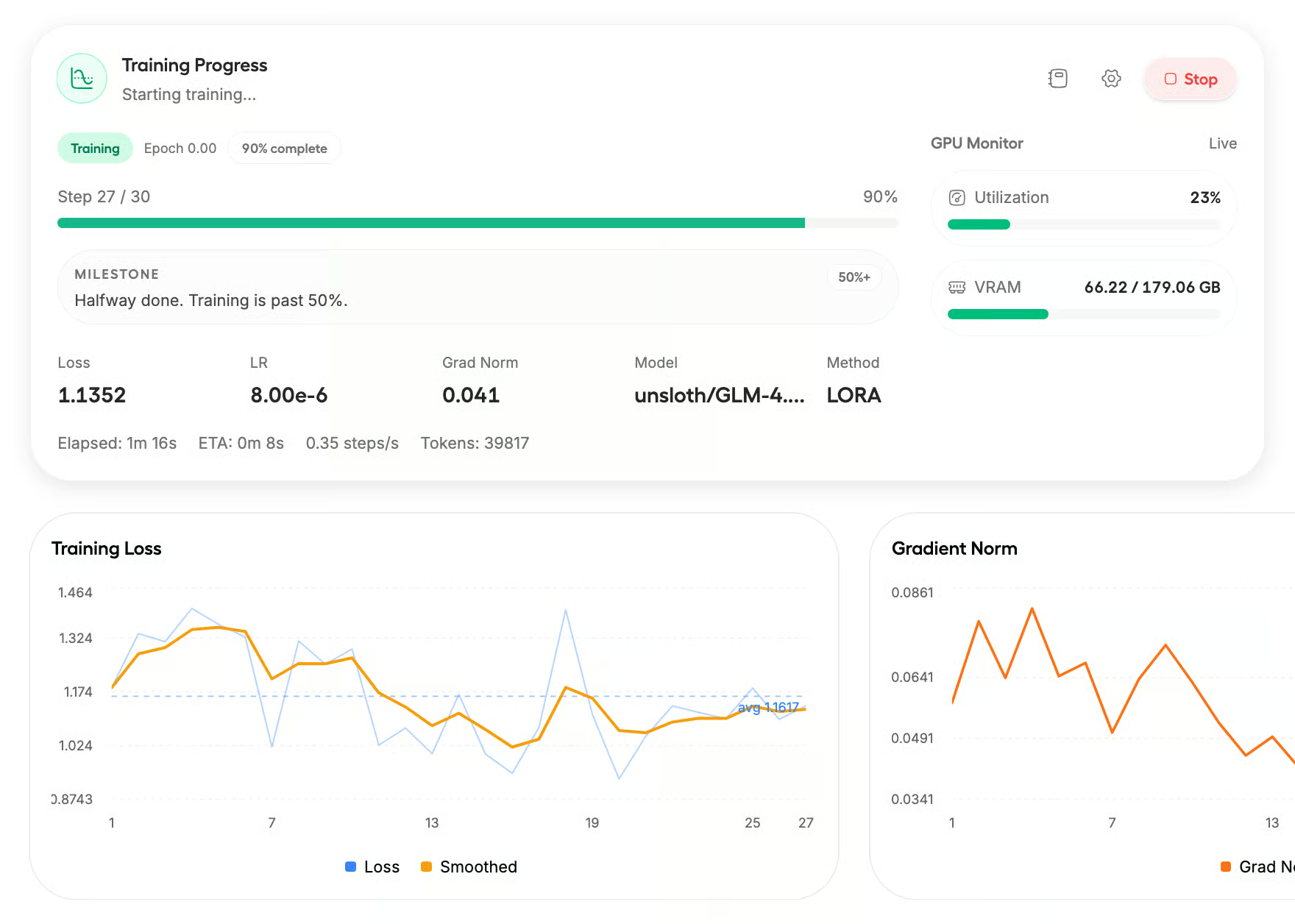
Training monitoring
Track loss, metrics, and training progression.
Useful for diagnosis and comparison.
Hugging Face compatibility
The Hugging Face integration is one of Unsloth's strongest advantages. It works with Transformers, PEFT, TRL, Datasets, and the Hugging Face Hub.
Unsloth does not try to replace the entire ecosystem. It acts as a specialized optimization layer for people who already use, or want to use, Hugging Face components.
Which models are compatible with Unsloth?
Unsloth supports hundreds of models and variants. Common families include Llama, Qwen, Gemma, Mistral, DeepSeek, and GLM. The platform is also expanding toward multimodal models, vision models, embeddings, and text-to-speech.
Pre-quantized model catalogs reduce setup friction, but they also create dependency on model formats, chat templates, and conversions maintained by Unsloth.
Can you use Unsloth on Google Colab?
Yes. Unsloth is popular for training on Google Colab. Official notebooks usually let you load a compatible model, import a dataset, configure LoRA adapters, launch training, then export the model or adapter.
This is much easier than setting up a full local CUDA environment for a first test. Free sessions remain limited, and availability, duration, and GPU type can vary.
Concrete example with an RTX 3090
Imagine a developer adapting an 8B model to the technical questions of a company. With a traditional full-precision configuration, a 24 GB RTX 3090 can become insufficient quickly. With Unsloth and QLoRA, the model can be loaded in 4-bit precision and trained through small adapters.
The developer can test multiple datasets, compare LoRA ranks, reduce training time, export to GGUF, and run the result locally with Ollama or llama.cpp. The real benefit is not only finishing one training run faster. It is running more experiments with hardware already available.
GGUF model export
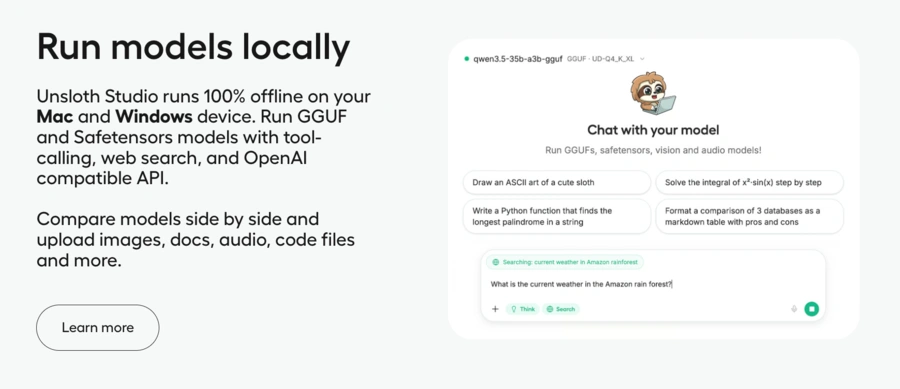
Unsloth can export a trained model to the GGUF format used by llama.cpp and many local inference apps. The exported model can then be run in Ollama, llama.cpp, LM Studio, Open WebUI, or Unsloth Studio.
This step is useful, but it is also where users often report issues. Some model versions, chat templates, or llama.cpp changes can cause incomplete conversion or wrong behavior after export. Always test the final file before deleting original checkpoints.
Is the Unsloth API useful?
The Unsloth API mainly refers to a local endpoint compatible with OpenAI-style interfaces. It lets external apps use a local model without rewriting the entire integration layer.
It can connect Python scripts, chat interfaces, coding agents, Hermes Agent, Claude Code or Codex-style setups, and apps that already use an OpenAI-compatible client.
What do users think of Unsloth?
Community feedback is generally positive, especially from single-GPU users. Positive comments often mention quick setup, VRAM savings, useful notebooks, and fast support for new models.
Most appreciated points
Unsloth in 2026: what users appreciate most
Frequent feedback
Why it matters
Concrete benefit
Faster training
Lets users test more configurations in the same time.
Faster iterations and quicker result comparison Fast
Low memory usage
Makes fine-tuning accessible on consumer GPUs.
Larger models become usable with limited VRAM VRAM
Working notebooks
Reduces installation and configuration time.
Easier start on Colab, Kaggle, or a local machine.
Hugging Face ecosystem
Avoids rebuilding the whole training pipeline.
Reuse Transformers, PEFT, TRL, and the Hub.
Open-source project
Lets teams inspect, modify, and adapt the code.
More transparency and pipeline customization.
Common criticisms and problems
Negative feedback focuses less on fundamental performance and more on environment stability.
Unsloth in 2026: common problems, consequences, and precautions
Reported problem
Possible consequence
Recommended precaution
CUDA, PyTorch, or Triton conflicts
Installation or compilation can fail Blocked
Check the compatibility matrix and pin working versions.
Failed GGUF export
The model may be unusable after training.
Test export on a small model first, then validate in llama.cpp or Ollama.
Very frequent updates
A previously working notebook can regress.
Keep a reproducible environment with pinned dependencies.
Uneven hardware support
Experience varies across NVIDIA, AMD, Intel, and macOS.
Check real support for the model and accelerator.
More complex multi-GPU setup
Distributed infrastructure can be less smooth.
Use a more mature distributed framework when needed.
Does Unsloth improve model quality?
Unsloth mainly improves the computational performance of training. It does not automatically improve response quality. Final quality still depends on the base model, dataset quality, example format, hyperparameters, and evaluation method.
A poor dataset trained twice as fast is still a poor dataset. Compare the model before and after fine-tuning on a separate test set.
Is Unsloth reliable?
Unsloth is reliable enough for prototyping, research, personal projects, and many professional experiments. Its GitHub adoption, Hugging Face integration, and notebook ecosystem show that it is active.
For an important project, lock the versions of Unsloth, PyTorch, Transformers, TRL, and CUDA or ROCm. Automatic dependency updates right before a major training run can create hard-to-diagnose errors.
Does Unsloth work on Windows, Linux, and macOS?
Unsloth Studio can be installed on Windows, Linux, WSL, and macOS. Training support differs by hardware.
Unsloth compatibility in 2026: inference, training, and maturity
Environment
Inference
Training
Maturity
Linux + NVIDIA
Yes
Yes
Excellent
Windows + NVIDIA
Yes
Yes
Good, but installation can be more sensitive.
WSL + NVIDIA
Yes
Yes
Good when you want a Linux-like environment on Windows.
Intel GPU
Depends on hardware and configuration.
Available through Unsloth Core.
More technical to install and optimize.
AMD GPU
Yes for several models and uses.
Available through Unsloth Core.
Support is improving across configurations.
macOS Apple Silicon
Yes
MLX support is still evolving.
Check version-by-version
CPU only
Yes, slowly.
Not well suited to fine-tuning.
Reserved for small models and basic tests.
For the most stable experience, Linux with an NVIDIA GPU is usually the simplest configuration.
Final verdict
Unsloth is one of the strongest tools for economical LLM fine-tuning in 2026. It is especially convincing when you want faster experiments, lower VRAM usage, and a workflow that stays close to the open-source model ecosystem.
Choose Unsloth if you have a clear fine-tuning goal, a compatible model, and enough technical comfort to manage dependencies. Consider Axolotl, torchtune, or a managed platform if you need large-scale distributed training, contractual support, or long-term environment stability.
Yes. The main project is open source. Some professional offers or optimizations may be offered separately.
Can you use Unsloth with an RTX 3090?
Yes. An RTX 3090 with 24 GB of VRAM is an excellent setup for local QLoRA fine-tuning of 7B, 8B, 14B, and sometimes larger models depending on settings.
Can you train an LLM without an NVIDIA GPU?
Unsloth now supports more Intel and AMD configurations through Unsloth Core. The most mature experience still tends to be NVIDIA GPUs.
Does Unsloth work with Ollama?
Yes. A trained model can be exported to GGUF and then imported into Ollama. Some Unsloth Studio workflows can also connect with local inference tools.
Can Unsloth improve a model's knowledge?
Fine-tuning can teach behavior, formats, and some specialized information. For frequently updated knowledge, a RAG architecture is often more appropriate.
Is Unsloth beginner-friendly?
The notebooks and Unsloth Studio make it accessible to a motivated beginner, but you still need to understand datasets, LoRA, training metrics, and overfitting.
Is Unsloth better than LLaMA-Factory?
Unsloth is usually stronger for speed and memory optimization. LLaMA-Factory offers a mature visual interface and broad configuration options. In some workflows, LLaMA-Factory can also use Unsloth as an engine.
Can Unsloth be used in production?
Yes, if you pin dependencies, test exports, document the pipeline, and measure model quality carefully. For critical systems, professional support may be necessary.
Does Unsloth support multiple GPUs?
Unsloth Core can be used with tools such as Accelerate, Distributed Data Parallel, FSDP, or DeepSpeed. Multi-GPU support exists, but it is not always as transparent as the single-GPU experience.
Are Unsloth benchmarks credible?
Official benchmarks show strong gains in speed, memory, and context length. Treat them as useful signals, not universal guarantees. The best benchmark is the time and quality you get on your own model, data, and hardware.
TRANSPARENCY ON PARTNERSHIPS We carefully choose the software, platforms, and services we recommend based on their quality and reliability. Our team tests and approves them, regardless of any business agreements.If you make a purchase or sign up through our partner links, we may earn a commission. This doesn’t cost you extra and helps keep our content free.
PhantomBuster: launch your first LinkedIn campaign without the busywork
Build a targeted prospect list, enrich profiles, and organize follow-ups in one workflow. Spend less time moving data and more time personalizing your message.
14 days free. No credit card or automatic charge. Includes 2 execution hours and 5 automation slots.
Set your targeting and daily limits, run one Phantom, and export a prospect list ready to work.
.svg)