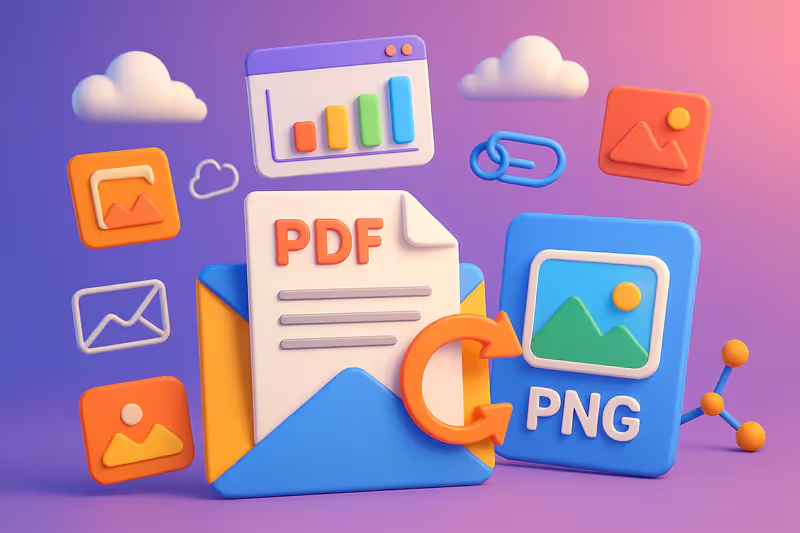
Converting a PDF file to PNG images is a common task for students, professionals, teachers, and designers who want to extract PDF pages for presentations, social media, or creative projects.
In 2026, online conversion tools like pdf2png, Canva, and SmallPDF offer a smooth user experience, high image quality, and optimal file security.
How to convert a PDF file to PNG for free and online?
Converting a PDF to PNG is easy with free PDF converters available online. Here are the simple conversion steps:
Choose a tool: Visit a site like pdf2png.com, Canva, or SmallPDF.
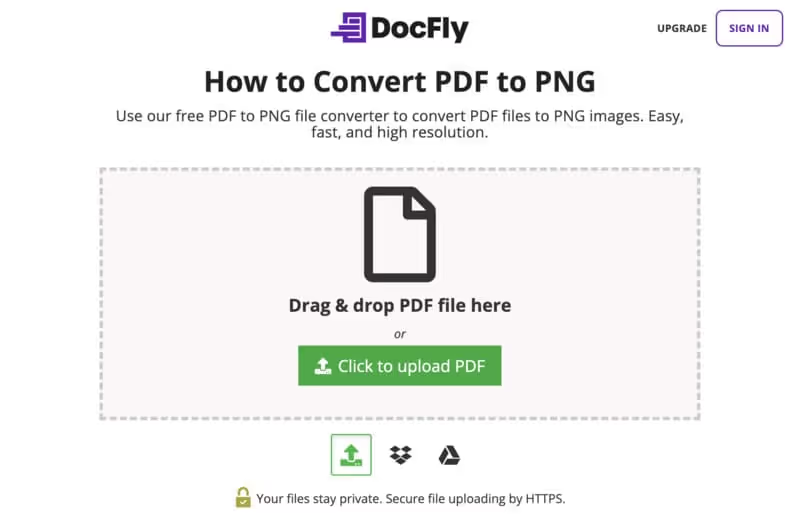
Upload the file: Click "Select" or drag and drop your PDF into the designated area.
Start the conversion: Click "Convert" to turn each page into a PNG image.
Download the files: Get your PNGs individually or in a ZIP archive for multiple page conversion.
Check the time limits: Download quickly, as files are often deleted after 1-2 hours to ensure data privacy.
✅ Benefits of converting PDF to PNG
Cross-platform compatibility: PNGs are perfect for social media, websites, and presentations, unlike PDFs.
High image quality: The lossless compression of PNGs keeps everything sharp, even for graphics or text.
Easy sharing: PNGs are more suitable for posting on Instagram, Facebook, or WhatsApp.
Flexibility: Extract a single page or multiple pages for specific needs (e.g., marketing visuals).
Accessibility: PNGs display consistently on all devices, without any specific software.
Do the converted files maintain their original quality?
Yes, modern tools like SmallPDF, Canva, and Xodo use lossless compression to ensure high image quality. PNGs retain:
The original resolution (up to 300 DPI for most tools).
The colors and details of text, graphics, and images.
Transparency for certain elements (e.g., logos).
Note: Check the conversion settings to avoid excessive compression. For example, Canva allows you to adjust the quality before downloading (Canva).
Is it safe to convert PDF to PNG online?
The security of files is a priority for reliable tools:
🔒 Security
📋 Description
🔧 Tool Examples
TLS/SSL Encryption
End-to-end encrypted file transfer to prevent interception.
SmallPDF, Canva, Xodo, CleverPDF, pdf2png
Automatic Purge
Files are deleted from the server after a limited time (30 min to 2 h).
pdf2png (1 h), CleverPDF (30 min), SmallPDF (1 h)
No Retention
No file retention once the conversion is complete.
PDF24, iLovePDF, SodaPDF
GDPR Compliance
Data hosting and processing compliant with European standards.
SmallPDF, PDF24, iLovePDF
Certifications & Audits
Third-party audits and ISO/SOC standards verifying infrastructure security.
SmallPDF (ISO 27001), Adobe Acrobat Online (SOC 2)
Server Location
Storage and processing in the EU or locally to reduce legal risks.
• Some functions require account
• Fewer pro options
★★★☆☆ (4.0)
HiPDF
• PDF→PNG + AI conversion & PDF chat
• 2,000 pages & 100 MB (batch)
Free* / $5.99/month /
$39.99/year
• Secure processing (TLS)
• AI & chat with PDF
• Page/size limits in free version
★★★☆☆ (4.1)
Analysis: pdf2png is perfect for quick and free PDF conversion. Canva excels for designers with its editing tools. SmallPDF and Xodo offer a good balance of security and quality (Capterra).
Tips for a successful conversion
Check the file size: Most free tools limit to 20-40 MB (e.g., CleverPDF, 20 MB).
Test the quality: Download a sample to confirm the high image quality.
Use the cloud: Upload from Google Drive or Dropbox for convenience (e.g., Convertio).
Customize: Adjust margins or orientation with Canva or SmallPDF for high-resolution images.
Protect your data: Choose tools with encryption (e.g., SmallPDF, Xodo).
Conclusion
Converting PDF to PNG in 2026 is fast, free, and secure with tools like pdf2png, Canva, SmallPDF, and Xodo.
These free PDF converters offer a simple user interface, high image quality, and multi-page conversion in just a few clicks.
Whether for sharing on social media, creating visuals, or archiving documents, these solutions guarantee a smooth user experience and optimal file security. Try them now to transform your PDFs into high-resolution images!
🎁 TRY AI REVOLUTION FOR FREE
Notion AI: read less and decide faster
Ask one question across your pages, meeting notes, and databases. Notion AI surfaces the decisions, blockers, and next steps worth your attention.
Everyone gets complimentary AI responses. Upgrade to Business only after you use them up.
Open the meeting notes you have been avoiding and ask Notion AI for a one-minute decision brief.
Using online PDF to PNG converters effectively requires knowing a few key tips and tricks. Here's how you can optimize your conversions to get the best results.
1. Optimizing Image Quality
When converting PDFs to PNGs, image quality is a major concern.
Here's how you can ensure your images stay sharp and clear:
Choose the right tools: Use converters like Cloudconvert or PDFCandy known for maintaining high resolution. These tools ensure that your PDF images remain sharp and high quality after conversion.
Check resolution settings: Before starting the conversion, see if you can adjust the resolution. A higher resolution means better image quality in the final PNG file.
By choosing reliable converters and adjusting the right settings, you can get high-quality PNG images from your PDF files. The key is to prioritize resolution and clarity to ensure your converted images meet your quality expectations.
2. Handling Large PDF Files
Converting large PDF files to PNG can be tricky.
Here are some tips to manage these files effectively:
Use specialized tools: Tools like Smallpdf or DocFly are optimized to handle large PDF files. They allow for efficient conversion without compromising speed or quality.
Split large files: If your PDF is particularly large, consider splitting it into smaller sections before conversion. This can make file management easier and speed up the process.
For large PDF files, using specialized tools and splitting files can greatly improve conversion efficiency. Good planning and choosing the right tool are essential for a hassle-free conversion.
3. Security and Privacy
The security of your documents is crucial when converting PDFs to PNGs.
Here's how to ensure your data is protected:
Choose secure tools: Opt for converters like PDFtoPNG and PDFConverter.com that ensure your files are deleted after conversion to maintain privacy.
Check privacy policies: Make sure the converter you use adheres to strict privacy policies. This ensures your data is not compromised or misused.
By choosing online converters that prioritize security and privacy, you can protect your sensitive information while enjoying efficient conversion services.
The key is to choose tools that are transparent about their security measures and respectful of user privacy.
Final Thoughts
While PDFs are important, they don't match PNGs when it comes to images. So, if you want to publish PDF files as images online, you'll need the converters mentioned above.
All these tools are very easy to use and can quickly and efficiently convert your PDF to PNG without losing quality. We recommend using PDFtoPNG for this purpose as it has everything you need to convert a PDF to PNG online and more.
FAQ
Can I convert a PDF to PNG without signing up?
Yes, tools like pdf2png, PDF24, and CleverPDF don't require registration or software (pdf2png.com, PDF24).
Are free tools secure?
Yes, platforms like SmallPDF and Xodo use TLS encryption and delete files after 1-2 hours to ensure data privacy (SmallPDF).
Can I convert a multi-page PDF into multiple PNGs?
Yes, tools like pdf2png and Canva generate one PNG per page, downloadable individually or in a ZIP (pdf2png.com).
What other formats can I convert?
Some tools (e.g., SmallPDF, Convertio) support JPG, TIFF, BMP, and GIF in addition to PNGs (SmallPDF, Convertio).


.svg)


.avif)








%2525252520(1).avif)