Does PhantomBuster integrate marketing artificial intelligence?
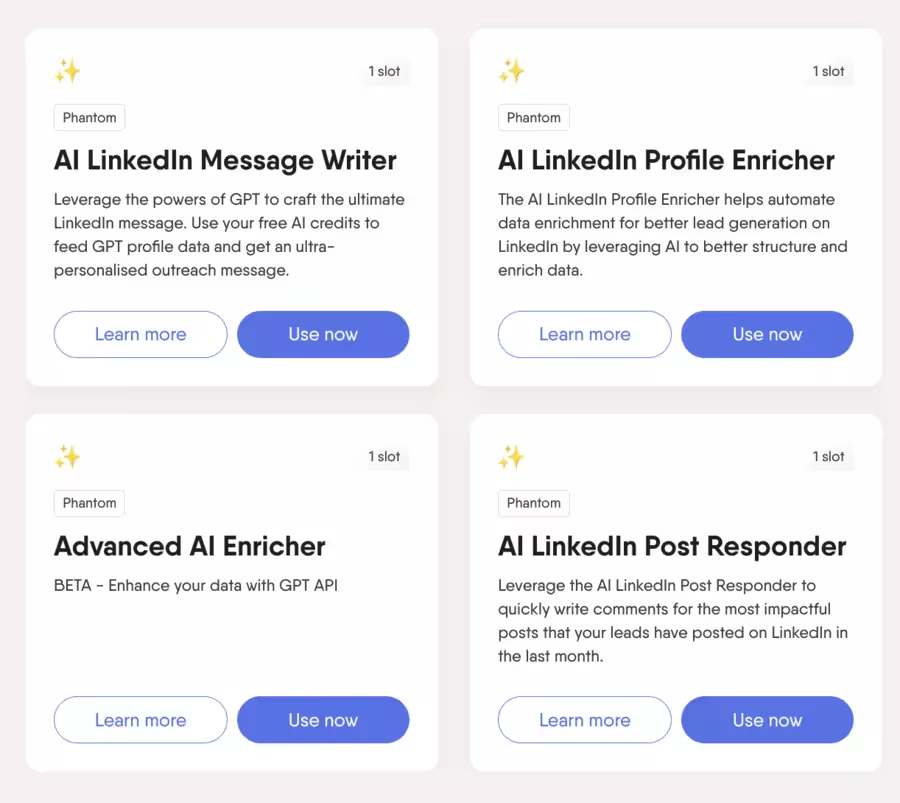
Recent plans include AI credits (AI credits) to enrich and transform data, for example to improve messages, clean up contacts, or complete certain fields.
.svg)
Meet Phantombuster, a powerful tool to automate your online tasks. Follow our comprehensive guide to get started effectively and save time.

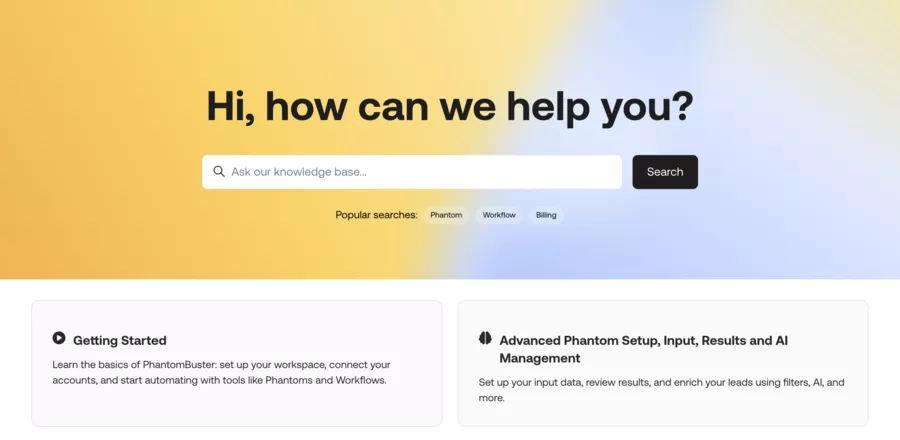
Phantombuster is a software and a automation solution (SaaS) that allows you to launch web robots — the Phantoms — for Scrape data, automate prospecting on social networks and feed your CRM without entering information by hand.
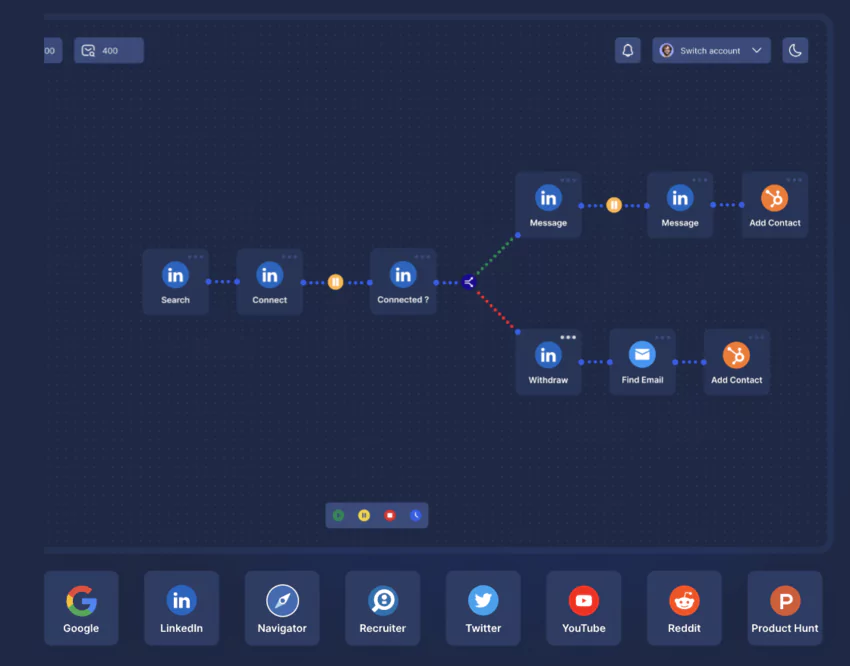
Concretely, using PhantomBuster is used to transform repetitive tasks (LinkedIn, Google Maps, email, Slack...) in workflows that run in the background.
For a marketer, a B2B salesperson or a Growth Hacker, PhantomBuster is therefore a box for automation tools marketing: you Connect your accounts (LinkedIn, Instagram, Sales Navigator, Google Maps...), you Choose a ready-to-use scenario, you set the limits, and the platform is in charge of collect leads, enrich data and trigger actions (messages, exports to CRM, Slack notifications...).
Getting started with the software is quick, making it easy to use PhantomBuster to automate prospecting, even for first-time users.
PhantomBuster is a cloud automation platform which offers more than 100 preconfigured scripts called Phantoms And Workflows no-code to combine several actions (scraping + enrichment + outreach, for example).

In particular, these Phantoms allow you to:
In addition to these products, PhantomBuster offers a variety of services adapted to different prospecting needs, including various functionalities and support options depending on the offers chosen.
In summary, PhantomBuster falls between:
Here is an overview at a glance
| 🔍 Key Use | 🧠 What PhantomBuster Does | 💼 Concrete Example |
|---|---|---|
| Automated Social Prospecting 📣 |
Automate visits, connection requests, and LinkedIn messages Run daily without manual action |
Contact 50 targeted decision-makers daily on LinkedIn Send a personalized intro message to each new contact |
| Marketing Data Extraction 📊 |
Scrape profiles and pages from LinkedIn, Facebook, Instagram, Google Maps Extract names, emails, phones, and social links |
Export all marketing agencies in a city from Google Maps Automatically send the list to a Google Sheet |
| Enrichment & AI 🧩 |
Add company domain, size, and social networks Score leads with intent signals via AI |
Complete a lead database with sector and size Find missing professional emails for each key contact |
| Ready-to-Use Workflows ⚙️ |
Chain multiple Phantoms into complete scenarios Connect CRM, email, Slack, and spreadsheets |
Scrape Sales Navigator → enrich emails Push to HubSpot and notify team on Slack |
Thanks to PhantomBuster, it is especially possible to save time on prospecting and data collection, without coding.
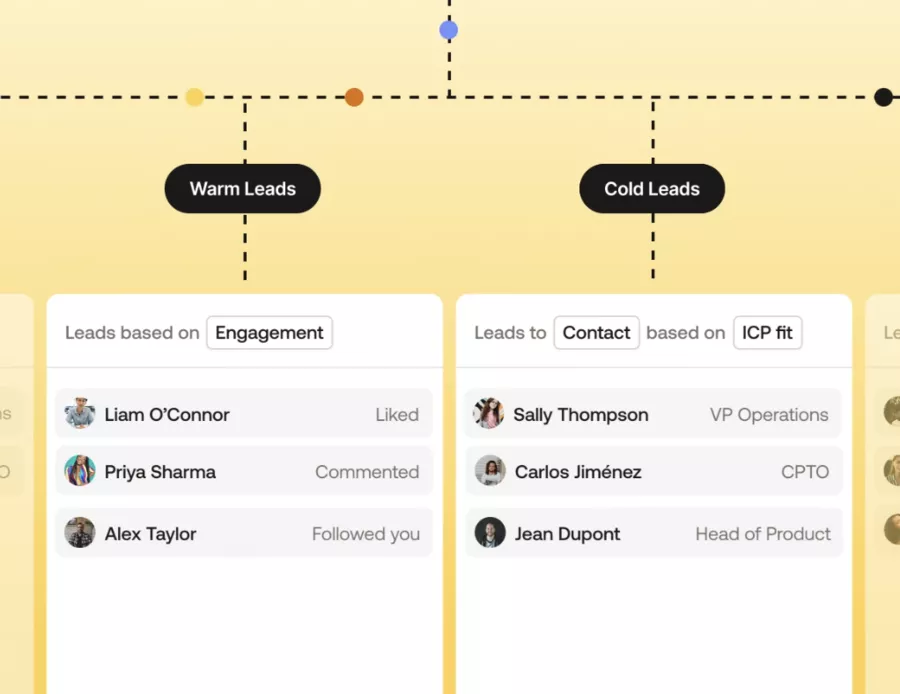
Here are some scenarios for example:
Prospecting LinkedIn/Sales Navigator 🔗
Extracting Google Maps 🗺️ contacts
Multi-channel marketing automation 📬
Optimizing business processes 📈

Each Phantom is a small preconfigured script that executes a targeted task:
You configure:
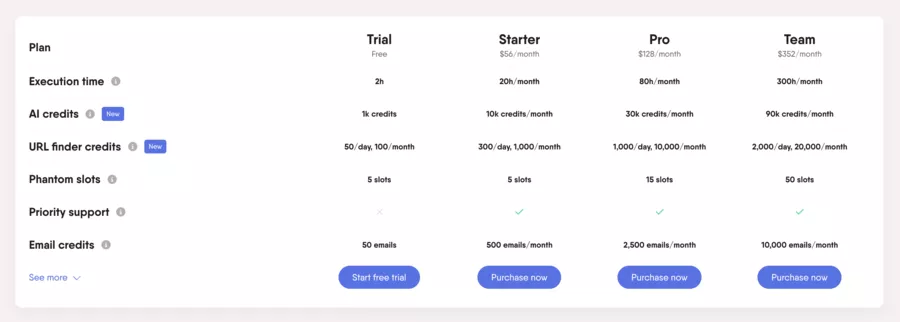
The model is based on:
The current paid plans revolve around:
PhantomBuster offers a 14 day free trial with full access to features, then switch to a paid plan or a limited version depending on the option chosen
The tool connects to:
Result: you can connect PhantomBuster to your existing stack to create optimized data flows (ex: PhantomBuster → Zapier → Slack + CRM).

PhantomBuster is mainly aimed at B2B Sales & Marketing teams, the agencies And the Growth freelancers who need volume without recruiting an army of assistants.
Here are the profiles that PhantomBuster makes sense for:
| 👤 Profile | ✅ Main Interest | ⚠️ Key Points for Responsible Use |
|---|---|---|
| 🧑💻 Growth Hacker / Freelancer |
Build workflows to scrape, enrich, and mass-contact Package automations as offers for multiple clients |
Respect platform quotas and limits to avoid blocks Craft messages carefully to avoid aggressive phishing |
| 👥 B2B Sales / SDR |
Rapid lead generation from LinkedIn, Sales Nav, Google Maps Accelerate outreach without manual data entry |
Validate strategy with manager and legal for GDPR and TOS Maintain human oversight on targeting and lead prioritization |
| 📣 Marketing Agency / Outbound |
Industrialize multi-channel prospecting for multiple clients Create high-value “done for you” outbound offers |
Clearly separate accounts and campaigns by client Set up strict governance to prevent targeting errors |
| 🧠 Data / Ops Marketer |
Build a SaaS automation brick around PhantomBuster’s API Centralize scraping, enrichment, and CRM/data warehouse push |
Requires API, webhook, and error management skills Needs regular monitoring to avoid drifts and stuck jobs |
⚠️ Less suitable if:

User feedback and recent reviews show a fairly nuanced picture: power is real, but you have to accept a learning curve and a few constraints.
Here is a summary of the pros and cons of Phantombuster
| 💡 Key Point | ✅ What PhantomBuster Does Well | ⚠️ To Keep in Mind |
|---|---|---|
| 🚀 Power |
Advanced multi-platform automation for prospecting Can generate a lot of leads quickly |
Outreach can quickly look like mass phishing Needs clear limits to avoid overwhelming prospects |
| 🧰 Features |
Large library of ready-to-use Phantoms Workflows + AI blocks to enrich and score leads |
Complexity grows with more steps Needs internal documentation for scenarios |
| 🔗 Integrations |
Native API, CRM, Slack, Zapier, n8n, Sheets connectors Can integrate into an existing growth stack |
Requires clear process vision before connecting everything Risk of data chaos if flows aren’t well thought out |
| 💸 Costs |
Can replace multiple scraping and enrichment tools Interesting for sales teams or agencies with high volume |
ROI can be hard for solopreneurs or low volume Need to track real cost per lead obtained |

We can group the alternatives into Three families :
Relevant if your main need = LinkedIn prospecting and not multi-channel scraping.
| 🧩 Tool Type | 🛠️ Examples | 👍 When to Choose Over PhantomBuster |
|---|---|---|
| 🎯 LinkedIn-Focused |
Evaboot, Linked Helper, Expandi Other tools highly specialized for LinkedIn |
You do 90% of your business on LinkedIn or Sales Nav You want very precise outbound on a single channel |
| 🕸️ Generalist Scraping |
Octoparse, Apify, Bright Data Tools designed for broad web crawling |
You want to scrape various sites outside social networks Your primary need isn’t commercial prospecting |
| 🧠 Orchestration / Data |
TexAu, Captain Data, Clay Platforms focused on data ops and APIs |
You already have an advanced data and CRM stack You want to orchestrate multiple APIs with enriched scoring |
PhantomBuster is a powerful marketing automation and B2B prospecting tool, capable of:
In return, you must accept:

🧠 My critical opinion:






Recent plans include AI credits (AI credits) to enrich and transform data, for example to improve messages, clean up contacts, or complete certain fields.
The tool is used to generate leads more quickly and to automate repetitive tasks: extracting lists from LinkedIn, Google Maps or Instagram, enriching contacts, then sending message sequences or automatically synchronizing them to a CRM or Google Sheets. 🚀
You choose a Phantom or a ready-to-use workflow, you indicate the source (LinkedIn URL, Google Maps search, lead file...), you set the limits (volume/day, frequency) and the robot runs in the cloud. The results can be exported in CSV, Google Sheets or directly to your CRM via API.
In particular, you can automate:
The tool is mainly aimed at:
Scraping and automation are supervised by:


.webp)