.svg)
Discover the top online survey software tools. Compare ease of use, analytics, and pricing to choose the best tool for gathering feedback and insights.

Here is my pick of the best survey software.
Best global survey software ($99 per month)
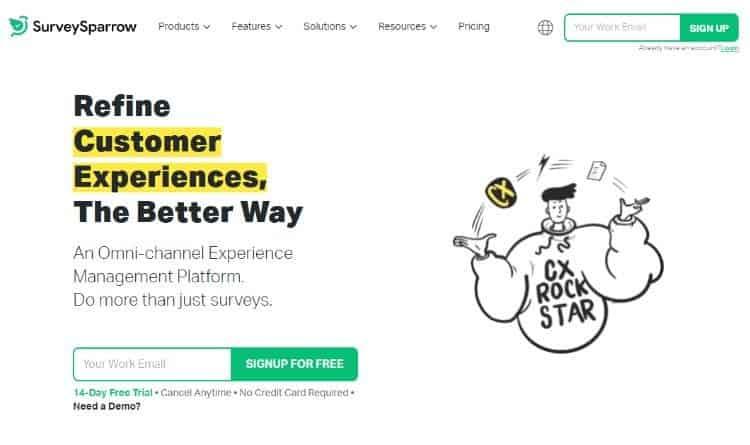
SurveySparrow is a survey software for everyone, from individual contributors to large businesses. SurveySparrow offers an easy to use online web application where anyone can create surveys and publish them on the Internet in minutes.
SurveySparrow is great for engaging people in instant surveys to learn more about your customers.
You're more likely to get answers if you ask more questions. With SurveySparrow, you can get quick feedback for almost any survey type.
Survey Sparrow has enough features to conduct effective surveys while being easy to use. With no learning curve, it allows you to comment on responses in real time. You can easily share other media like images with your audience at the same time.

There are 4 different types of plans:
Each of the plans is assorted of a free 14-day trial ->
An interesting tool for users who want to follow surveys on a mobile application ($25 per month).
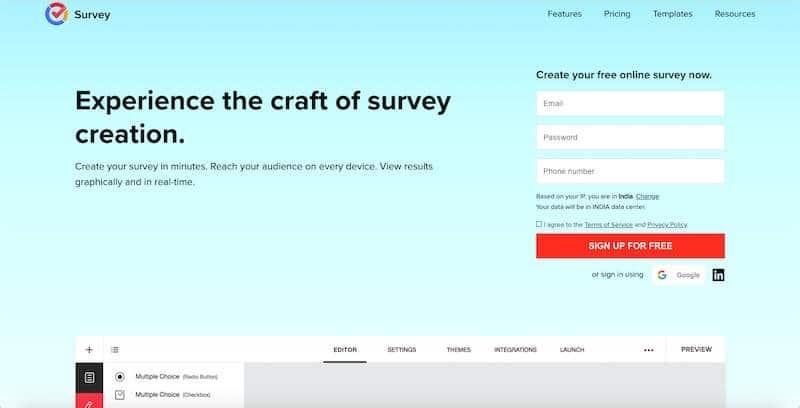
Zoho Survey allows you to create intuitive surveys in minutes and reach audiences across device platforms. It also offers real-time results in a graphical format for easy understanding.
You have 250 expertly designed templates to create your perfect survey.
Some categories include:
It also offers over 25 question types to create unique quizzes and multi-lingual surveys. It's also really easy to reach your audience through web links, email campaigns, custom domain links, and more.
Then, collect the survey results and integrate them into your websites and emails. Finally, you can analyze reports and make smart decisions.
Zoho Survey offers numerous types of intelligent reports, including real-time reports, filtered responses, custom reports, cross-reports, and more.

In addition, it ensures the security of your surveys through SSL certification, password protection, multiple response prevention, and CAPTCHA.

Zoho offers four pricing plans:
You also get a 7-day free trial of the Enterprise plan.
Best enterprise customer feedback software ($800 per month).

The HubSpot customer service software survey platform allows for qualitative and quantitative customer feedback to be collected. It increases your reach by distributing surveys through emails and integrating them into your website.
Hubspot will also allow you to choose the right survey tool for better visibility and better engagement.
You also have a number of options to improve your survey experience, such as:
It also offers a user-friendly dashboard where you can track customer responses under one roof.
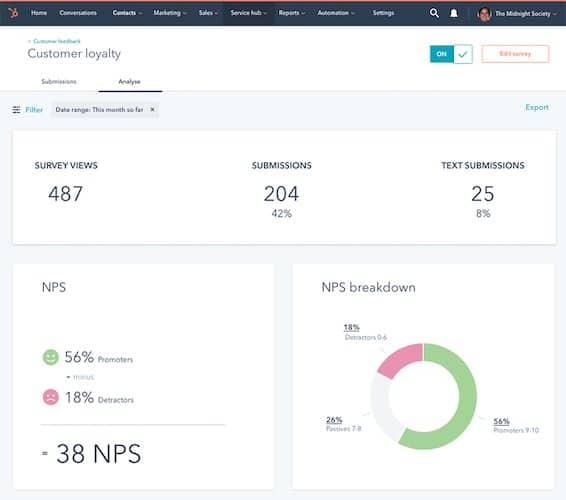
HubSpot also allows you to identify opportunities to improve customer engagement and examine how happy your customers are compared to other industry leaders.
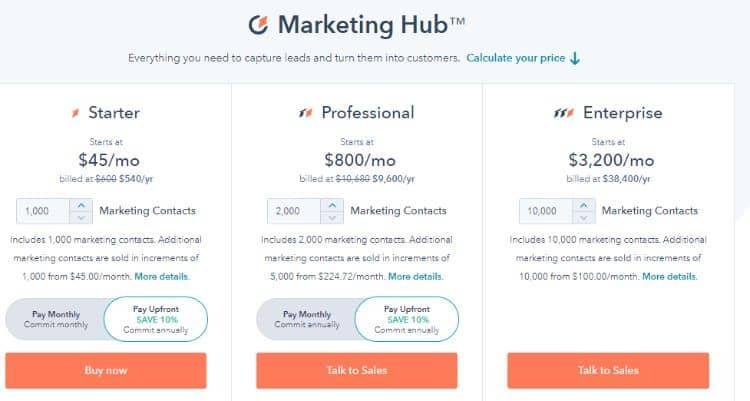
The Survey feature comes with HubSpot CRM.
Try HubSpot for free
Best global survey software ($129 per month)

QuestionPro offers survey software for everyone, from individuals to large companies. QuestionPro offers an easy to use online web application, with pre-built surveys that anyone can customize and use in minutes.
QuestionPro is a great tool for collecting customer feedback; you can even send them rewards when they complete a survey.
You can get more relevant answers by asking exactly the right questions to the right people. QuestionPro's branching logic allows you to tailor each interview to the user and get great feedback quickly.

There are 4 different types of plans:
Try QuestionPro for free.
Free online survey software for individuals and large businesses (free).

Google Forms is one of the most popular names for a free online survey tool. Its drag-and-drop user interface allows you to create a survey in minutes. In addition, you can customize its pre-established templates to design forms that meet your needs.
You also have access to real-time charts and information based on user responses.

You can also connect collected data to other Google products. At the same time, your respondents can also download a file as a response to your survey.
In addition, it offers a variety of different question types, including multiple voice questions, short answers, and multiple choice questions.
Google forms are free to use.
The best solution for creating beautiful surveys on any device ($33 per month).

Enjoy a top-notch real-time data analysis experience in an online survey tool that's easy to use, lightweight, and powerful. SurveyLegend is a feature-rich application with a simple interface.
SurveyLegend offers a simplified list of features, perfectly balanced with an intuitive interface. Surveys also load quickly regardless of the device used to access them.
Your analytics come to life as answers come in - SurveyLegend was designed with real-time analytics, feedback, and results in mind. As soon as someone answers your survey, you can see the data coming in and start interacting with it: filter, search and sort, export, or create beautiful charts and tables using our many available themes.
Reach your target audience, wherever they are in the world and in any language. You can share your surveys with people using email, social media, and even text messages.

Here are the four pricing plans available with SurveyLegend:
Best online survey software ($25 per month).

SurveyMonkey is one of the most popular questionnaire tools in the world. It's an easy to use tool that makes creating surveys, designing polls, and collecting data a snap.
This survey solution gives you the ability to ask up to 15 different types of questions, including open comments, interactive sliders, and multiple choice questions. You can also include questions written by experts in your surveys to make them more effective.
It also offers over 230 templates for various types of surveys.
Here are a few of them:
The templates are suitable for beginners to create basic online surveys or complex surveys. You can also customize the survey design, colors, fonts, and more to align with your brand.

The flexible sharing options are also very useful. The formats you can export your data to include CSV, XLS, PDF, PPT, and SPSS. You can present your results in charts and graphs.
Here's how SurveyMonkey works:

SurveyMonkey offers seven pricing plans for individuals and teams.
Individual plans:
Team plans:
A business plan allows you to conduct multilingual surveys and apply advanced survey logic.
User-friendly platform for CX, EX, online surveys, and quizzes ($25 per month).
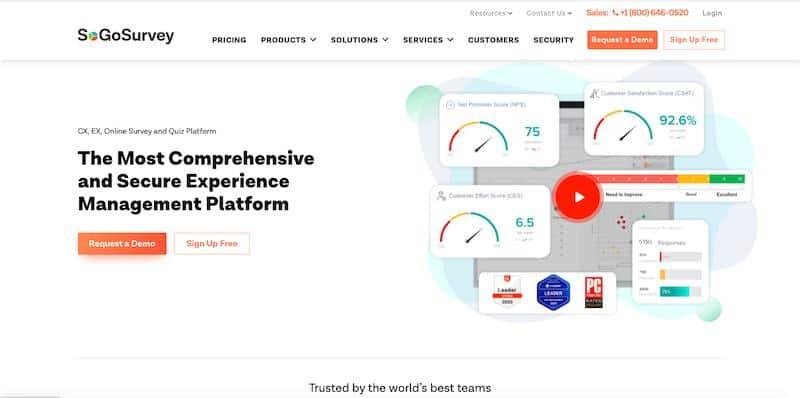
SogoSurvey is a great option for businesses looking for an affordable survey tool with powerful data analysis features.
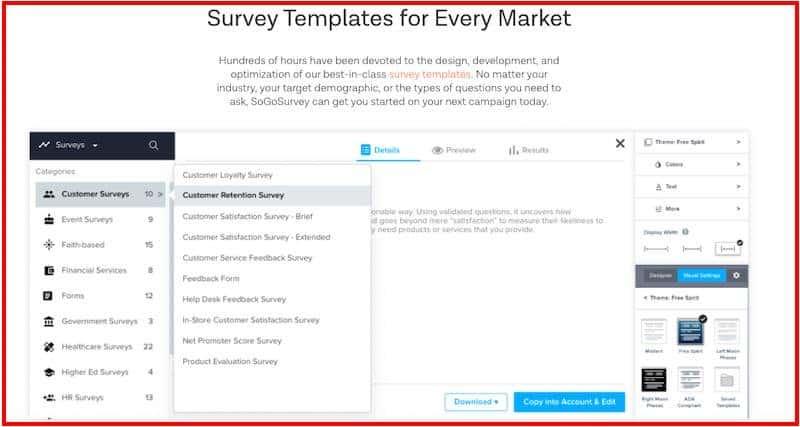
SogoSurvey offers “survey banks” with numerous template options and built-in question templates. So you can design a survey form very easily. After designing the survey, you can distribute and share your surveys across multiple platforms. Finally, you can review and share results using live reports.
The benefit is that you have survey templates for all markets, including customer loyalty surveys, event surveys, feedback forms, and more.
You can also automate your feedback process by connecting its API to your CRM system. Additionally, the NLP (Natural Language Processing) function automatically analyzes text responses and serves customers more effectively.
In addition, its data analysis tool to measure the feeling of the responses users to easily understand their behavior. You can also use its Net Promoter Score (NPS) to manipulate your questions for accurate feedback.

SogoSurvey offers four pricing plans:
Besides the paid plans, you also have a freemium plan for basic features. The Premium plan option offers the “AutoSave” option to review incomplete surveys.
Great interactive quizzes for surveys, quizzes, and evaluations ($33 per month).

Survey Anyplace creates quizzes and also provides valuable customer information to your audience. You also have plenty of text choices and options for asking open-ended questions.
In addition, you can ask several types of questions, including image choice, ranking, and evaluation questions. To improve the engagement quotient, you can also include a timer, final score, and ranking.
Survey Anyplace uses three simple steps to create winning surveys:

You can also integrate the survey with Facebook, Webhooks, Zapier, and Google Analytics for powerful reports.

It offers four paid formulas:
There is also a 7-day free version to test the software. The custom Enterprise plan also offers a comprehensive white label option upon special request.
Powerful online survey software for questionnaires for specific research projects ($1,500 per year).

Qualtrics is a great option if you're looking for custom solutions to survey customers, employees, and brands.
Its drag-and-drop survey builder allows you to create highly customized and intuitive survey forms. It provides over 50 built-in templates to easily create amazing surveys.
Then, get answers and information from your customers or increase employee engagement wherever they are. For example, you can share your survey link via email, text message, etc.
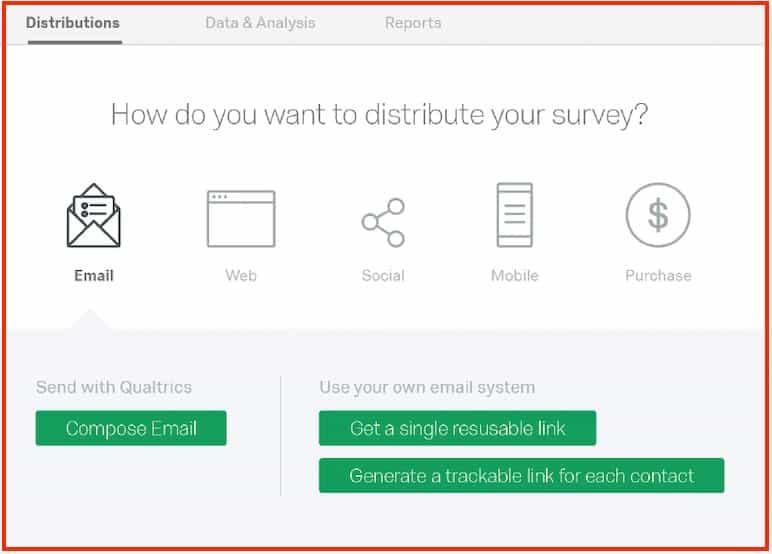
After receiving the results, you get insights and options for creating market segments.
Plus, you can bring all of the feedback together on one platform by breaking down silos and creating an overall view of the customer journey. You can also improve the quality of information through high engagement rates and by asking just enough questions.
To help keep your data secure, it offers enterprise-grade security, surveillance, privacy, and data access controls.
Qualtrics pricing plans are only available upon request. However, online reviews suggest that prices start from $1500 per year. Qualtrics also offers a free plan that you can use for an unlimited period of time.
Great customer feedback tool (pricing on request).

GetFeedback helps you deliver a great customer experience (CX) by collecting user feedback in real time. It provides an easy to use drag-and-drop editor for creating engaging surveys and sending them to your customers for feedback.
The good news is that it gathers information after each customer interaction throughout the customer journey, from sales to service.
You can also integrate your GetFeedback dashboard with Salesforce.

GetFeedback allows you to:
All of these features allow you to follow up on unhappy customers and build brand loyalty. It is a flexible tool that easily adapts to all platforms.
Common types of survey templates offered by GetFeedback include the following:
It offers 2 price plans:
Pricing plan details are available upon request only. You also get a 14-day free trial.
A great tool for creating omnichannel satisfaction surveys ($39 per month).

Nicereply gets real-time feedback using one-click brand surveys. You can customize them and add additional questions using the beautiful built-in templates.
Additionally, evaluate surveys based on the “Customer Effort Score” to identify why and where customers are struggling with your products or services. Use its “Net Promoter Score” to discover your loyal customers and develop other users around them.
After collecting feedback, monitor the causes of the wrong answers and improve the problems.

Here's how Nicereply helps you improve the experience of your target audience:
It offers a large number of themes and colors to adapt to your logo and brand image. You can use all the customization features without any coding knowledge.
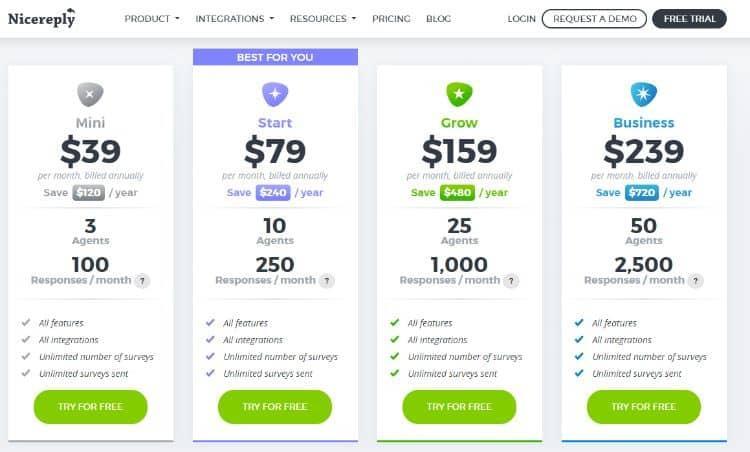
Nicereply offers four pricing plans:
You also get a free 14-day trial and a free live demo. Billing annually allows you to save 20%. If you need more than 2500 responses, you can contact the sales team for a custom pricing model.
Suitable for collecting customer feedback and discovering essential information for businesses (prices on request).

Pulse Insights gets to the heart of your customers' experience by asking contextual questions when conducting surveys.
You can also customize your survey form to make it look and feel valuable. It also offers a wealth of customization options, including themes, colors, and logos, to meet your branding guidelines.
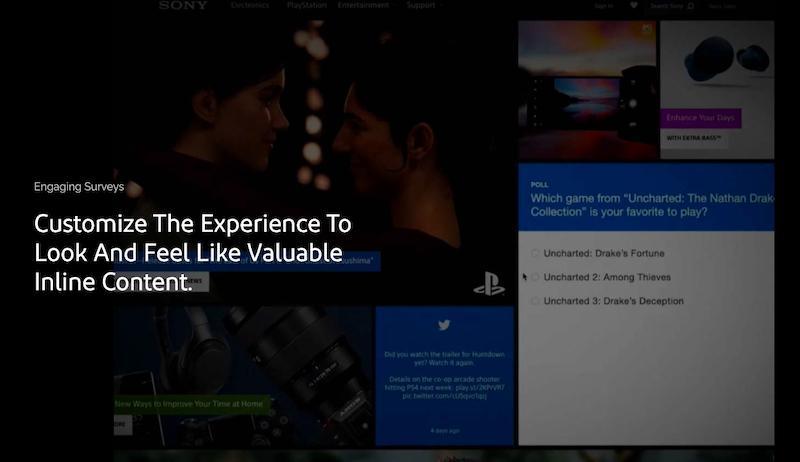
Pulse surveys also promise to help you increase response rates by up to 10%. You can also share your forms across all company channels. Plus, it integrates your surveys with other web analytics tools, including A/B testing and CRM.
Pure Insights offers three main solutions:
Its pricing plans are available upon request.
Traditionally, organizations used surveys to capture public opinion by analyzing respondents' responses to a series of specific questions.
Survey tools are applications that make it possible to collect the reactions of a sample or a targeted population via a computer. This software helps researchers, businesses, and freelancers to conceptualize, design, and analyze surveys.
Most survey tools also offer drag-and-drop tools to easily design survey forms. Their automated features also streamline the entire process and facilitate monitoring and analysis.
They also offer distinct advantages over manual surveys, especially when it comes to speed and levels of accuracy. Some of the best survey tools include SurveyMonkey, SogoSurvey, Zoho Survey, etc.
Every business or individual has different investigative goals. For example, an e-commerce business may want to ask recent buyers about a particular product.
A blogger may want to survey their email list in order to find ideas for future blog posts or an online course. A SaaS company can also survey its users in order to better understand the updates to its products.
However, regardless of the type of survey, there are a few features that are essential to any online survey software. Here are a few of them.
Good online survey software should allow users to analyze the data collected and draw actionable insights from it. For example, SurveyMonkey allows you to perform sentiment analyses, word clouds, and labels. It also offers all the other usual data analysis features.
During surveys, respondents feel more comfortable when they can answer in their own language. It can also improve accuracy levels. For example, SurveyAnyPlace offers a wide range of language options.
Online survey software that allows for third-party integrations is especially useful in cases where businesses deal with multiple domains. For example, Nicereply offers integrations with Zendesk, LiveAgent, Pipedrive, Freshdesk, Mailchimp, and other business tools.
Surveys can often fall prey to various types of biases. To get the most accurate results, you need to make sure that biases in responses are kept to a minimum. For example, Qualtrics allows you to do this by randomly displaying all the questions, hiding certain questions, and locking some of them in particular positions.
Automation allows you to spend less time creating quizzes and designing and distributing multiple surveys. You can spend most of the time analyzing the answers and writing them down. The automation of Zoho Survey is a good example.
Most online survey tools have standard features and work in a similar manner.
Let's show you how to create a survey form with SurveyMonkey:
First, create an account on the site and click on the “Create Survey” option at the top right of the page.

You have three options for creating your survey:
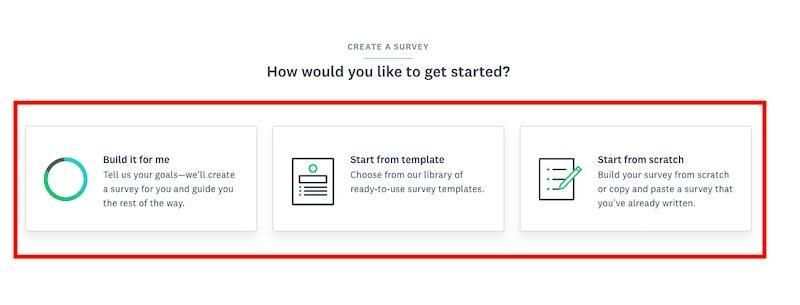
If you select the “Start from a template” option, you can choose from a wide range of templates offered.

You can also enter your requirements into the text editor provided for more accurate results and click on the “Use this template” option.
In the next step, you can name your survey and choose the category for your survey.
After selecting the category, you can create a variety of questions.
Here are a few examples:
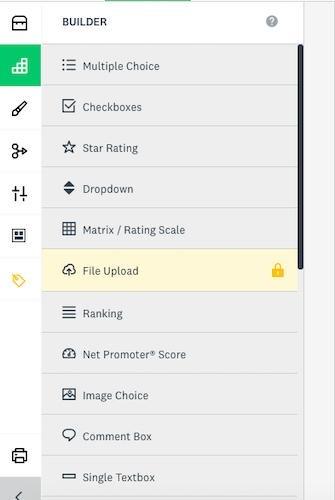
You can also customize the survey form to align it with your brand. You can add colors, fonts, and logos of your choice.
Then, you can preview the entire survey before sending it out to the target audience. This helps you understand how the survey looks on different devices like laptops, tablets, and mobile devices.
Then, choose from a wide range of options for sending the survey. Finally, wait for the answers to do the following series of activities, such as data collection, customer response analysis, response, etc.
That's my list of the best survey software to try out this year. Each of these investigative tools has standard functions and unique characteristics. However, you need to look at your business needs to decide which online survey software is best for you.
For example, if you're looking for a free tool that has basic features, you can use Google Forms. It offers powerful security and collaboration.
On the other hand, SurveyMonkey is one of the best paid tool choices to meet the needs of small businesses and businesses. If your business plan includes the purchase of a CRM subscription, you may want to consider HubSpot, as it comes with a powerful built-in survey tool.
Learn about unique features, analytics, data security, and customization options before you buy your online survey software.
Further reading: For more software reviews, check out my guides to best email marketing platforms And of best webinar software for your online business.